


Where FamilyWall falls short for families with kids
- Chore checklists for kids come without points or rewards.
- Several features, such as the meal planner and calendar sync with Google or Outlook, are Premium-only.
#1 FamilyWall alternative
1. Famiyo
Choose Famiyo if you want chores to earn kids points they can spend on rewards. FamilyWall offers chore checklists, but its plans list no points system or rewards.
Why families pick Famiyo over FamilyWall
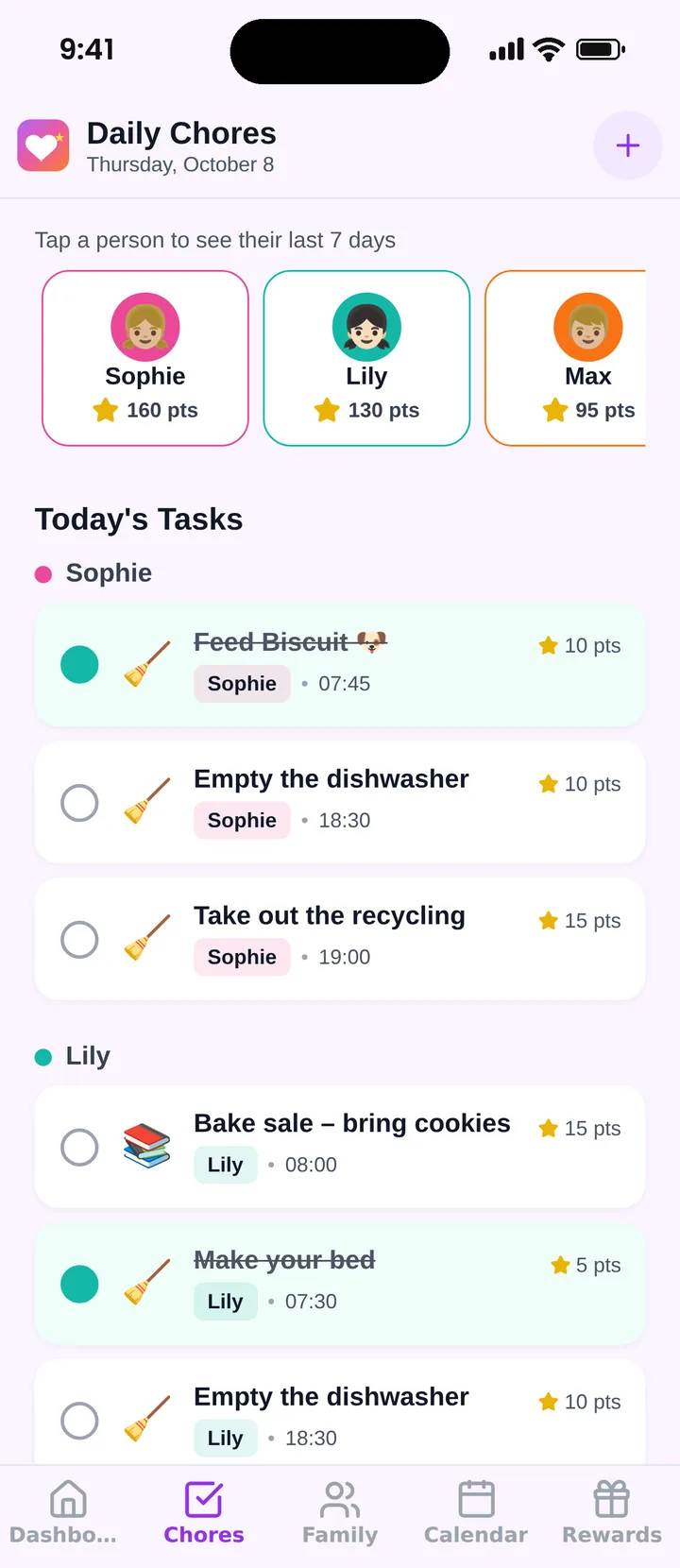
- Points for chores: Every chore or event can be worth points; kids collect them when the task is checked off.
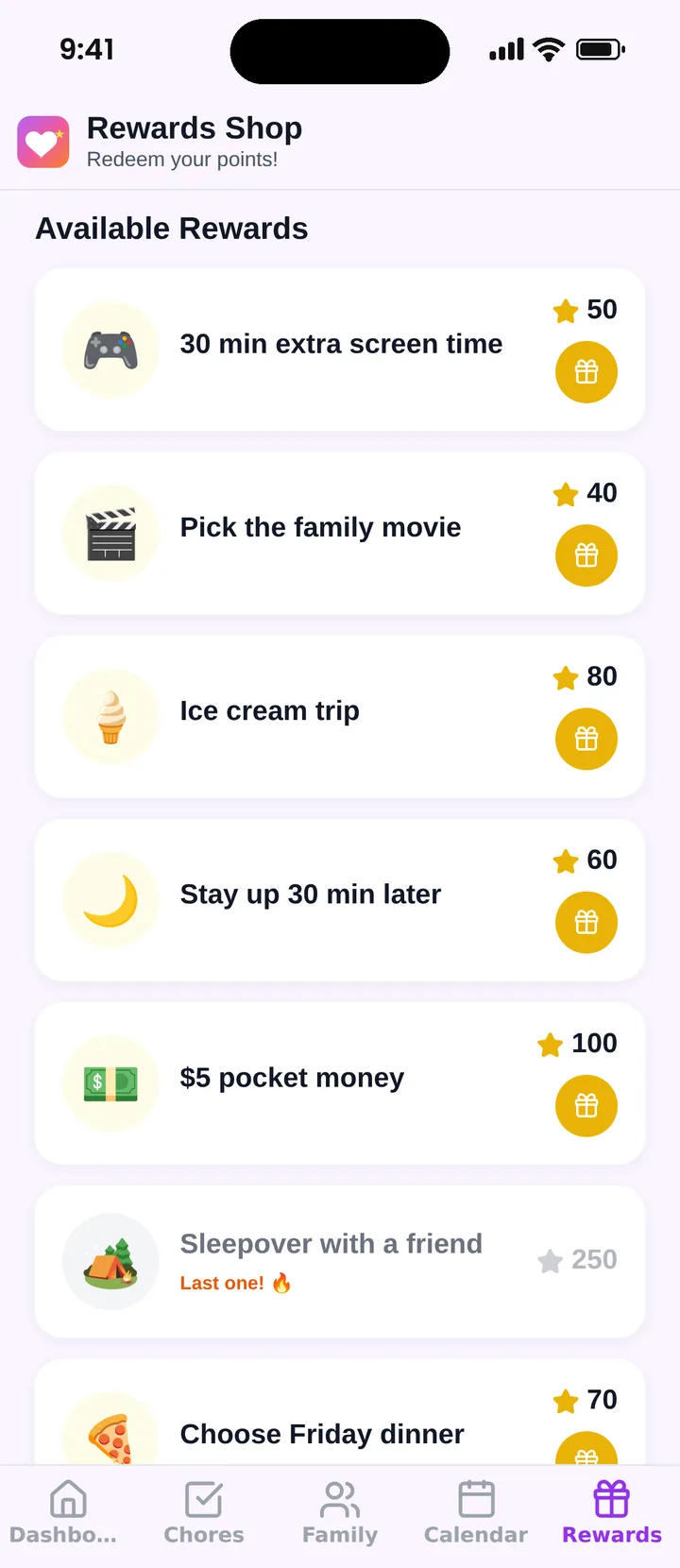
- Rewards shop for kids: Kids spend points in a family rewards shop with rewards, prices and limits you set.
Why families love using it
- Easy for kids and parents
- The whole family works together
- Rewards you define, kids redeem
- Progress everyone can see
- Schedule and chores in one place
- Parents stay in control
- Set up in minutes
- Nudges instead of nagging
Everything in Famiyo
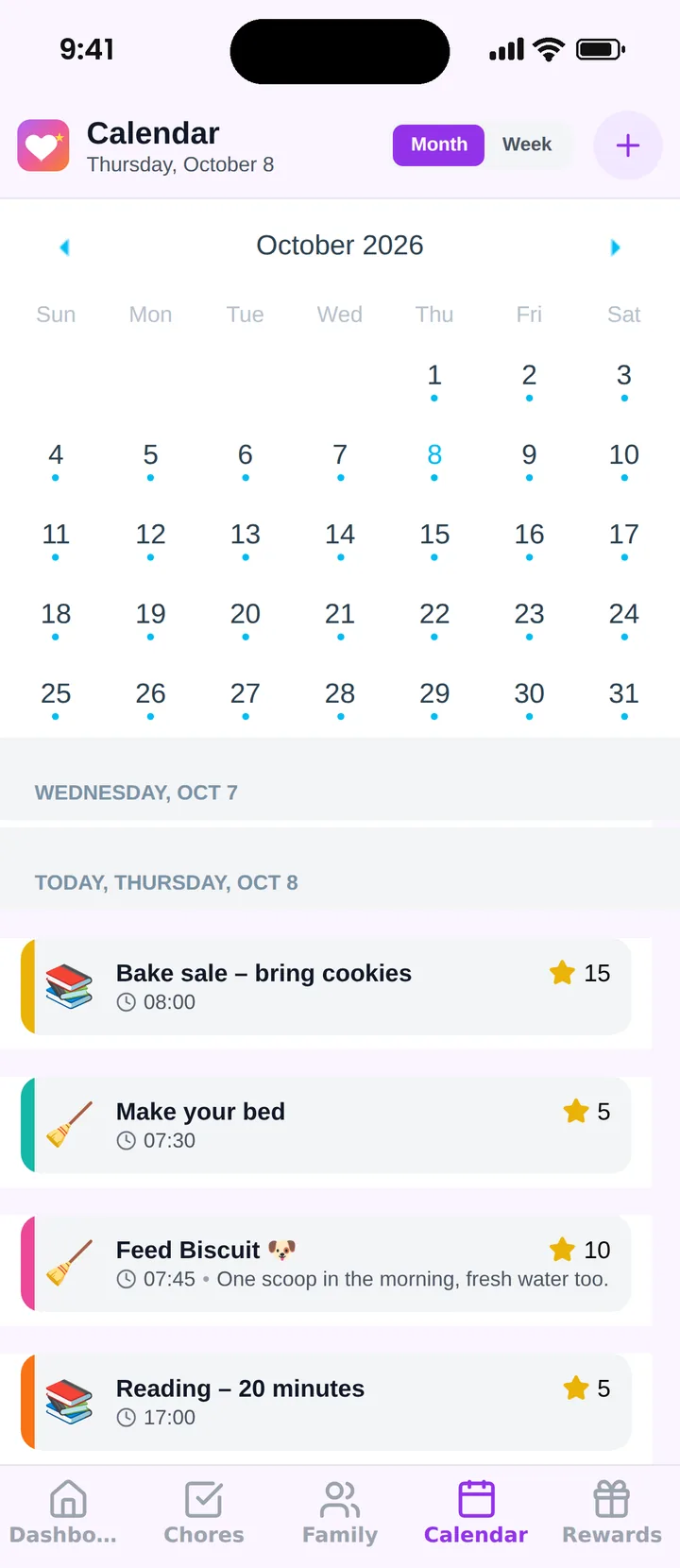
- Shared family calendar with a colour for every family member
- Chores and events worth points, checked off by kids or approved by a parent
- A rewards shop where kids spend their points on rewards you choose
- Kids join on their own phone with a 6-character code, without an email or password
- Free plan with points and rewards included, no ads
- iPhone, iPad and Android with live sync, so mixed-phone families can use it together
- Available in 8 languages: English, Polish, German, Spanish, French, Italian, Portuguese and Russian
2. Cozi
family organizer app
Shared family calendar with to-do and shopping lists and recipes; free with ads, Cozi Gold from $39/year.
Platforms: iPhone, Android and web
3. TimeTree
shared calendar app
Shared calendar for families and groups with memos; free with ads, Premium 4.49 USD/month.
Platforms: iPhone, Android and web
4. Jam Family Calendar
family calendar app
Subscription family calendar that turns forwarded emails into events; $15.99/month after a 30-day trial.
Platforms: iPhone, Android and web
5. Google Calendar
general calendar app
Free calendar; a Google family group adds a shared "Family" calendar for up to 6 people with Google Accounts.
Platforms: iPhone, Android and web
How to switch from FamilyWall to Famiyo
- 1Install Famiyo and create your family.
- 2Add your partner as an administrator and each child with a join code.
- 3Recreate your recurring events and turn chore checklists into chores with points.
- 4Set up the first rewards in the rewards shop.
Frequently asked questions
What is the best FamilyWall alternative?
For families with kids, Famiyo: it combines a shared family calendar with chores, points and a rewards shop, and kids join with a code instead of an email address. It is free for up to 3 family members.
Is Famiyo a FamilyWall alternative?
Yes. Famiyo has the shared family calendar and adds points for chores and a rewards shop, both on the free plan.
Can kids use Famiyo without an email?
Yes. Kids join with a 6-character code from a parent, without an email address or password.
More rankings and comparisons
Ready to leave FamilyWall?
Install Famiyo, add your family and set up the first chores and rewards in a few minutes.
Free for up to 3 family members. No ads.