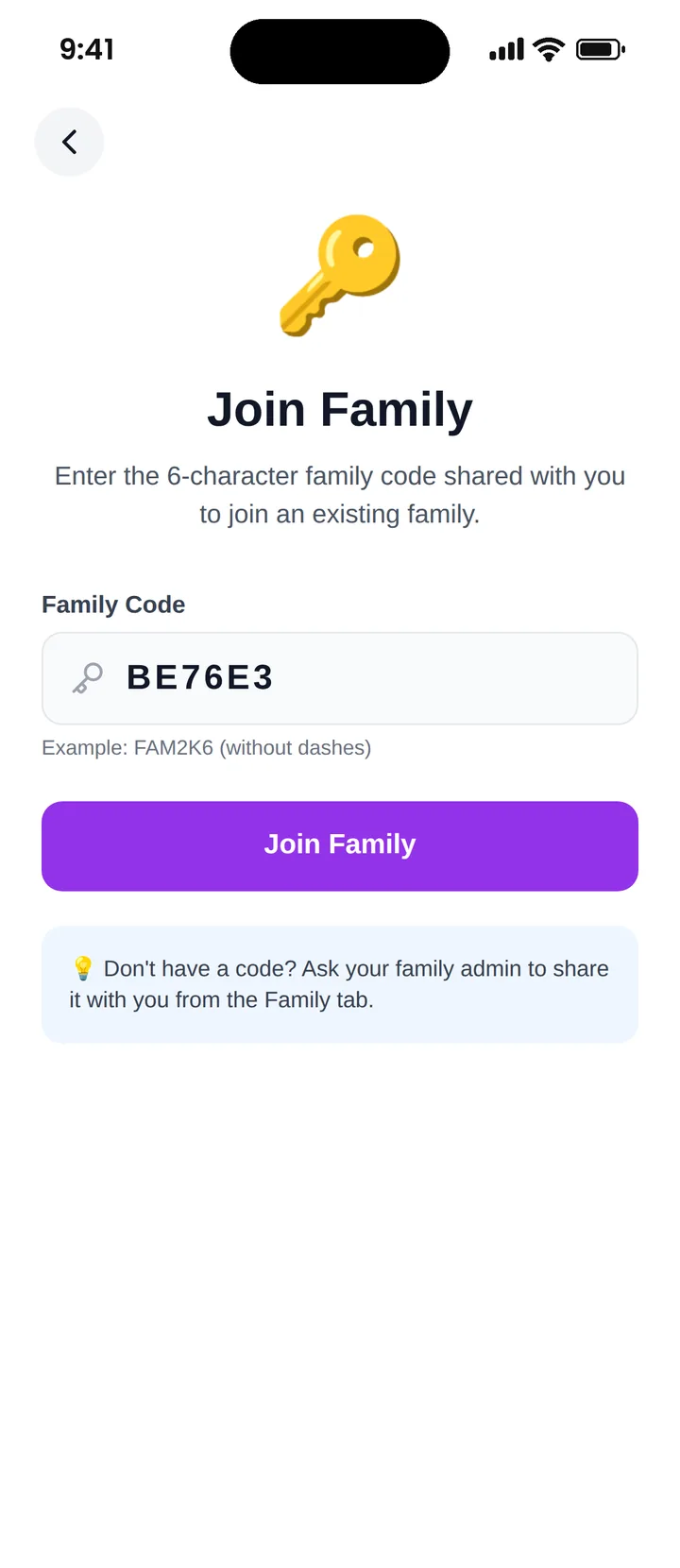
Famiyo uses a simple, secure system for joining a family group. A parent adds each family member in the app, and every member gets their own personal 6-character code. Entering that code on their phone connects them to the family instantly.
Joining a family with a code
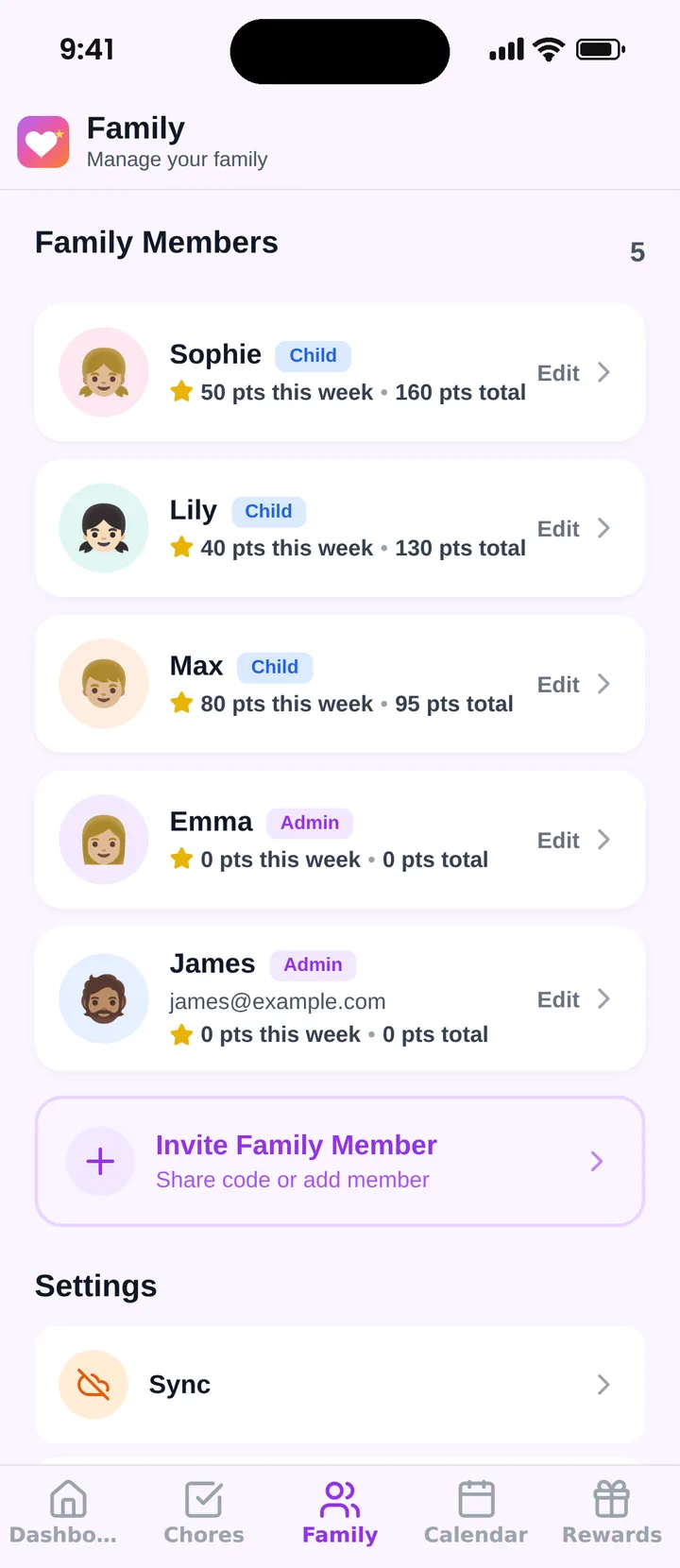
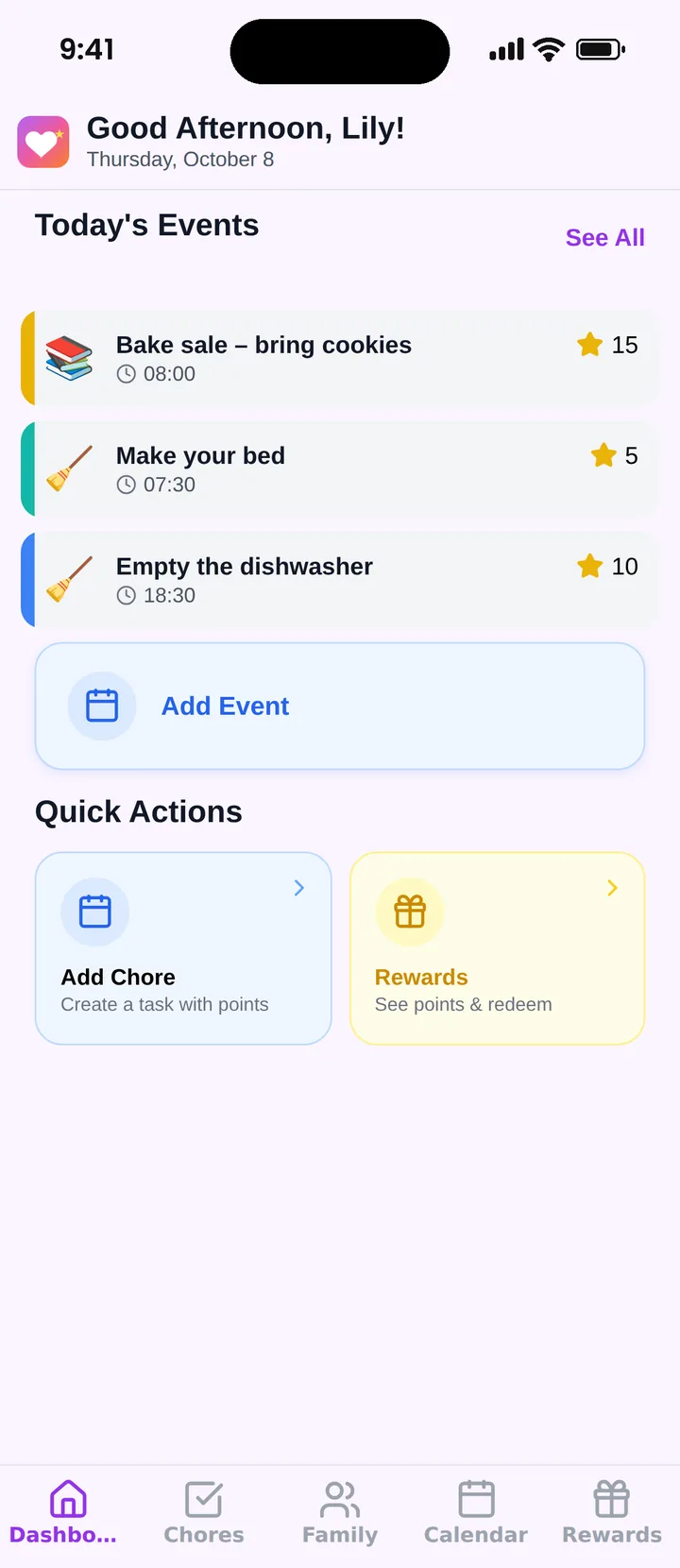
A child types the 6-character code, appears in the family list and lands on their own home screen.
Why a Join‑by‑Code System
Families need a quick way to add:
✓ Children
✓ Co‑parents
✓ Caregivers
✓ Relatives
A join code is fast, private, and easy to share.
How It Works
Parent Adds a Member
In the Family tab, a parent adds a member with a name, avatar and role: child or admin
A Personal Code Is Created
Famiyo generates a unique code for that person. Copy it and share it any way you like. Adult admins also receive it by email.
Kids Enter the Code
Children type the code on the welcome screen and they're in, with no email, password or account needed
Adults Sign In First
Admin codes are protected: a co-parent signs in with Apple, Google or email, then enters the code to get full access
The role is chosen by the parent who adds the member, so nobody can give themselves admin rights just by entering a code.
Role Management
Famiyo uses two roles:
Parent
Full access to all features:
- • Manage tasks and rewards
- • Create events
- • Approve completions
- • Manage family members
Child
Limited access:
- • View their own tasks and events
- • Check off tasks (if parents allow it)
- • Earn points
- • Redeem rewards
Only a parent can add an admin, so full permissions always stay with the adults you choose.
Safe and Simple
The join‑by‑code system is designed to be:
Secure
Unique codes prevent unauthorized access
Fast
Kids join in seconds, no email required
Easy for Kids
Simple code entry, no complex setup
Manageable
Parents control permissions
It's the simplest way to build your family group inside Famiyo.
Ready to Build Your Family Group?
Try Famiyo's simple join-by-code system and get your whole family organized today.

