


Where Skylight Calendar falls short for families with kids
- Stars and rewards for kids require Calendar Plus at $79 a year.
- Skylight's calendar displays start at $149.99.
#1 Skylight Calendar alternative
1. Famiyo
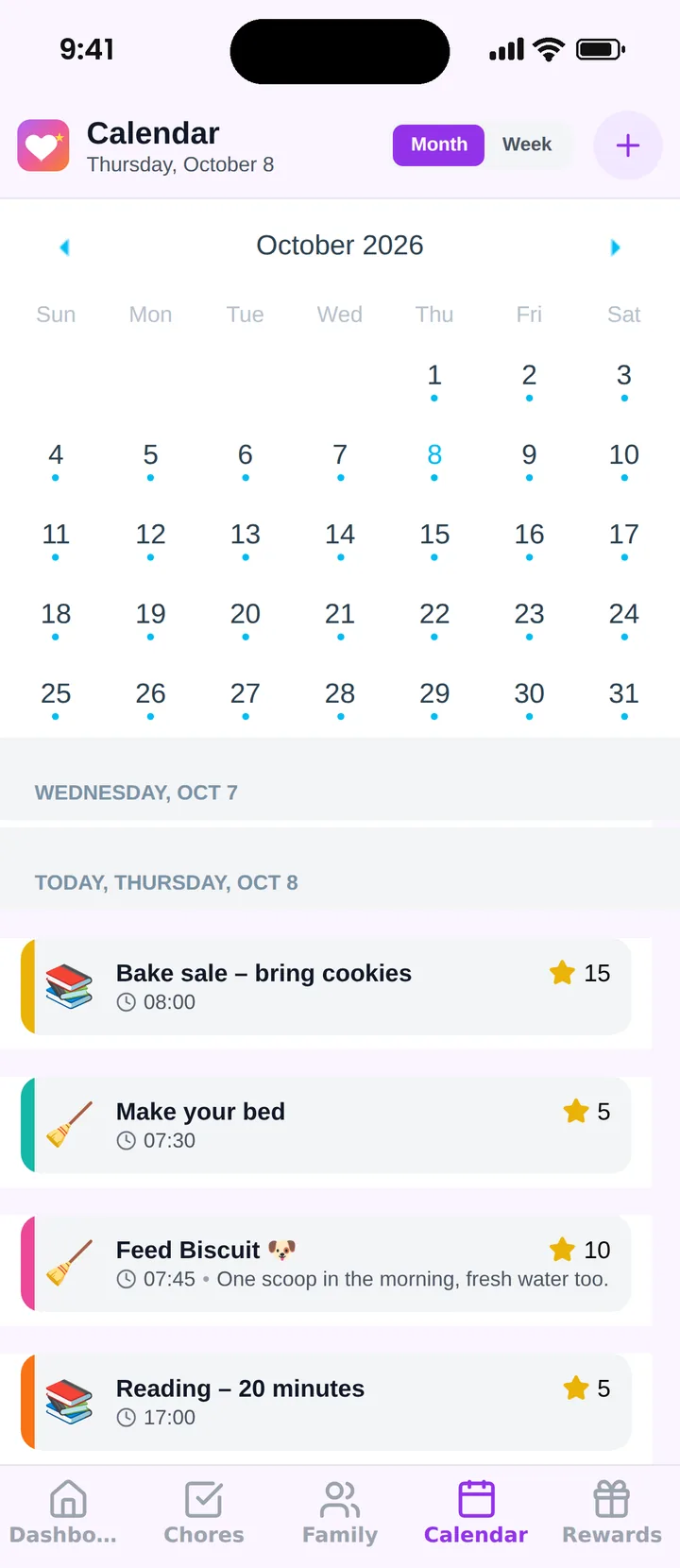
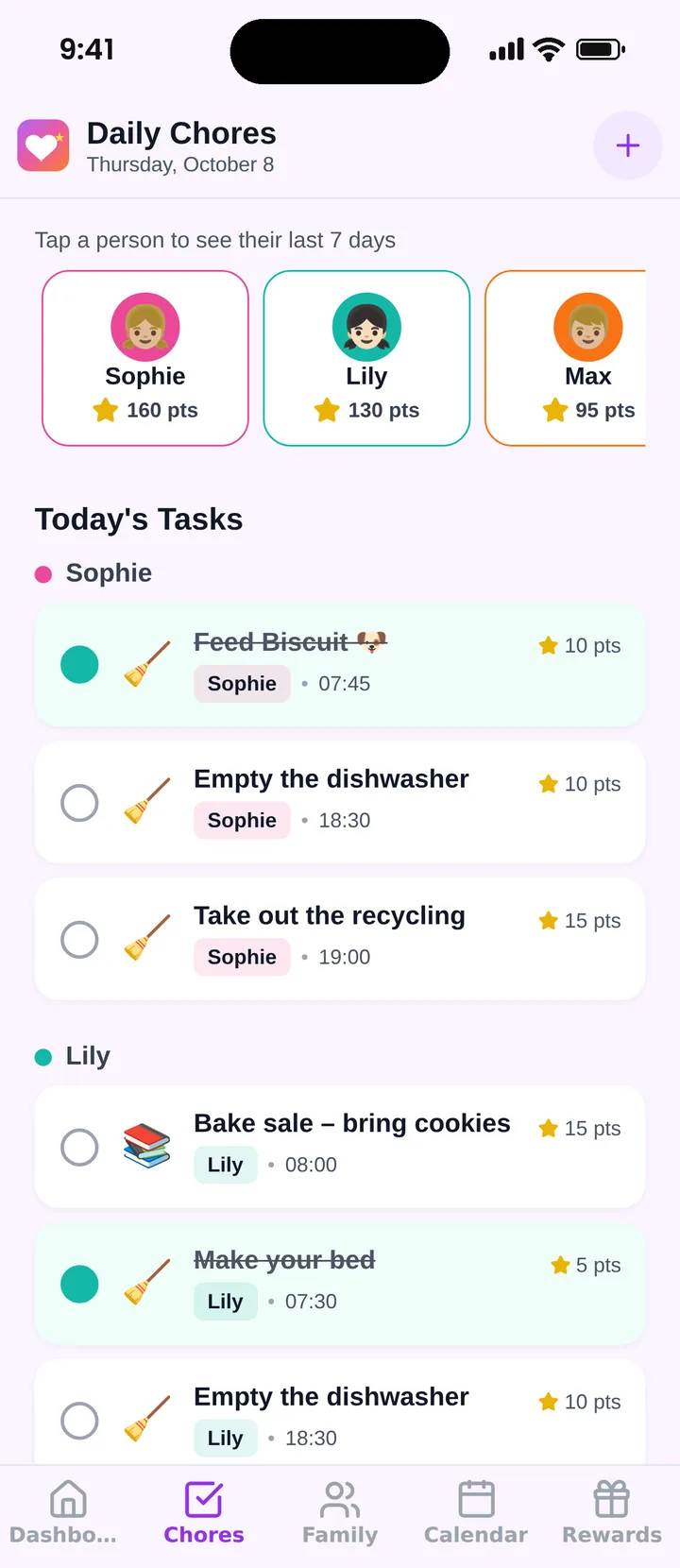
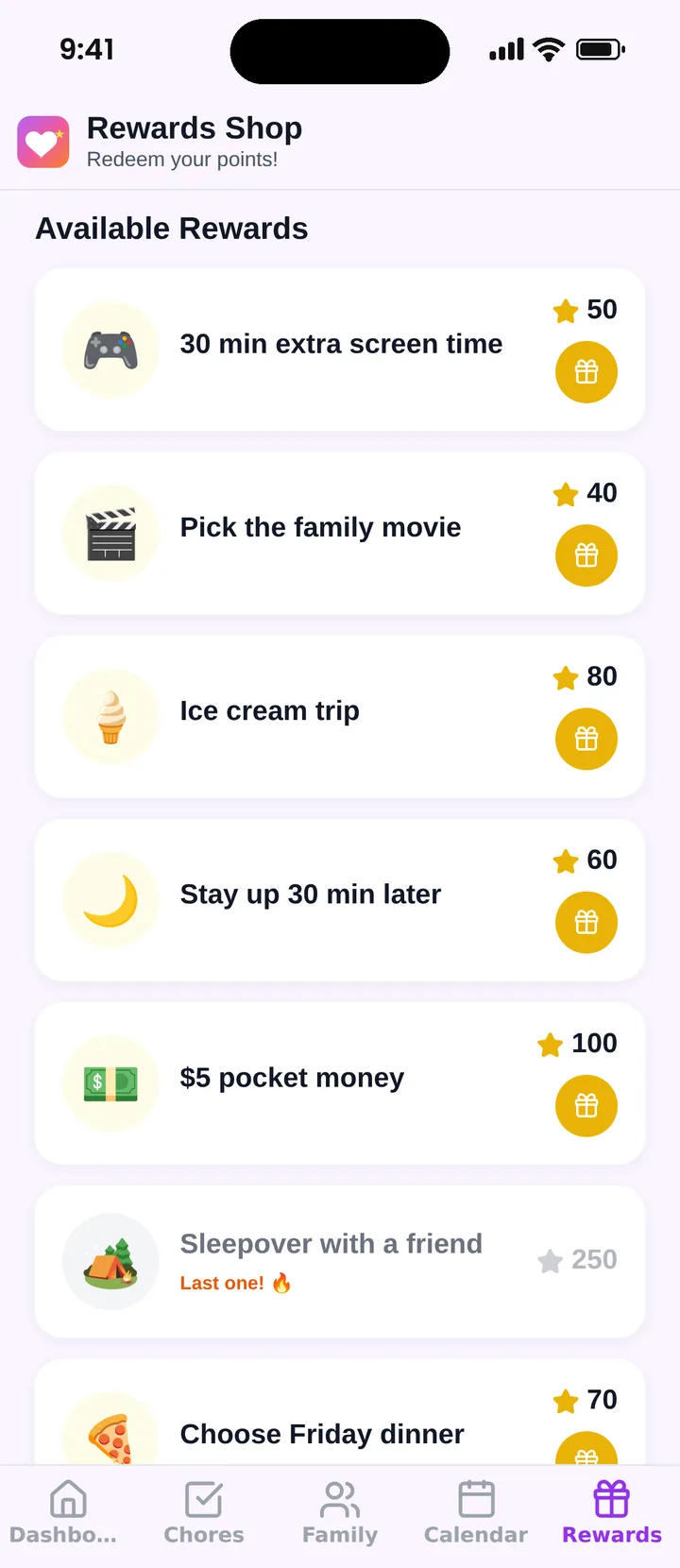
Choose Famiyo if you want stars-style points and rewards for kids without buying a display or a $79 yearly subscription. Famiyo includes points and the rewards shop on its free plan, on every family phone.
Why families pick Famiyo over Skylight Calendar
- Points and rewards for free: Points for chores and the rewards shop are part of the free plan.
- No device to buy: Famiyo runs on the phones your family already has.
Why families love using it
- Easy for kids and parents
- The whole family works together
- Rewards you define, kids redeem
- Progress everyone can see
- Schedule and chores in one place
- Parents stay in control
- Set up in minutes
- Nudges instead of nagging
Everything in Famiyo
- Shared family calendar with a colour for every family member
- Chores and events worth points, checked off by kids or approved by a parent
- A rewards shop where kids spend their points on rewards you choose
- Kids join on their own phone with a 6-character code, without an email or password
- Free plan with points and rewards included, no ads
- iPhone, iPad and Android with live sync, so mixed-phone families can use it together
- Available in 8 languages: English, Polish, German, Spanish, French, Italian, Portuguese and Russian
2. Hearth Display
wall-mounted family display
27-inch wall display at $699; lists, routines, stars and rewards need a membership from $9/month.
Platforms: Hearth Display, plus companion apps for iPhone and Android
3. Cozi
family organizer app
Shared family calendar with to-do and shopping lists and recipes; free with ads, Cozi Gold from $39/year.
Platforms: iPhone, Android and web
4. Jam Family Calendar
family calendar app
Subscription family calendar that turns forwarded emails into events; $15.99/month after a 30-day trial.
Platforms: iPhone, Android and web
5. FamilyWall
family organizer app
Family organizer with calendar, lists, messaging and location; Premium $44.99/year on the website.
Platforms: iPhone, iPad, Android and web
How to switch from Skylight Calendar to Famiyo
- 1Install Famiyo on your phone and create your family.
- 2Add your partner and give each child their 6-character join code.
- 3Recreate your chore chart in Famiyo and give each chore a point value.
- 4Add the rewards your kids used to redeem stars for.
- 5Optional: keep an old tablet on the kitchen counter with Famiyo open as a family screen.
Frequently asked questions
What is the best Skylight Calendar alternative?
For families with kids, Famiyo: it combines a shared family calendar with chores, points and a rewards shop, and kids join with a code instead of an email address. It is free for up to 3 family members.
Is there a Skylight alternative without a subscription?
Famiyo includes points for chores and a rewards shop on its free plan, for up to 3 family members, with no device to buy.
Do I need a display to use Famiyo?
No. Famiyo runs on iPhone, iPad and Android. Any tablet you already own can serve as a family screen.
More rankings and comparisons
Ready to leave Skylight Calendar?
Install Famiyo, add your family and set up the first chores and rewards in a few minutes.
Free for up to 3 family members. No ads.