


What Famiyo adds compared with Apple Calendar
| Famiyo | Apple Calendar | |
|---|---|---|
| Built for | Families with kids, parents and children together | Built-in calendar with Family Sharing |
| iPhone and Android together | iPhone, iPad, Android | Apple devices, Windows, web |
| Chores with points | Yes | No |
| Rewards shop for kids | Yes | No |
| Calendar and chores in one app | One app | Calendar + Reminders |
| Kids without an account | 6-character code | Child Apple Account |
| Price | Free plan; optional Premium | Free |
Why families choose Famiyo over Apple Calendar
iPhone and Android together
Famiyo: Famiyo runs on iPhone, iPad and Android phones with live sync.
Apple Calendar: Apple lists iPhone, iPad, Mac and Windows devices for iCloud Calendar; there is no Android app in that list.
Chores with points
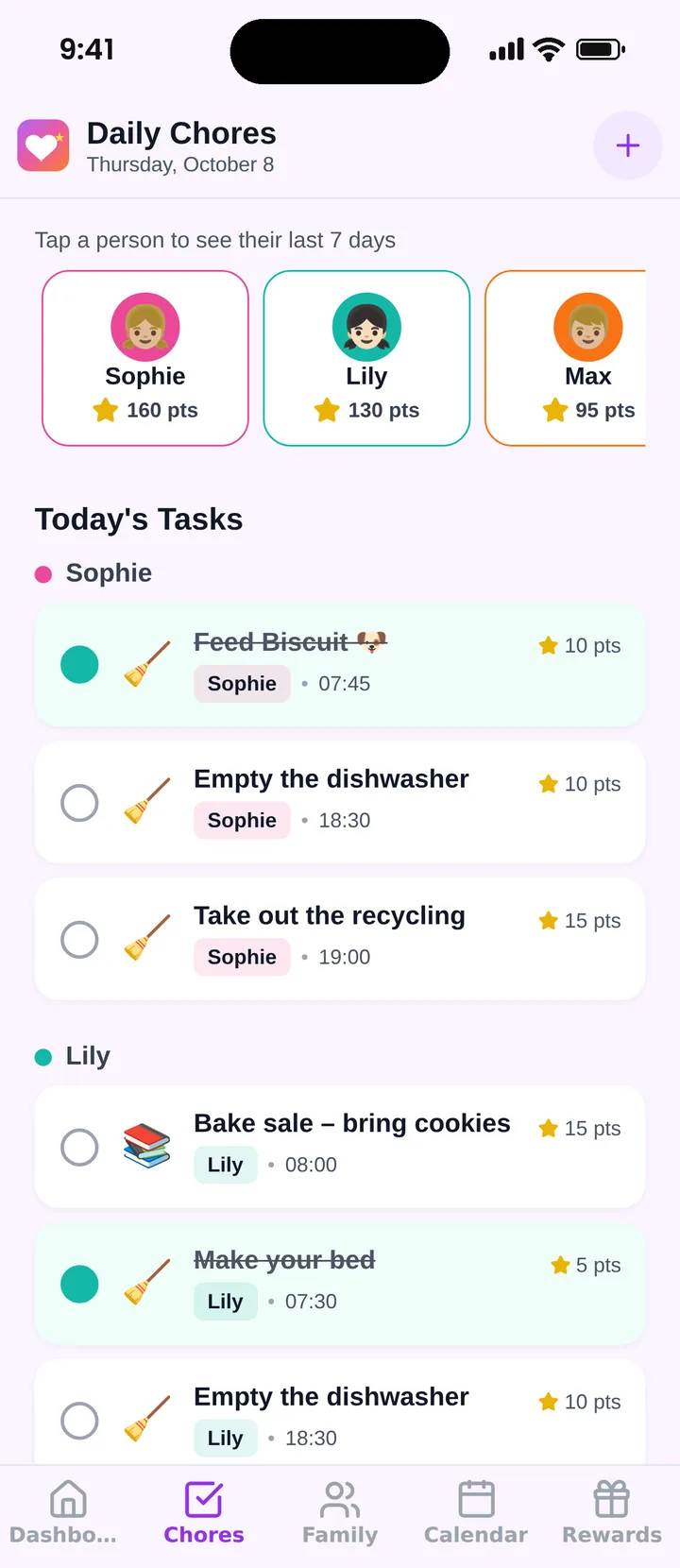
Famiyo: Every chore or event can be worth points; kids collect them when the task is checked off.
Apple Calendar: Apple's Family Sharing page lists an Apple Cash allowance but no points for chores.
Rewards shop for kids
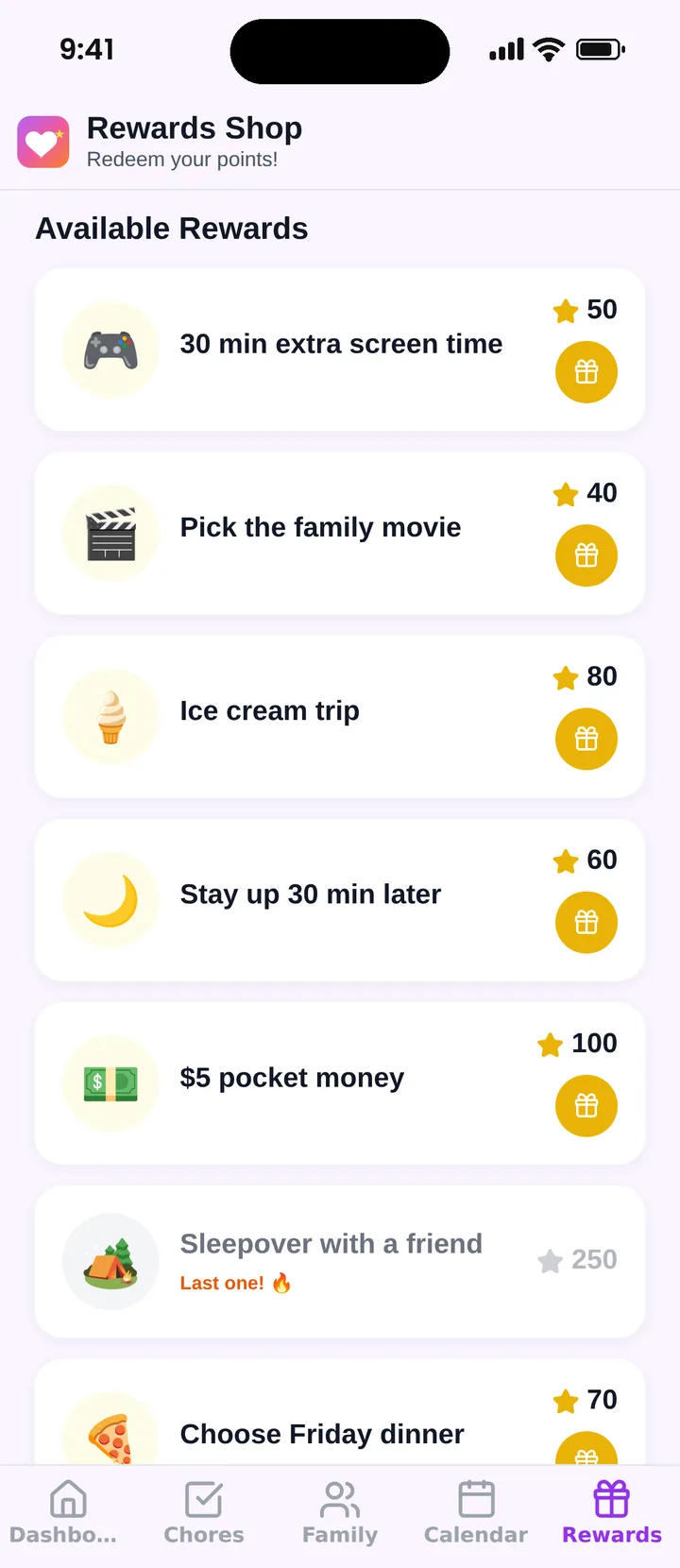
Famiyo: Kids spend points in a family rewards shop with rewards, prices and limits you set.
Apple Calendar: Family Sharing has no rewards for completed chores.
Calendar and chores in one app
Famiyo: Events, chores, points and rewards live in one app.
Apple Calendar: Apple shares calendars in Calendar and to-do lists in the separate Reminders app.
Kids without an account
Famiyo: Kids join on their own phone with a 6-character code from a parent, without an email address or password.
Apple Calendar: Parents have to create an Apple Account for children under 13.
More reasons families pick Famiyo over Apple Calendar
Beyond features, it is how Famiyo feels day to day: easy for kids, shared by the whole family and built around rewards that keep everyone motivated.
- Easy for kids and parentsFive simple tabs: Dashboard, Chores, Family, Calendar and Rewards. Kids see only their own tasks, so even a 7-year-old knows what to do next.
- The whole family works togetherBoth parents can be administrators, every child has their own phone and view, and changes show up on everyone’s phone right away.
- Rewards you define, kids redeemCreate any reward with its price in points, how many are available and when. Kids redeem it from their own phone and see how many points they will have left.
- Progress everyone can seePoints this week and in total for each child, the last 7 days of chores per child and a top performer of the week.
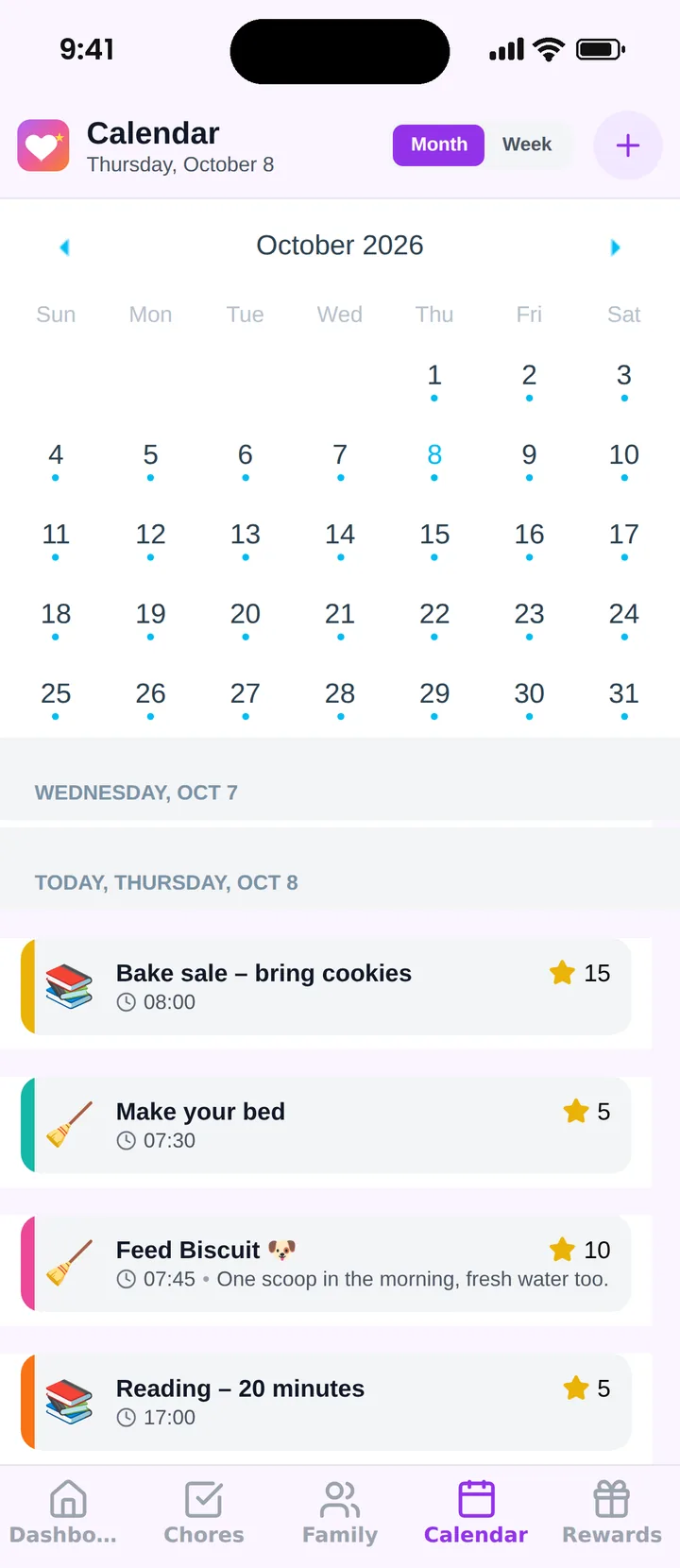
- Schedule and chores in one placeSchool, sports, appointments and chores sit on the same family calendar, so nobody juggles two apps.
- Parents stay in controlDecide whether children can create events, add events with points and check off their own tasks, or approve them yourself.
- Set up in minutesCreate your family, add members and share their 6-character codes. Kids join without an email address or password.
- Nudges instead of naggingPush notifications tell kids about new tasks and tell parents when a chore is done or a reward is redeemed.
See Famiyo in action
Real screens from the Famiyo app, shown with a sample family.
Try Famiyo instead of Apple Calendar
Set up your family in a few minutes: calendar, chores with points and a rewards shop on every family phone.
Free for up to 3 family members. No ads.
How to switch from Apple Calendar to Famiyo
- 1Install Famiyo on every phone, iPhone or Android, and create your family.
- 2Add your partner as an administrator.
- 3Add each child; they join with a 6-character code, no Apple Account needed.
- 4Move your shared family events into Famiyo and turn your Reminders chores into chores with points.
- 5Set up the first rewards in the rewards shop.
About Apple Calendar
Apple Calendar is the free calendar on Apple devices; families share it through iCloud, with to-do lists kept in the separate Reminders app.
- Platforms
- iPhone, iPad, Mac; iCloud calendars also on Windows and iCloud.com
- Price
- Free
Frequently asked questions
Does Apple Calendar work on Android?
Apple lists iPhone, iPad, Mac and Windows devices and iCloud.com for iCloud Calendar. Famiyo works on iPhone, iPad and Android, so the whole family can use the same app.
Can Apple Family Sharing track chores?
Family Sharing lets you share calendars and send an allowance with Apple Cash, but it has no chores with points or a rewards shop. Famiyo has both.
Is Famiyo free?
Yes. The free plan includes the shared calendar, chores with points and the rewards shop for up to 3 family members.
Keep comparing
Bring the whole family into one app
Shared calendar, chores with points and a rewards shop. Kids join with a code, no email needed.
Free for up to 3 family members. No ads.