Coordinate School, Sports and Appointments in One Calendar
How to coordinate school, sports and appointments in one family calendar: a weekly intake routine, what to write in every entry and how to handle clashes.
By Famiyo Editorial TeamUpdated 4 min read
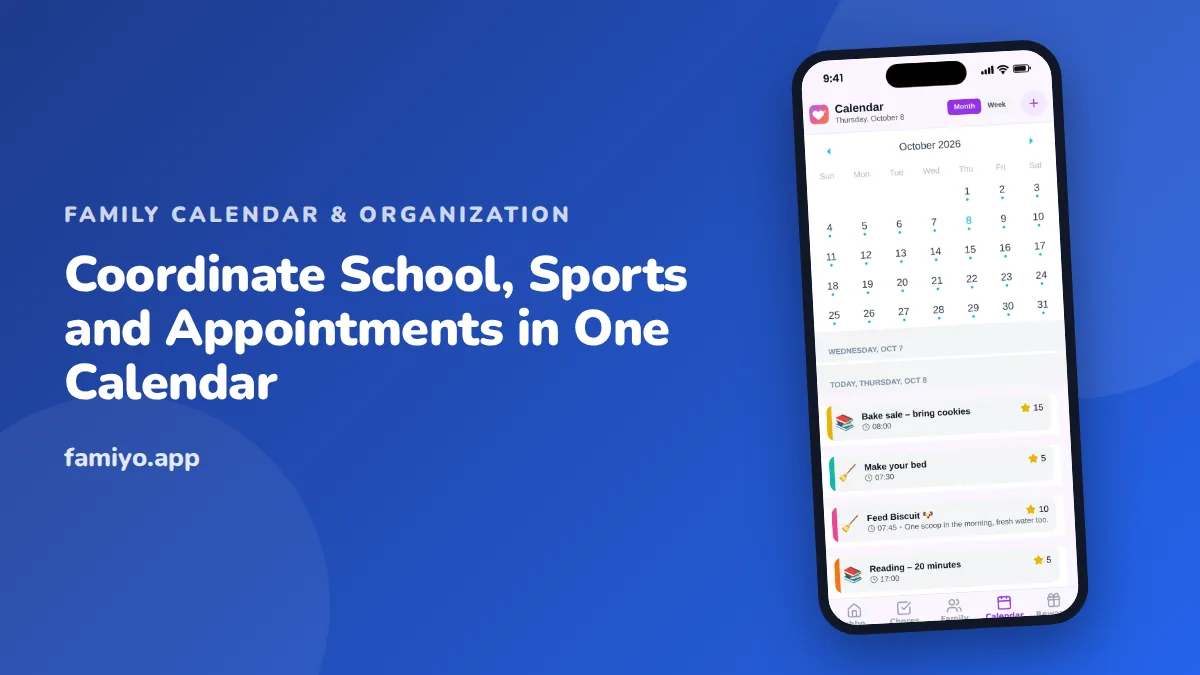
If your week includes a school half-day, two practices at different fields, a dentist visit and a birthday party, the problem is not the number of things. It is that the information lives in six places: a paper flyer, a coach's group text, the school app, a doctor's reminder and a note in your head. This guide walks through how to pull it all into one calendar and keep it current without it becoming a second job.
Pick one calendar and make it the only one
Everything starts with a single place that everyone who needs it can open. It can be a shared digital calendar, an app or a large paper one in the kitchen, but it must be one. If you have two calendars, you will eventually double-book and blame each other.
For parents who work, add your own commitments too, such as a late meeting or a business trip, even if they only show as "busy, can't drive." Where the app does not connect to your work calendar, copy the important blocks over by hand once a week. That small habit prevents the classic Tuesday mix-up where both parents assume the other one is picking up.
Run a 10-minute intake every week
Information arrives all week, but you only need to process it at one time. Choose a fixed slot, Sunday evening or Friday afternoon, and run through these steps in order.
- Open the school app or email and copy new dates: early dismissals, picture day, concerts, trips.
- Check the sports group chat or league page for the next two weeks of practices and games.
- Add any appointments booked this week, plus reminders to book the next ones (dentist every 6 months is a common rhythm).
- Scan the coming 7 days for anything that clashes.
- Confirm who is driving, and add that name to each event.
Do the same with new items the moment they arrive if you can. The weekly slot is a safety net for what you missed. Our guide on how to organize a family calendar goes deeper on setting up the overall structure.
What to write in every entry
An entry that says "Practice" tells you nothing at 3:50 pm. A useful entry carries everything you would otherwise have to search for.
| Field | Weak entry | Useful entry |
|---|---|---|
| Title | Practice | Maya soccer practice |
| Time | 4:30 | 4:30 to 5:45, leave at 4:05 |
| Place | (blank) | Riverside Field 3, east lot |
| Bring | (blank) | Cleats, shin guards, water |
| Who | (blank) | Dad drives, Mom picks up |
| Notes | (blank) | Snack duty on the 14th |
Add a recurring practice only once, and set it to repeat weekly, then edit single weeks when something changes. For school, put the action next to the date: "Permission slip due Wed" is more useful than "Field trip Thursday."
Use categories and colours so the week reads at a glance
Two systems work together. A colour per person tells you who is involved: blue for the oldest, green for the youngest, grey for parents. A category tells you what kind of event it is: school, sports, appointments, family. With both in place, a glance at the month shows whose week is crowded and which type of event is causing it. Our piece on colour-coding a family calendar gives a simple scheme you can copy, and a family calendar example shows what a real filled-in week looks like.
Spot clashes before they happen
Look at your week on Sunday with one question: where are two people needed in two places at the same time? There are only a few fixes, and it helps to know them ahead of time.
- Split the evening: one parent takes the early event, the other the late one.
- Carpool: ask a family you already trust. Offer a swap, not a favor.
- Move something flexible, such as a haircut, rather than something fixed, such as a game.
- Say no. A third activity on a Tuesday is a decision, not a fact of life.
Tell the other adults what you decided as soon as you decide it, and write it into the entry. If several adults use the calendar, agree on shared calendar etiquette so edits and changes are announced, not discovered.
Handle changes the same day
Schedules shift all season: a rained-out game, a coach moving practice, a doctor's office rebooking. Treat each change as a small job with two parts. Edit the entry first, so the calendar stays correct, then tell anyone affected. If you do it in the other order, the message gets read and the calendar stays wrong, and next week you are back to checking three places.
Keep cancelled events on the calendar for a day with "cancelled" in the title, so a partner who glanced at the week earlier does not show up at an empty field.
Reminders that you will actually read
Reminders only help if there are few of them. Set an alert for the thing that costs you if you forget: the leave-by time for a practice, the night before for equipment, the morning of an appointment. A reminder for every entry becomes noise, and you learn to ignore it.
Doing this in Famiyo
Famiyo is a free family app for iPhone and Android that combines a shared family calendar, chores with points and a rewards shop; kids join with a code, no email needed. The calendar has month and week views and a colour for every family member. Events can use categories such as school, sports and appointments, and repeating events cover practices that happen every week. Event details show every participant, so everyone sees who is going.
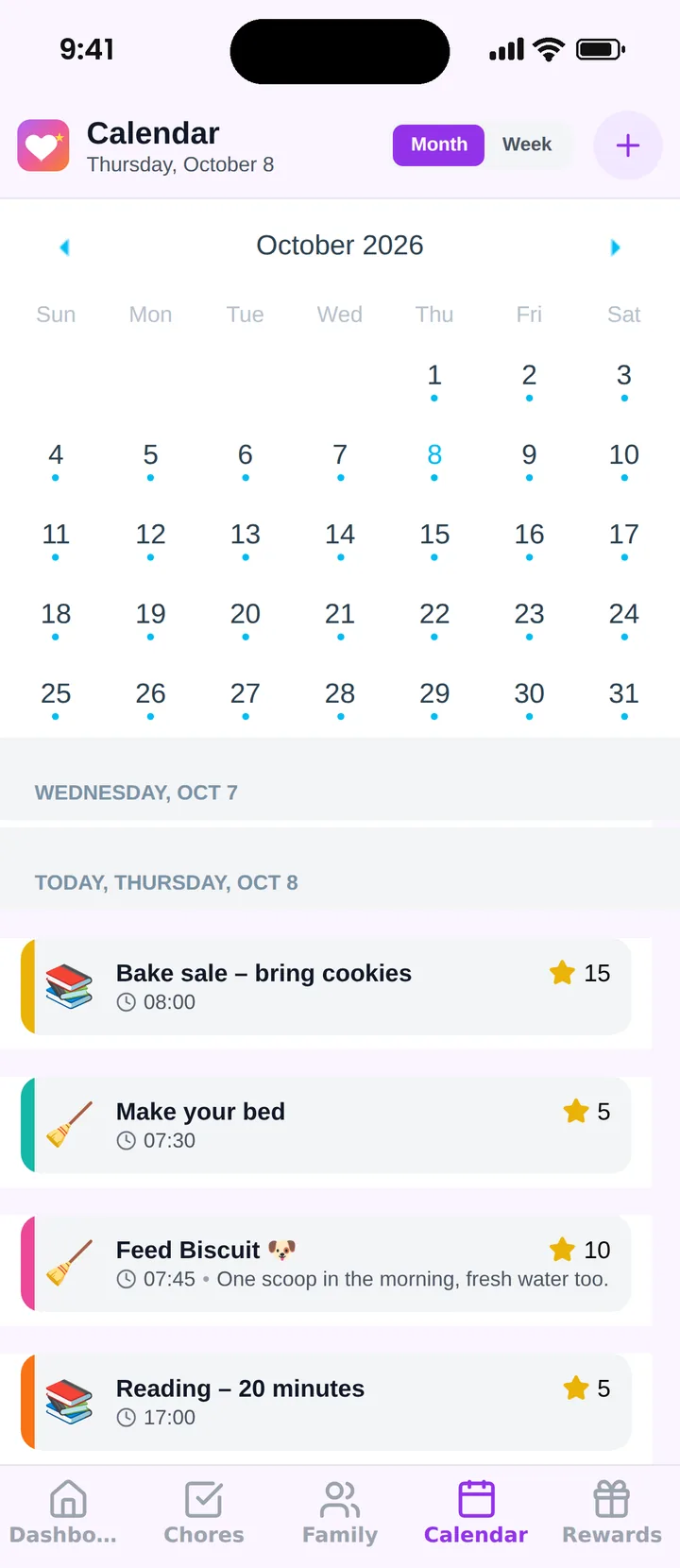
Famiyo does not sync with Google or Outlook calendars, so you add school and league dates yourself during your weekly intake. See our list of the best family calendar apps to compare how tools handle this.
Block 10 minutes this Sunday, add next week's dates and check for clashes.
Frequently asked questions
What should I put in every calendar entry for kids' activities?
Include the title, the start time, the time you need to leave, the address, who is driving and what to bring. 'Soccer' alone is not enough. 'Soccer, leave 4:15, Field 3, cleats, water bottle, Dad drives' prevents most last-minute scrambles.
How do I handle two events at the same time?
Spot clashes during your weekly check, then decide which parent covers which child, or ask a carpool family. Add the chosen driver to each event right away so nobody assumes the other parent is going.
How far ahead should I add school and sports dates?
Add whole-season schedules as soon as the coach or school sends them, and add one-off notices the same day they arrive. Add appointments the moment you book them, before leaving the clinic or the phone call.
How do I stop school emails from getting lost?
Pick one time each week to read them and copy the dates into the calendar. Move anything that needs action, like a permission slip, into a dated entry the day before it is due, so it does not sit in your inbox.
Should kids see the shared calendar too?
Yes, from about age 7 or 8 children can read their own colour and ask what is on tomorrow. Older kids can add their own events, which cuts down how often you are surprised by a plan you did not know about.
Try Famiyo With Your Family
Chores with points, a rewards shop for kids and one shared family calendar. Set it up in a couple of minutes.



Free to download • No credit card required • Available on iOS & Android