Family Calendar for Two Working Parents: A Setup That Holds
How two working parents can set up one shared family calendar: what goes on it, who adds what, a weekly sync and a way to cover school pickups.
By Famiyo Editorial Team6 min read
When both parents work, nothing about the family calendar is optional. A missed pickup is not an awkward moment, it is a phone call from the front office. The problem is rarely lack of effort. It is that the information lives in two heads, two inboxes and a fridge note. This guide shows how to build one shared calendar that both of you trust, what to put on it, who adds what, and how to run a short weekly check that catches problems before Tuesday at 3:15.
What a calendar for working parents needs to do
A calendar that works for two employed adults has a short job description. It has to show where everyone is, flag who is responsible for each kid at each moment, and surface collisions early. Anything beyond that is nice but optional.
Check any setup against these five needs:
- One shared source. Both parents see the same thing, and both can add or change events.
- Owners, not just events. Each pickup, appointment and drop-off has one named parent.
- Color by person. One look shows whose day is whose.
- Works on a phone. You add things in the school parking lot, not at a desk.
- A review habit. A weekly check, even a short one, is what keeps the whole thing true.
If your system fails any of these, that is where your Tuesday surprises come from.
What goes on the calendar and what stays off
The most common mistake is putting everything on. A calendar with forty items a day gets ignored. The second most common is putting too little, so the real constraints stay hidden.
| Goes on the shared calendar | Stays off |
|---|---|
| School pickups, drop-offs, early dismissals, no-school days | Daily work meetings with no family impact |
| Medical, dental and other appointments | Personal reminders that affect only one adult |
| Practices, games, lessons and performances | Long to-do lists (use a separate list) |
| Work travel, late nights and deadline weeks | Details of work projects |
| Playdates, birthday parties, family visits | Anything private |
| Chores and routines that need a person assigned | Recipes or shopping notes |
If you need a way to show work availability without listing every meeting, use a simple block: "Busy 2 to 5, can't take calls". It tells your partner what they need to know. For a wider comparison of ways to set things up, our page on a digital versus wall family calendar walks through the trade-offs.
Setting it up in one evening
You do not need a long session. Sit down together for 45 minutes with both phones and a cup of coffee.
- Pick one calendar and agree that it is the only place events live. Everything else gets copied into it.
- Give each person a color: a parent each, and a color per child. Add one for "whole family."
- Enter the fixed stuff first: school hours, daycare, weekly practices, standing meetings with a family impact.
- Add the next four weeks of known events: appointments, school holidays, birthdays, trips.
- Assign an owner to every item that involves a child. If both parents are going, say so.
- Set reminders: one the night before for anything with a time, and one the morning of for pickups.
- Agree who handles school emails and flyers, and where they go on the calendar.
Do not try to be exhaustive. A calendar that is 80 percent right and used daily beats one that is perfect and abandoned.
Splitting pickups, drop-offs and the mental load
The calendar is where fairness becomes visible. If one parent's color covers 80 percent of the child events, it is not a calendar problem, it is a division of labor problem, and the calendar just makes it obvious. That can be a useful and uncomfortable discovery.
A few ways to make it work:
- Set a default pattern, such as Parent A handles Monday and Wednesday pickups, Parent B handles Tuesday and Thursday, and Friday is flexible. Defaults reduce daily negotiation.
- Swap by editing the event, not by text. Change the owner, and a notification does the rest.
- Rotate the tedious jobs, like the pediatrician and dentist calls, every quarter.
- Name a backup: a grandparent, neighbor or friend who can step in if both parents get stuck. Put their name in the event notes.
If the planning always lands on one of you, our article on the mental load of motherhood explains why that happens and how to start rebalancing. For more tips on managing work and home together, see working moms tips.
The ten-minute weekly sync
The calendar is only as good as the last time it was checked. Pick a regular slot, and keep it short: Sunday after dinner, Friday over lunch on a call, or the first ten minutes after the kids are asleep.
Walk through the coming seven days in order. For each day, ask three things:
- Who is dropping off and who is picking up?
- Is there anything that collides, such as a late meeting and a 5 p.m. recital?
- Is anything missing, like a permission slip, a gift for a party or a form?
Fix gaps on the spot: swap an owner, call the backup, move an appointment. Then glance at the following week for anything big. Close with a quick look at chores and who is covering dinner, since those matter as much as events. Our weekly planner for a family of 4 has a layout you can use for the walkthrough.
Planning around travel, late nights and sick days
Two jobs mean two sets of surprises. The way to handle them is to decide in advance what happens, so the calendar only has to record it.
For work travel, add it to the shared calendar as soon as you know the dates, and write the other parent's name on every pickup that falls in that window. For a late night, a quick "late Thursday" entry the week before gives your partner time to rearrange. For a sick child, agree on a rule: whoever has the lighter day stays home, and if both are heavy, the one who stayed last time goes back. Write the rule down once and stop renegotiating it at 6 a.m.
Keep a short list of backups in the notes of a recurring event: a grandparent, a neighbor, a friend with a car. A name and a phone number saved ahead of time turns a crisis into a call.
Making room for kids and chores
Kids benefit from seeing the calendar too. Even young children can look at their color and learn what comes after school. Older kids can add their own events, which cuts down on surprise requests at 5 p.m. for a 7 p.m. game.
A good habit is to put the repeating family jobs on the same view as the events: Tuesday trash, Thursday laundry, Saturday cleanup. When chores sit beside practices and appointments, it is easier to see that a busy Wednesday needs a lighter list. You can also stagger jobs so that the parent who works late on Thursday is not also on dinner duty.
One calendar for the family in Famiyo
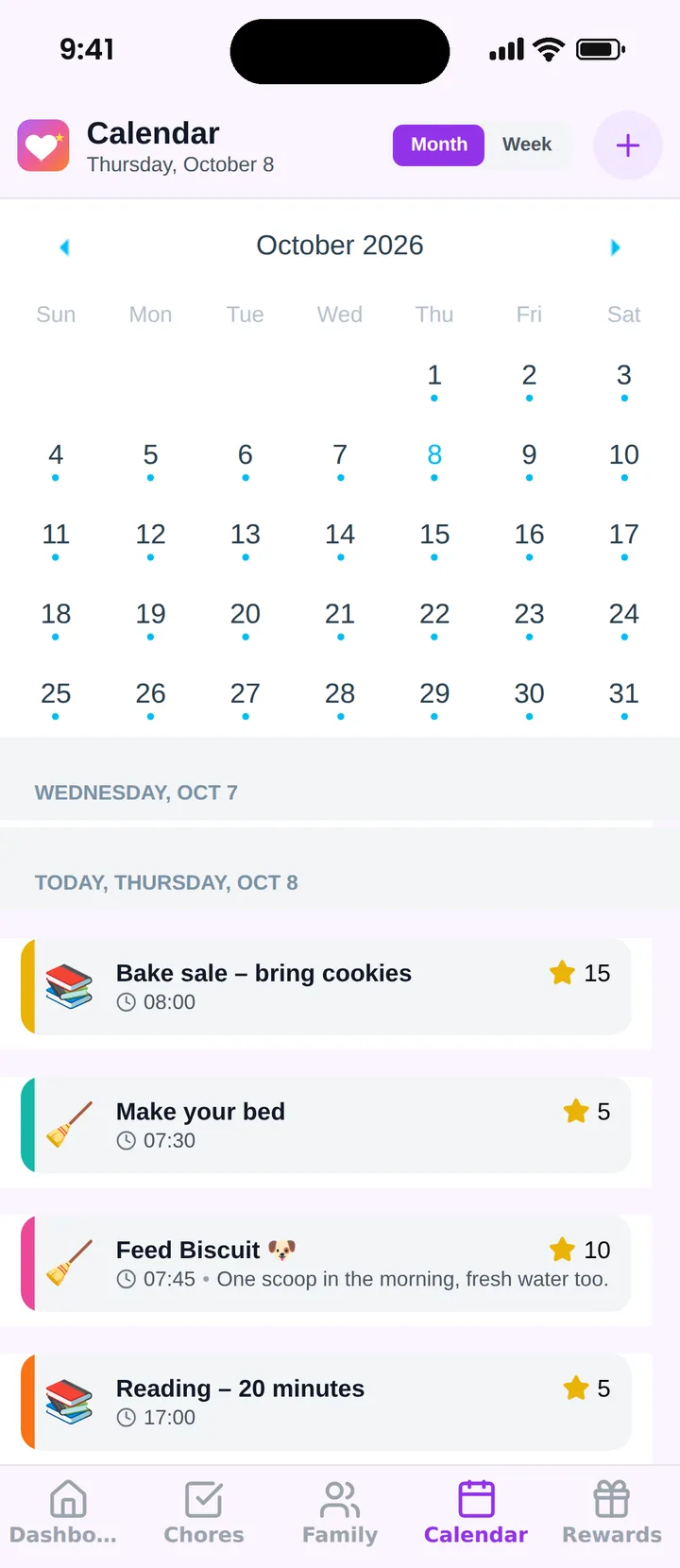
Famiyo is a free family app for iPhone and Android that combines a shared family calendar, chores with points and a rewards shop; kids join with a code, no email needed. For two working parents, both can be administrators, so either of you can add or change events from your own phone, and each family member gets their own color in month and week views. Events can be repeating, such as a weekly practice, and chores appear in the same place as the events, so one look shows the whole week. Updates sync live between all phones.
If you are choosing between tools, our list of the best family calendar apps compares your options, and the family calendar app page covers how Famiyo handles it.
Tonight, pick one calendar, set a color for each person and add next week's pickups with an owner on each one.
Frequently asked questions
What is the best family calendar for two working parents?
The best one is whichever both parents will open every day. It needs to be shared, editable by both, color-coded per person and available on your phones. A paper calendar on the wall can back it up, but a single digital source of truth prevents double bookings.
Should I put my work calendar on the family calendar?
Not all of it. Add only what affects the family: travel, late meetings, a day off, a deadline week. Keeping daily meetings off the shared calendar keeps it readable. Some parents use a simple 'busy 2 to 5' block.
How do we split school pickups and appointments?
Assign each event to one named parent, not to both. Decide a default, such as Parent A on Mondays and Wednesdays, and let swaps be a quick message. A calendar with an owner for every item ends the question 'who is getting them?'
How often should working parents review the calendar together?
Once a week for about ten minutes, ideally Sunday evening or Friday lunchtime. Look at the next seven days, name any gaps in pickups or childcare, and move things around before they become emergencies.
How do we stop forgetting appointments and school events?
Add them the moment you hear about them, with a reminder the day before, and make one parent responsible for school emails. Photographing a flyer and adding the date in front of the child works well. If it is not on the calendar, it does not exist.
Try Famiyo With Your Family
Chores with points, a rewards shop for kids and one shared family calendar. Set it up in a couple of minutes.



Free to download • No credit card required • Available on iOS & Android