Free Family Organizer App Without Ads: What to Look For
How to find a free family organizer app without ads: what it must do, how free plans really work, red flags to spot early, and a first-week setup.
By Famiyo Editorial Team7 min read
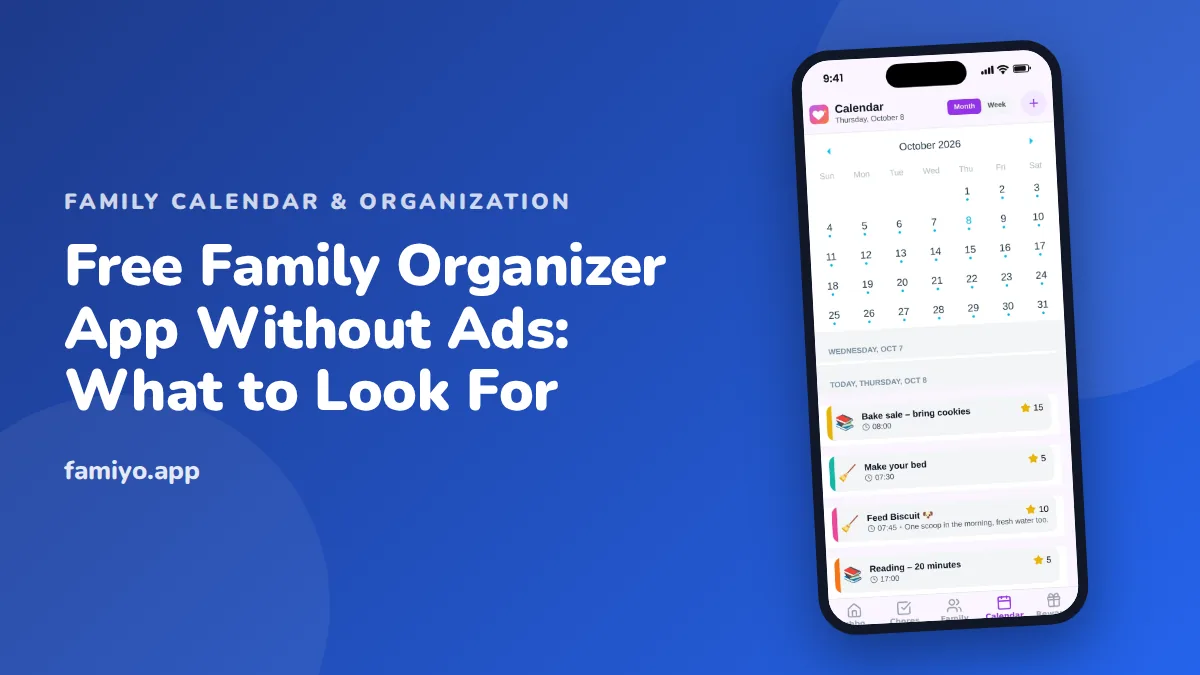
Search for a family organizer and you get a wall of apps that look free until the third screen, where a banner ad covers the calendar or a trial clock starts ticking. This guide helps you sort the good from the annoying before you move your family's schedule anywhere. You get a plain list of what an organizer should do, how free plans actually work, the red flags worth walking away from, and a one-week setup that tells you whether it will stick.
What a family organizer should actually do
Strip away the marketing and a family organizer has one job: put the same information in front of every person in the house, so nobody has to ask "what time is that again?" To do that well it needs a short list of basics.
- A shared calendar. One place where every adult and child can see events, with a color or label per person so you can pick out your own at a glance.
- Tasks or chores. A list of things that need doing, with a name next to each one. For kids, a way to tick items off themselves is a big plus.
- Reminders that reach the right person. A reminder that only pings the parent who typed it in is a note to self, not a family tool.
- Repeating events. Soccer every Tuesday, trash on Thursday, piano every other week. If every repeat must be typed by hand, the app will be abandoned by October.
- Simple access for kids. Ideally a child can see their own day without a parent's login and without an email address of their own.
Anything beyond this is a bonus. Meal planners, budget trackers and photo albums can be handy, but an organizer that does six things poorly loses to one that does three things well. If you find yourself comparing fifteen features, step back and ask which three you would use every single day.
Ads, trials and paywalls: how "free" really works
Free apps come in a few shapes, and they are not equal. Knowing which one you are looking at saves a lot of annoyance.
| Type | How it works | What to watch for |
|---|---|---|
| Free plan, optional upgrade | Core features stay free forever; a paid plan lifts limits | Check the limits against your family size and routine |
| Free trial | Everything works for a few days, then locks | Often asks for a card first; easy to forget to cancel |
| Free with ads | The app is free because ads are shown | Ads can sit where a child taps; tracking is common |
| "Free" download, paid to use | You can install it but little works without paying | The store listing hides this in small print |
An app without ads still needs to pay its bills, so look for an honest explanation. The healthiest model is a free plan with real features and an optional paid plan for bigger households or extras. Be wary of apps that say nothing at all about how they make money. Silence usually means the answer is data or ads.
Questions to ask before you sign up
Ask these before you enter anything about your kids:
- What exactly does the free plan include, and does it expire?
- What does the paid plan add, and can I see that before I pay?
- Does the app show ads or third-party offers to children?
- Does my child need their own email address to use it?
- Can I export or delete our data if we leave?
- Is the privacy policy written in plain language?
If you cannot find the answers in a couple of minutes, that is itself an answer.
Red flags to spot in the first ten minutes
You do not need a long trial to see most problems. Open the store listing and the first screens, and look for these.
Sign-up asks for too much. A family tool needs a name and perhaps an email for the parent. If it wants a phone number, a birthday, contacts and photo access just to show a calendar, say no.
A paywall before value. If you cannot add a single event before seeing a price page, the "free" label is marketing.
Notifications you did not ask for. Promotional pushes ("Upgrade now!") are a sign the business model leans on nudging you.
Kids need accounts of their own. Many organizers force children to create an email login. That is a hurdle for younger kids and a privacy question for everyone.
No clear way to delete. If you can only deactivate and not delete, think twice.
Reviews that all sound alike. A pile of short, generic five-star reviews next to detailed one-star complaints about billing is worth reading carefully. The complaints usually describe what happens in month two.
None of these on its own means "never use it." Two or three together means keep looking.
Free-versus-paid traps to avoid
Even honest free plans have limits, and the limit that matters is the one that hits your family. A few common patterns:
- Member caps. A plan that covers three people is fine for a couple with one child and awkward for a family of five. Count heads first.
- Limits on repeating events. This one is sneaky. A schedule is mostly repetition. If only one repeat is free, you will hit the wall by day two.
- History or statistics locked. Handy if you care about it, harmless if you do not.
- Calendar sync behind a paywall. If you rely on connecting another calendar, find out whether that works on the free plan before you build your week around it.
- Auto-renewing yearly plans. If you do upgrade, set a calendar reminder a week before renewal and check how to cancel from your phone's subscription settings.
A useful trick is to write down the three things you would do every day, then check each against the free plan. If any one is paywalled, you have your answer. For a wider look at what free calendars can and cannot do, our guide to mom hacks to make life easier shows how small routines pair with whichever tool you pick.
How to test an organizer in your first week
Most families fail at organizer apps for a human reason, not a technical one: only one person ever opens it. Plan the first week so that does not happen.
- Day 1: set up with everyone in the room. Add each family member, choose a color for each, and enter this week's fixed events: school, work shifts, practices.
- Day 2: add the repeats. Enter weekly activities once, as repeating events, rather than one by one.
- Day 3: add chores or tasks. Start with two or three per child and one household job per adult.
- Day 4: turn on notifications on every phone, and confirm each person actually receives a test one.
- Day 5: drop the old system. Stop writing on the paper calendar for new events, but leave the old one on the wall.
- Day 6: check in at dinner. Ask "what did you see on the calendar today?" and see who answers.
- Day 7: review. Did events land in the right place? Did reminders arrive? Did two parents double-book anything?
If a family member never opened it by day 7, the issue is usually setup, not the app. Sit down with them and show how to find their own color. Our notes on a family scheduling app and a family reminder app go deeper on those two parts.
Run it for two weeks before deciding. The goal is not a perfect system. It is a system that survives a Wednesday when everyone is late.
Is a free plan enough for your family?
For most households the answer depends on size and how many routines repeat. A small family with one or two kids can often live on a free plan indefinitely. A larger family, or one with split custody and a dozen weekly commitments, may eventually want the paid tier. That is fine, as long as you can see the line before you reach it and nothing important disappears when you do not pay.
Here is a quick way to judge. Write down the number of people, the number of weekly repeating events, and whether you need other calendars connected. Then match those against the plan limits in plain text, not in the marketing headline.
Where Famiyo fits
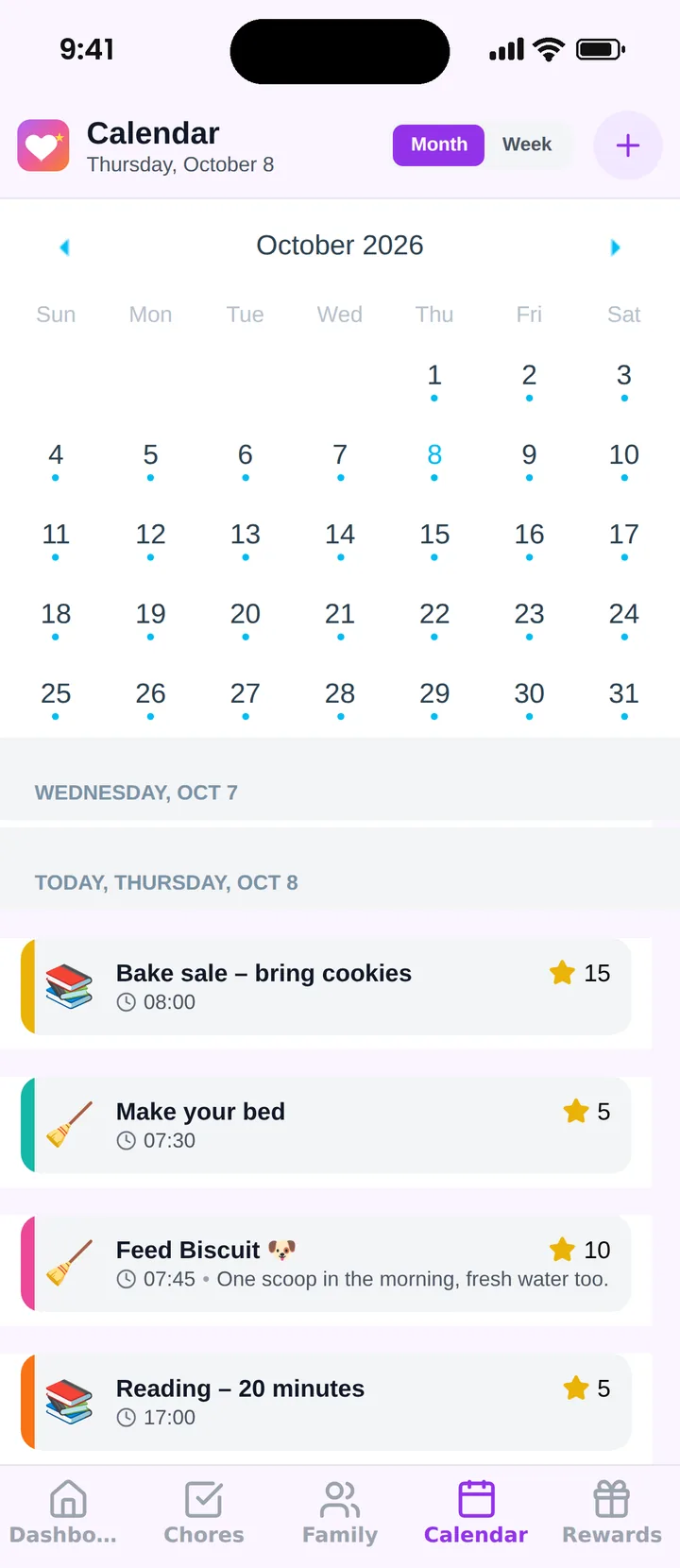
Famiyo is a free family app for iPhone and Android that combines a shared family calendar, chores with points and a rewards shop; kids join with a code, no email needed. The free plan has no ads and covers up to 3 family members and 1 repeating task, with the calendar, chores, rewards shop and statistics all included. An optional Premium plan lifts those limits for bigger families. One shared calendar and chores list that every family member sees is the whole idea, with a color per person and month and week views.
If you are comparing options, our list of the best family organizer apps lays them side by side.
One next step
Before you download anything, write your three daily must-haves on a sticky note. Then test one app against that note for two weeks, with every family member on their own phone. If it passes, you have your organizer. If not, you have lost little and learned exactly what you need.
Frequently asked questions
Can a family organizer app really be free and have no ads?
Yes, but the money comes from somewhere. Usually it is an optional paid plan that removes limits, such as the number of members. Look for a clearly stated free plan, a plain list of what the paid plan adds, and no pop-ups that interrupt a child mid-task.
How do I tell a free plan from a free trial?
A free plan has no end date and keeps working if you never pay. A trial asks for a card or an account upgrade and locks features after a few days. Read the store listing and the sign-up screen before you enter any payment details.
Is an ad-free app automatically safe for kids?
No. Ads are one issue, but you should also check what data the app collects, whether children need an email address, and who can contact them. Prefer apps where kids join through a parent and the privacy policy says plainly what is stored.
What limits are normal on a free family plan?
Caps on the number of members or on repeating events are common, because those are the features larger families use most. Count your own household before you commit, and ask whether the cap would block something you need every week.
How long should we test a family organizer before switching?
Use it alongside your current system for two weeks. That is long enough to see whether everyone checks it, whether reminders arrive on time, and whether one parent ends up doing all the data entry. Switch only after it has worked for a full week of real life.
Try Famiyo With Your Family
Chores with points, a rewards shop for kids and one shared family calendar. Set it up in a couple of minutes.



Free to download • No credit card required • Available on iOS & Android