Family Scheduling App: What to Look For Before You Pick One
A buyer guide to the family scheduling app: features that matter, conflict checks, questions to ask, red flags, free-plan traps and a first-week setup.
By Famiyo Editorial Team6 min read
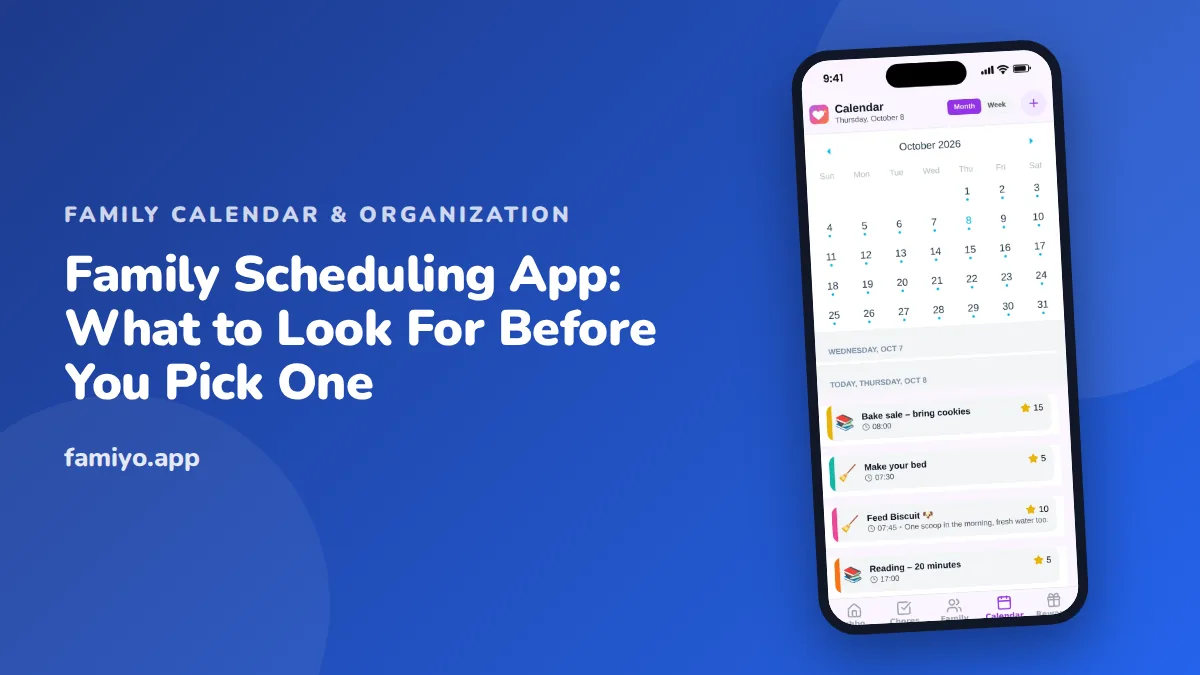
It is 7:40 on a Thursday and nobody can say who is picking up whom. One parent thought the other had practice duty, a kid swears the dentist was moved, and the paper calendar in the kitchen is three weeks behind. A family scheduling app is meant to end that argument. This guide explains what to expect from one, how to check a candidate in minutes, which promises to be skeptical of, and how to set it up so the whole house actually uses it.
What a family scheduling app should do
The best way to judge any scheduling tool is by the problems it removes. In a household those tend to be the same six.
- Seeing everyone's week in one place, so a parent can answer "can you do Tuesday?" without calling anyone.
- Knowing who is responsible. An event with no name attached is a wish, not a plan.
- Handling repetition. School runs, lessons and shift patterns repeat, and re-typing them is where families give up.
- Reaching people where they are. A reminder has to arrive on the phone of whoever needs it, not just the person who created it.
- Showing the day to children in a way they can read, so a parent stops being the human alarm clock.
- Staying usable on a bad day. If adding an event takes more than a few taps, it will not get added while you are standing in a parking lot.
That list is a better filter than any feature comparison chart. If an app shines at something you do not need and stumbles on one of those six, move on.
Features that matter, and features that mostly do not
Not every feature earns its screen space. Here is how the common ones rank for a typical household.
| Feature | Why it matters | Priority |
|---|---|---|
| Shared calendar with a color per person | Lets you see conflicts at a glance | Must have |
| Repeating events (daily, weekly, custom) | A family week is mostly repeats | Must have |
| Notifications on every phone | A schedule nobody sees is useless | Must have |
| Month and week views | Month for planning, week for living | Must have |
| Event categories (school, sports, appointments) | Helps you filter and spot overload | Nice to have |
| Participant list per event | Settles "who is going" | Nice to have |
| Tasks or chores on the same screen | Keeps the day in one view | Nice to have |
| Import from other calendars | Useful if you already keep one for work | Depends on you |
| Budget, meal and photo tools | Often thin and rarely used | Skip unless you need them |
The word that keeps showing up is "same". A scheduling app earns its place when events, people and tasks sit together instead of in three separate tabs.
How to check for conflicts before they happen
A scheduling app should help you notice problems early, not simply record them after the fact. Run this quick test on any candidate with a few made-up events.
- Add a Tuesday 4:00 pm soccer practice for one child.
- Add a Tuesday 4:30 pm piano lesson for another child.
- Add a Tuesday 5:00 pm work call for a parent.
- Look at the week view. Can you see, within five seconds, that Tuesday afternoon is crowded and that two kids need two different rides?
If the answer is yes, you are looking at something that suits family life. If you have to open each event to find out, you will miss conflicts when it counts.
A second test is travel time. Few apps calculate it for you, so the habit matters more than the feature. Put the pickup in as its own event, "Pick up from soccer 5:30", rather than burying it in the notes of the practice. That small trick prevents a lot of late arrivals.
Questions to ask before you commit
Take five minutes with the store listing and the settings screens and look for answers to these.
- Who can add or edit events: only parents, or children too, and can I control that?
- Does every family member need their own email address?
- What does the free plan allow, and does it ever expire?
- How many people and repeating events fit on the free plan?
- Does it work on both iPhones and Android phones, since families are rarely all one brand?
- Can I delete the account and the data if we stop?
- Are there ads, and where do they appear?
Question one deserves extra thought. A teenager who can add their own events will keep the calendar current. A seven-year-old with the same power may fill Saturday with "birthday party" entries. Good apps let parents decide.
Red flags and free-versus-paid traps
A few warning signs show up early.
- The first screen is a price page, before you have added anything.
- The app asks for contacts, location or photos with no clear reason.
- Reminders only go to the person who created the event.
- Free means a short trial that locks the calendar afterward.
- Basic features such as repeating events are hidden behind a paid plan.
- Reviews mention surprise charges or trouble canceling.
On cost, families tend to hit one of two walls. Either the free plan caps how many people can join, or it caps how many repeating events you can keep. Both bite harder than they seem, because a schedule is mostly repeats and most households have more than three people once you count grandparents or a sitter. Count your people and your weekly repeats before you start, and read the limits in the store listing. Our guide to a free organizer with no ads goes through those trade-offs in more detail.
Setting up a family schedule in the first week
Setup is where good tools get a fair chance or a bad reputation. This plan takes about 20 minutes on the first night and a few minutes a day after.
- Gather everyone around the table with their phones on the first evening.
- Add each person, pick a color, and install the app on every device.
- Enter fixed commitments first: school hours, work shifts, regular practices.
- Enter repeating events once, with the right pattern, instead of week by week.
- Add the one-off items for the next two weeks: appointments, parties, trips.
- Assign each event to the person or people involved.
- Send a test reminder and confirm it appears on each phone.
- On Sunday evening, spend ten minutes looking at the week ahead together.
That Sunday check is the habit that makes the rest work. It takes minutes, catches the clash before it happens, and gives children a regular moment to ask questions. If you have older kids, our notes on a kids calendar app cover how to give them ownership of their own days.
Give it two weeks before you judge. If one adult is still the only person adding events by then, ask what is in their way. Usually it is one missing step, like notifications turned off or an app that was never installed on the second phone.
Using Famiyo as your family scheduling app
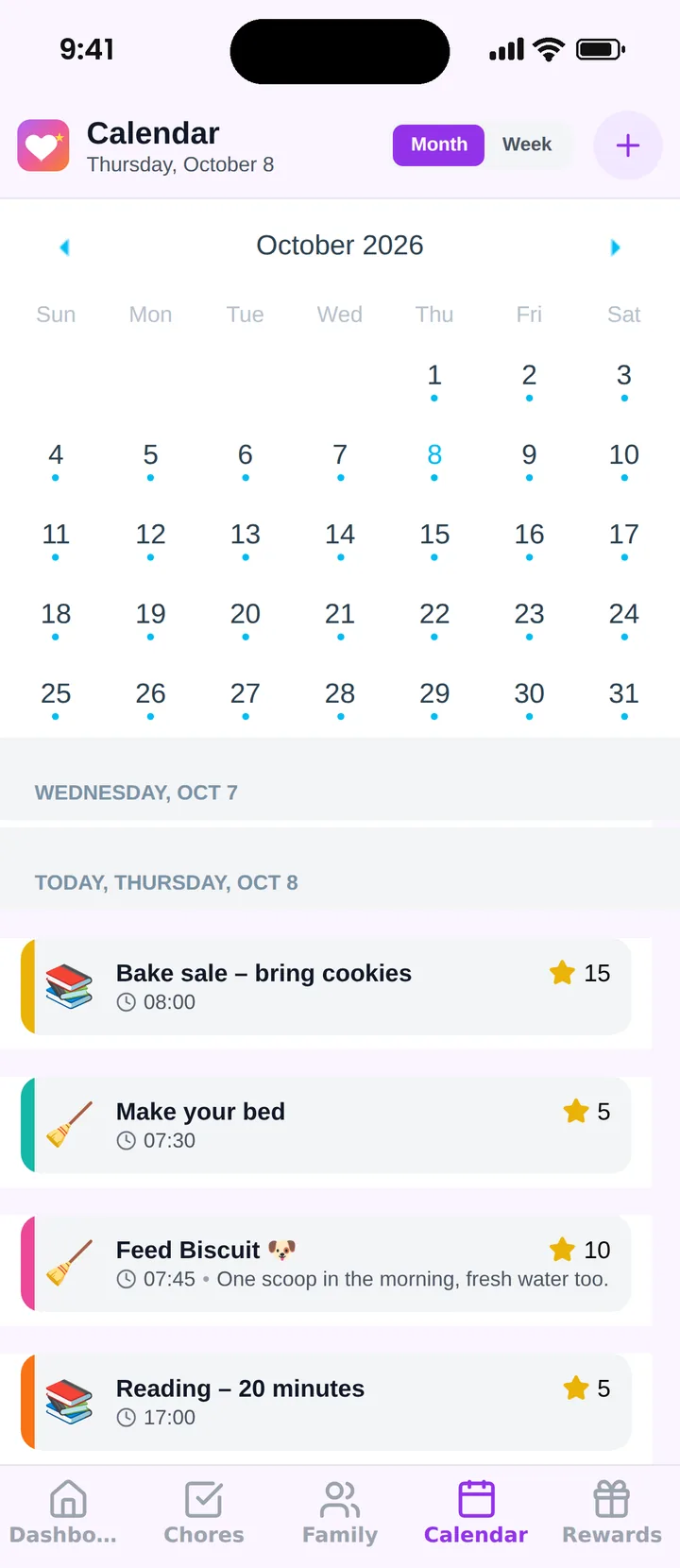
Famiyo is a free family app for iPhone and Android that combines a shared family calendar, chores with points and a rewards shop; kids join with a code, no email needed. For scheduling, that means a calendar with month and week views, a color for each family member, repeating events and categories such as school, sports and appointments. Events show who takes part, and chores can sit on the same calendar. Parents choose whether kids may add events themselves. The free plan includes up to 3 family members and 1 repeating task, with no ads.
See our ranking of the best family organizer apps for how the options compare.
A simple way to start
Pick one night this week, put every phone on the table and enter the next fourteen days together. If the schedule survives a full week of school runs, practices and one forgotten dentist visit, you have found your app. Prefer to keep reminders separate while you start? Our guide to a family reminder app shows how to make sure notifications land on the right phone.
Frequently asked questions
What is the most important feature in a family scheduling app?
A shared calendar with one color or label per person. If you can see at a glance who is where and when, most conflicts disappear. Everything else, from reminders to chore lists, is secondary to that single view.
Do kids need their own login for a family scheduling app?
Not necessarily. Many families prefer an app where kids join through a parent and see only their own schedule. Requiring an email address for a young child adds friction and raises privacy questions you should read about first.
How do I stop double-booking in a family schedule?
Put every commitment on one calendar, name who is involved in each event, and look at the week together once on Sunday. Double-booking mostly happens when two adults keep separate calendars and nobody compares them.
Is a free family scheduling app good enough?
For many households, yes. Check the limits first: number of members, repeating events and reminders. If the free plan covers your three daily needs without a countdown or constant upgrade prompts, you probably do not need to pay.
How long does it take to move a family onto a scheduling app?
Plan on one evening for setup and about two weeks for habits to form. The setup is quick. The slow part is getting every adult to check the app instead of asking out loud, so keep the old method running in parallel at first.
Try Famiyo With Your Family
Chores with points, a rewards shop for kids and one shared family calendar. Set it up in a couple of minutes.



Free to download • No credit card required • Available on iOS & Android