Kids Calendar App: Letting Children See Their Own Schedule
How to choose a kids calendar app: what children should see, privacy questions, red flags, free-plan limits and a first-week setup for ages 5 to 14.
By Famiyo Editorial Team6 min read
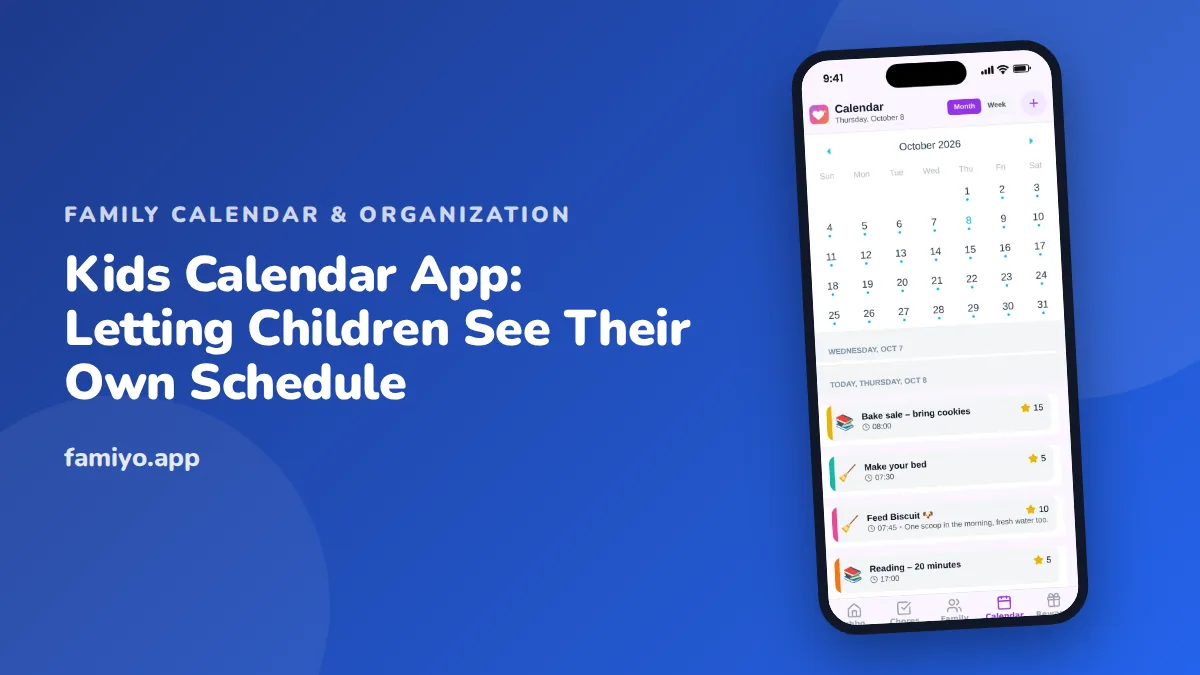
Ask a ten-year-old what is on Thursday and you will likely get a shrug. They are not being difficult. Nobody ever showed them where to look. A kids calendar app can change that, because a child who can see their own schedule starts to plan around it instead of waiting for a parent to announce it. This guide covers what such an app should show, what to ask before letting a child use one, the red flags to avoid and a first-week routine that builds the habit.
What a kids calendar app should show
Children do not need the full family picture. A seven-year-old does not need to know that Dad has a 3:00 call. What helps is a clear, short view of their own day and week.
A well-designed kids calendar usually has these qualities.
- It shows one child's events and tasks first, not the whole household at once.
- It uses a color or label for that child, so they recognize their own entries.
- It displays today clearly, with the next event easy to spot.
- It reads quickly: a title, a time and perhaps a category such as school or sports.
- It lets them tick off something they have done, which is satisfying and gives a parent a signal.
An adult-style grid packed with tiny text is hard for a child to use and easy to ignore. If your child squints at it and hands the phone back, the design is wrong for them, no matter how many features it lists.
What kids at different ages can do with a calendar
Ages are a guide, not a rule, and any child may sit above or below. Use this table to set expectations.
| Age | What they can do | What a parent still does |
|---|---|---|
| 5 to 6 | Look at today's picture or short list with a parent | Read events aloud, add everything |
| 7 to 8 | Read today's schedule and tick off simple tasks | Add events, check in each morning |
| 9 to 11 | Check the week alone, spot what is coming, pack for activities | Add events, review together on Sundays |
| 12 to 14 | Add some of their own events, check conflicts | Approve changes, share the family view |
| 15 and up | Manage their own events, coordinate rides | Keep a shared view for planning |
The shift is gradual. Moving from "I tell you" to "you check" to "you tell me" is how children learn to plan, and a calendar is a gentle tool for it. A parent who resists handing over control early tends to end up with a teenager who never developed the habit.
Privacy and safety questions to ask
A calendar that holds a child's whereabouts deserves a careful look. Ask these.
- Does my child need an email address or password to join?
- Who can see my child's schedule: only our family, or anyone with a link?
- Can strangers contact my child through the app?
- What does the app collect about my child, and is that explained in plain language?
- Does the app track location?
- Can I delete my child's data completely?
For most families, an app where children join through a parent, see only family events, have no chat with outsiders and do not share location is the sensible baseline. Our guide to a family scheduling app covers how to compare these details across the whole household.
Red flags and free-versus-paid traps
- The app requires a child to create their own account with an email.
- It displays ads, including ones a child could tap by accident.
- It has in-app purchases on screens a child uses.
- A free trial locks the calendar after a few days.
- Children can add or edit events with no parental control.
- Repeating events are limited, so school and activities cannot be entered once.
- The only way to see a child's view is to log in as them.
On cost, remember that a child's calendar is almost all repetition. School days, lessons and practices come back every week. A plan that caps repeating events will frustrate you quickly, so check that limit first. Also check how many family members fit. Two parents and two kids already makes four.
Setting up a kids calendar in the first week
Aim to make the calendar a small daily habit, not a lecture. This plan works for most children aged 6 to 12.
- Sit with your child and let them pick their own color. Ownership matters.
- Add fixed commitments together: school hours, regular practices, lessons.
- Show them how to find today. Practice once.
- Each morning at breakfast, ask one question: "What's on today?"
- Midweek, ask them to find something next week and tell you.
- At the weekend, plan one thing together: a friend visit or an outing.
- After seven days, ask what they liked and what confused them.
The daily question does most of the work. Within a week, many children start checking before you ask, because they like being the one who knows. If your child also has chores, the same screen can hold those, as explained in our guide to a family to-do list app.
Rules help too. A short list of family agreements about screens and responsibilities makes it clear that the calendar is a tool, not a tracker. Our family rules chart is a good starting point for those conversations.
When a child resists the calendar
Some children treat the calendar as one more thing adults want from them. That is normal, and a few adjustments usually help. Shrink their view so it shows only today and tomorrow. Let them choose the color and, where the app allows, which events they add themselves. Keep the check-in under a minute, and never use the calendar to deliver bad news such as a canceled outing without saying it aloud first. A child who associates the app with surprises and scolding will avoid it. A child who associates it with knowing what comes next will open it on their own.
If a child forgets things anyway, ask what would make it easier rather than repeating the instruction. Often the answer is a different time of day for the check, such as before the bus instead of at dinner.
Calendars across two households
Children who split time between two homes often benefit most from a calendar they can read themselves. A visible schedule answers the question "where do I sleep Thursday?" without either parent having to relay it. If that is your situation, it helps to agree on the pattern first. Our explainer on co-parenting schedule options covers common arrangements, and the calendar then simply shows whichever one you choose.
Keep it factual. Put the handover days and times on the calendar, show the child their own color, and avoid using the calendar as a place for messages between adults.
How Famiyo works as a kids calendar
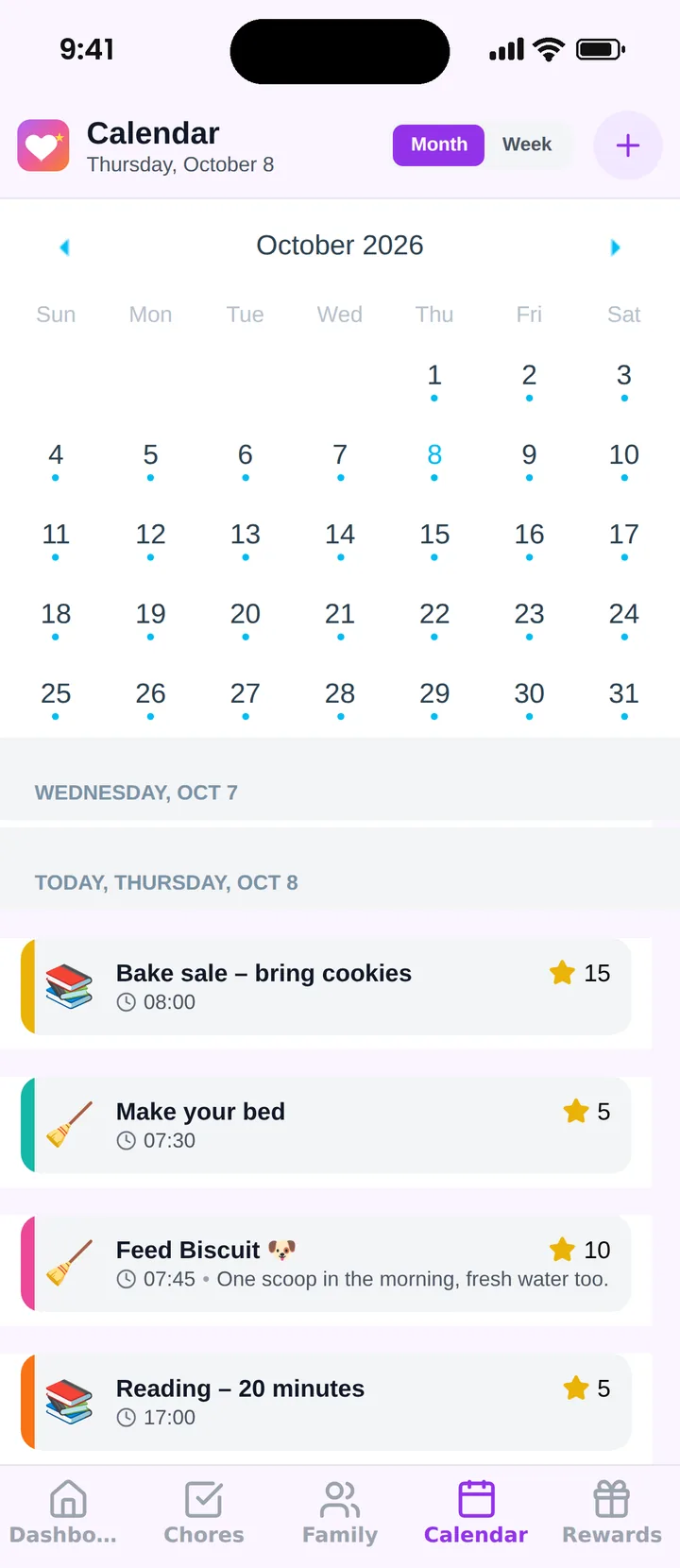
Famiyo is a free family app for iPhone and Android that combines a shared family calendar, chores with points and a rewards shop; kids join with a code, no email needed. Each child joins on their own phone with a 6-character code and sees a home screen with today's events and chores. Every family member has their own color. Parents decide whether kids can create events, add events with points and tick off their own tasks. The free plan has no ads and covers up to 3 family members and 1 repeating task.
You can see how the options stack up in our ranking of the best family organizer apps.
Start with one question a day
This week, skip the setup marathon. Choose an app, add your child's regular commitments and ask "what's on today?" every morning. If they can answer it alone by the second week, the calendar is doing its job.
Frequently asked questions
At what age can a child use a calendar app?
Many children can read a simple daily view from around age 6 or 7, with a parent beside them. By 9 or 10 most can check their own schedule independently. Teens usually want to manage their own events, which is fine with a shared parent view.
Should my child have an email address for a calendar app?
Prefer apps that let kids join through a parent, with a code or invitation, so they do not need one. An email account adds a privacy question and a barrier for younger children. Read the privacy policy to see what the app stores about minors.
Should kids be allowed to add their own events?
It depends on age and trust. Teens usually benefit from adding their own practices and plans. For younger kids, let a parent add events and let the child view them. A good app lets you choose, and change the setting as your child grows.
How do I help a child who ignores the calendar?
Tie it to a daily moment, like checking it together at breakfast, and keep their view short. Let them pick their color. Ask them one question each day about it, such as what is happening after school, until it becomes a habit.
Is a free kids calendar app safe to use?
Free can be safe, but check for ads, data collection, chat features with strangers and in-app purchases a child can trigger. A plain calendar that parents control and children only view carries far fewer risks than an open social app.
Try Famiyo With Your Family
Chores with points, a rewards shop for kids and one shared family calendar. Set it up in a couple of minutes.



Free to download • No credit card required • Available on iOS & Android