Family To-Do List App: Shared Lists vs Chores With Points
Choosing a family to-do list app: when a plain shared list is enough, when chores with points work better, what to ask, red flags and a first-week plan.
By Famiyo Editorial Team6 min read
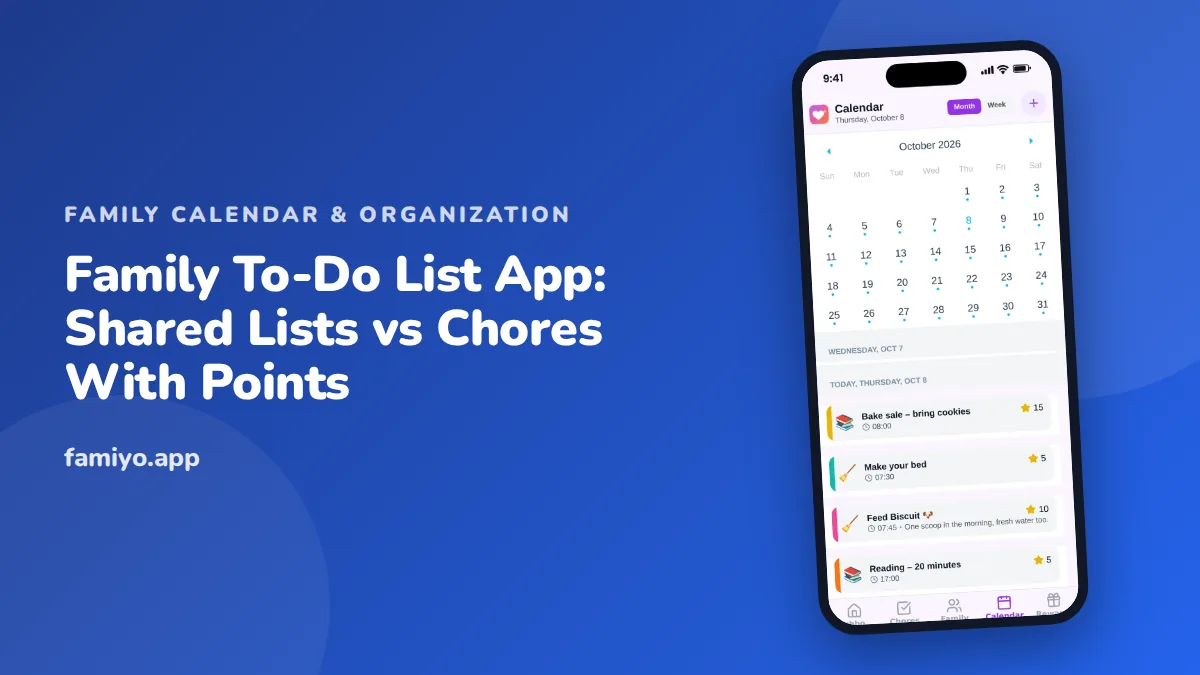
Search for a family to-do list app and you will find two very different kinds of tool sold under the same name. One is a shared list, like a digital notepad everyone can add to. The other is a chore system, where tasks repeat, belong to a child and can earn points. Picking the wrong kind is the main reason families give up in the first month. This guide explains the difference, helps you decide which you need, and gives you the questions, warning signs and setup steps to choose well.
Shared list or chores with points: which do you need?
Start by listing what actually needs doing in your house. Most items fall into two buckets.
| Shared to-do list | Chores with points | |
|---|---|---|
| Best for | One-off tasks and errands | Recurring jobs kids do daily or weekly |
| Example | Book the dentist, buy a birthday gift | Make the bed, empty the dishwasher |
| Who uses it | Mostly adults and teens | Mostly kids ages 4 to 13 |
| Task ends when | It is checked off | It resets on the next day or week |
| Motivation | Getting it off your plate | Points toward a reward the child picks |
| Risk | Becomes a dumping ground for one parent | Turns into bribery if rewards are vague |
Neither is better. A plain list suits the mental clutter adults carry. Points suit children who need a visible reason to start a task and a visible sign they finished. If your household has kids old enough for chores, you probably want a list that can do both or two tools that do not fight each other.
What a good family to-do list app should do
Regardless of type, look for these basics.
- Every task has an owner. An item with no name is the one nobody does.
- Tasks can repeat daily, weekly or every few days without retyping.
- People can tick off their own items from their own phone.
- Others can see what is done, so nobody has to ask.
- Notifications reach the person who owns the task.
- The list is easy to scan on a phone while standing in a hallway.
For kids, add two more. They should be able to join without an email account of their own, and the screen they see should show only their own tasks. A seven-year-old does not need your list of car insurance renewals.
Questions to ask before you commit
Spend five minutes in the store listing and sign-up flow, then answer these.
- Can I assign one task to several people, or give each person different credit for the same task?
- Do repeating tasks cost extra?
- Can I choose whether kids tick off their own tasks or a parent approves them?
- What happens to completed tasks: are they kept, so I can look back at the week?
- Is there a free plan that does not expire?
- Can I delete everything if we stop using it?
Question three matters more than it looks. Trust works well for most families, with spot checks. Approval works better when a child has a history of ticking a box without doing the job. A flexible app lets you switch between the two as your child grows.
Red flags and free-plan traps
- Tasks cannot be assigned, only added to one big list.
- Repeating tasks vanish after they are completed, and you must re-enter them.
- Children need their own email and password.
- The free plan lasts a few days, then locks.
- The app is full of ads, including ones a child can tap.
- Points are included, but there is no clear way to spend them, so they mean nothing.
- Rewards are fixed by the app instead of chosen by you.
The last two are worth dwelling on. Points without a shop are decoration. A child who earns 200 points and finds nothing to spend them on will stop caring in a week. Look for a way to set your own rewards, price them in points and see what is left after redeeming. Our guide to a family reminder app explains how to make sure a task alert reaches the child who owns it.
On cost, watch for caps on members and on repeating tasks. Chores repeat by nature, so a plan that allows one repeating task covers very little. Count how many daily and weekly jobs your family has before you read the plan page.
How to split the work between lists
A neat way to avoid clutter is to decide, before you install anything, which kind of task goes where.
- Adult one-off errands go on the shared list, each with an owner and a due day.
- Kids' daily jobs go in a chore list with points, three or four per child.
- Weekly bigger jobs, such as vacuuming or washing the car, get one owner per week.
- Big projects, such as planning a trip, get broken into small tasks with a date.
A sample week for a nine-year-old might look like this.
| Task | Repeats | Points |
|---|---|---|
| Make the bed | Daily | 5 |
| Feed the pet | Daily | 5 |
| Empty the dishwasher | Daily | 10 |
| Take out the trash | Weekly | 10 |
| Clean the bathroom sink | Weekly | 20 |
That is about 20 to 30 minutes a day, in line with what most 8 and 9-year-olds can handle. Add a bonus of 2 points for finishing without a reminder, and keep rewards within reach: a small reward every two or three days, a bigger one every few weeks. On the adult side, our explainer on the mental load shows why one person so often ends up owning the whole list.
Your first week with a family to-do list app
- Day 1: Add every person and sort the current to-dos into one-off tasks and recurring chores.
- Day 2: Enter recurring chores for each child, with points if you use them.
- Day 3: Decide who can tick off tasks: the child, or a parent after checking.
- Day 4: Create two or three rewards your child actually wants.
- Day 5: Show each child their own list on their own phone.
- Day 6: Do one family check-in. What was easy? What was unclear?
- Day 7: Remove any task nobody finished and ask why.
Give the setup two to three weeks before you judge it. New routines take that long to settle, and the first week is mostly about learning where things are.
Doing it in Famiyo
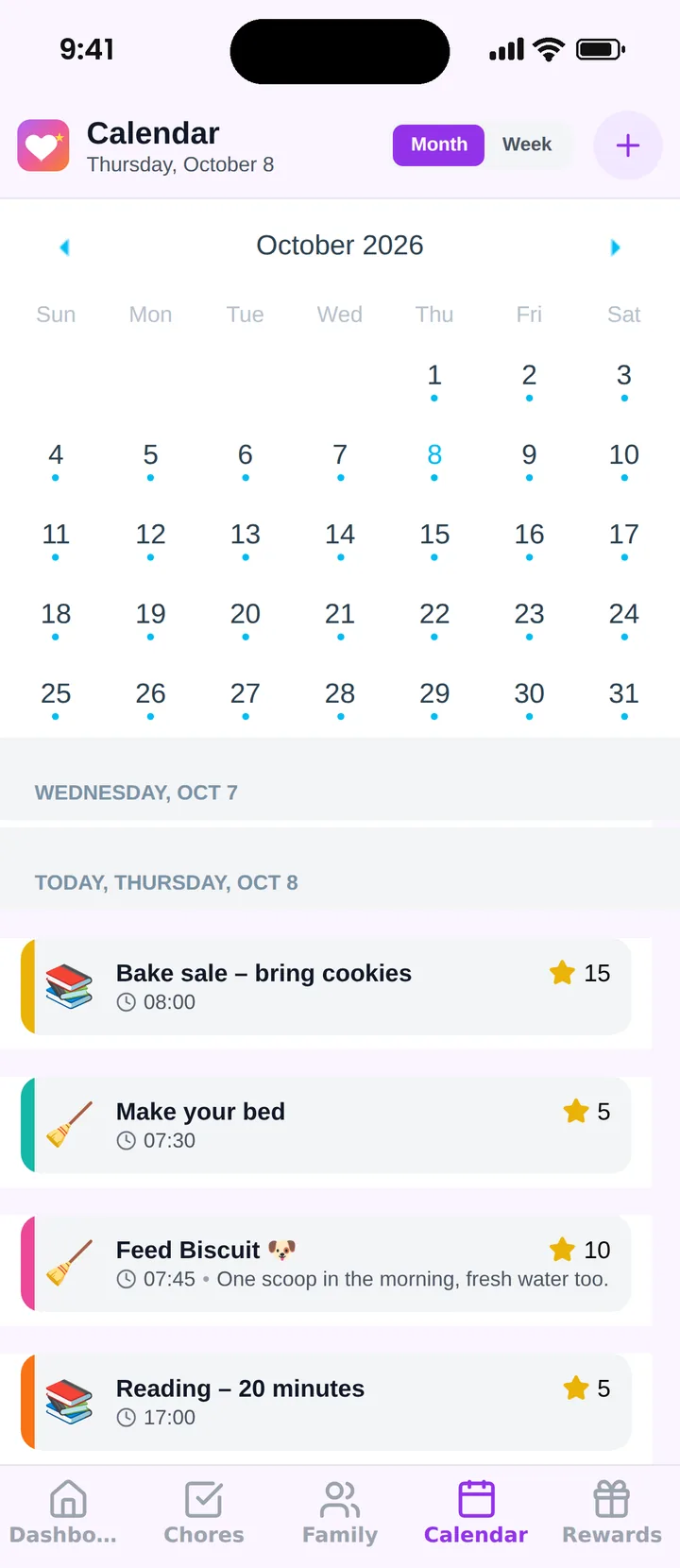
Famiyo is a free family app for iPhone and Android that combines a shared family calendar, chores with points and a rewards shop; kids join with a code, no email needed. Chores and events can carry points, and each child can earn a different number of points for the same task. Kids tick off their own tasks, or a parent approves them, and parents decide which. A rewards shop lets you price rewards in points, and a child sees how many points they would have left. There is no shared shopping list or notes feature, so adult errands are better kept elsewhere. The free plan has no ads and covers up to 3 family members and 1 repeating task.
For how the options compare, see our list of the best family organizer apps.
Pick the list that fits the task
Sort your own to-dos tonight into two columns, one-time and repeating. If most are repeating and belong to kids, lean toward chores with points. If most are errands for adults, a simple list will do. For setting goals beyond daily jobs, our family goals ideas give you something to aim at together.
Frequently asked questions
What is the difference between a family to-do list and a chore chart?
A to-do list holds one-time tasks that end when they are done, like booking a vet visit. A chore chart tracks recurring jobs, like feeding the dog, that come back every day or week. Many families need both, often in one app.
Should kids be on the same to-do list as adults?
They can share an app but should see their own list. A child scrolling through insurance forms and car repairs loses track of their own job. Assign each item to one person so everyone sees only what is theirs.
Do points work better than a plain checklist?
It depends on the child. Many school-age kids respond to points and rewards because the effort leads to something visible. Others do fine with a simple checklist and praise. Try a checklist for two weeks, then add points if motivation slips.
What should a free family to-do list app include?
At minimum: tasks assigned to a named person, repeating tasks, a way to tick items off, and notifications. Be cautious if repeating tasks or multiple members are paywalled, since those limits are what families hit first.
How many tasks should a family list hold?
Keep each person's daily list to a handful. For kids, three or four items is plenty. Long lists get ignored, so move anything that is not due this week to a separate someday list that you review on Sundays.
Try Famiyo With Your Family
Chores with points, a rewards shop for kids and one shared family calendar. Set it up in a couple of minutes.



Free to download • No credit card required • Available on iOS & Android