Chore App for Teens and Tweens: What Works
What a chore app for teens and tweens must do to get used: phone-first check-offs, fair points, no nagging. Questions to ask, red flags and a week-one setup.
By Famiyo Editorial Team7 min read
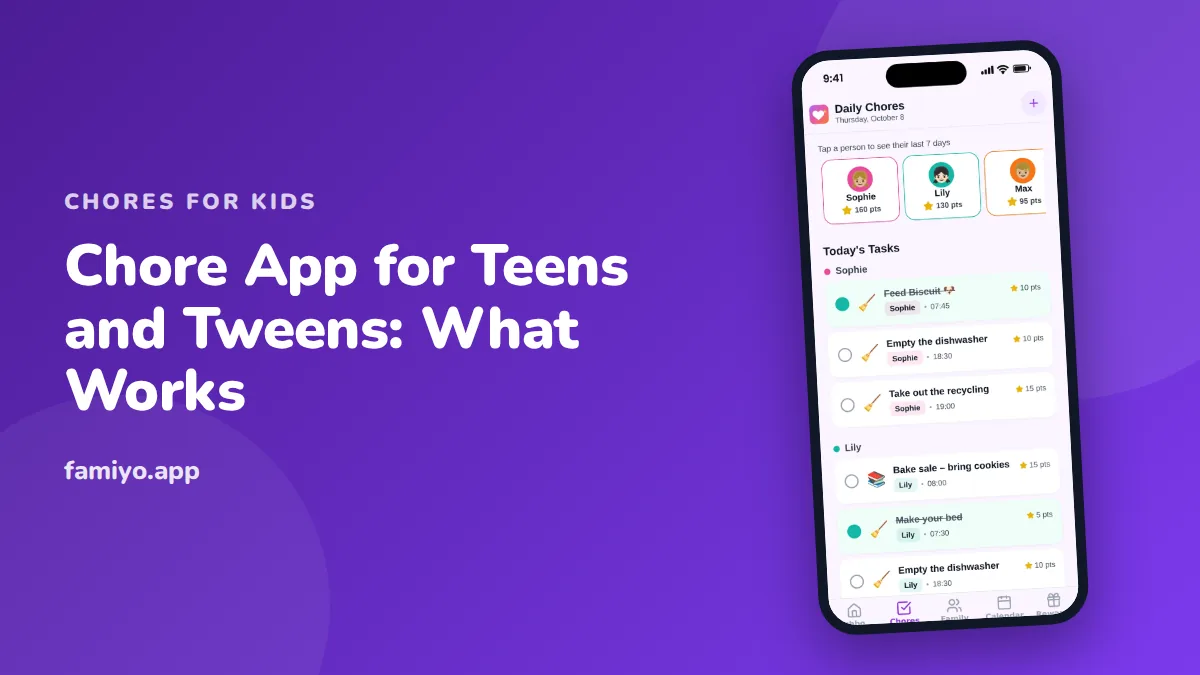
A 12-year-old with a phone and a 15-year-old with a part-time life of their own will not look at a sticker chart on the fridge. They might check an app, though, if it respects their time. This guide covers what a chore app has to do to survive with a tween or teen, what to ask before you commit, what to avoid, and how to set one up so it still works in week three.
What should a chore app for teens actually do?
Strip away the feature lists and a few things decide whether an older child uses it.
It has to live on their phone. A task that only a parent can see or tick is a parent's tool, and a teen will treat it that way. The child should see their own list, check off their own jobs, and see their own progress without asking you.
It has to be fast. If marking "empty the dishwasher" takes more than two taps, the app loses to the next notification on that phone.
It has to be specific about timing. "Kitchen" is not a task. "Empty the dishwasher before 5 pm" is. Teens argue with vague wording far more than with the work itself.
It has to feel age-right. Cartoon animals and confetti are fine for a 6-year-old and fatal for a 14-year-old. Look for a plain, clean screen where the points or progress are visible but not loud.
And it has to take the nagging off you. Parents should get a quiet notice when a job is done, and kids should get a notice when something new lands, so nobody is texting "did you do it yet?" from the couch.
Questions to ask before you pick one
Run any app through these, in order. If two answers are bad, move on.
- Can my child join without an email address or a password they will forget?
- Can they use it on their own phone, and does it work the same on my phone?
- Can I choose whether they check off their own tasks or I approve them?
- Can the same job repeat on a schedule without me retyping it?
- Can two kids get different points or different tasks, so a 17-year-old and an 11-year-old are not on one list?
- Is the free version really usable, or does it stop after a few tasks? (More on that below.)
- Does it contain ads, and can a child tap them?
- Who can see my child's data, and can I delete the family if we stop?
Question 8 is worth ten minutes with the privacy policy. You are not looking for legalese, just a plain statement of what is collected and whether a child needs to give personal details to join.
Red flags
Some warning signs show up within the first five minutes.
- A child account that demands a full email address, a birth date and a photo before it shows a single task.
- A reward screen that mainly sells things, such as in-app purchases, instead of letting you create your own rewards.
- Ads in a screen a child uses daily. Even "kid-safe" ads pull a teen away from the task list.
- No way to change the points once you have set them. Your first guess at the numbers will be wrong.
- Everything is locked to the parent. If a child cannot see their own list, the app solves your problem and creates theirs.
- A list that mixes all kids together with no way to filter, so a tween sees an older sibling's jobs and complains about fairness.
How should points work for older kids?
Points are the part most apps get right for little kids and wrong for teens. A teen does not want gold stars. They want a clear rate of exchange for something they actually care about, such as screen time, a later bedtime on weekends, a ride to a friend's place or money.
A workable starting scale, using sizes teens will accept as fair:
| Task size | Example | Points |
|---|---|---|
| Small (2 to 5 minutes) | Feed the pet, wipe the kitchen counter | 5 |
| Medium (10 to 15 minutes) | Empty the dishwasher, tidy their room | 10 |
| Big (30 minutes or more) | Clean the bathroom, mow the lawn | 20 |
| Bonus | Done without a reminder | +2 |
The bonus matters more with teens than with anyone else. It rewards the exact behavior parents want, which is doing the job without being asked.
For rewards, price them so a small one is affordable every 2 to 3 days (30 to 50 points) and a big one lands every 3 to 4 weeks (300 to 500 points). If you want to convert to money, 100 points equal $1. Be clear that basic family chores, like clearing your own plate or keeping your room livable, are not paid. Points are for the extras and for privileges. Our guide to how to get teens to do chores goes into how to word that conversation without a fight.
Free versus paid: what to check
Many apps are free to download and quietly limit you after the first few tasks. Before you add all your kids and a month of chores, find out in advance:
- How many family members the free plan allows.
- How many tasks, and how many repeating tasks, you get. Repeating tasks matter most, because a chore chart without repetition means retyping the same job every day.
- Whether rewards and statistics are included or sit behind the paywall.
- Whether the paid plan is monthly, yearly or both, and whether it renews on its own.
A free plan with a hard cap is not wrong, but you should know the cap before the kids invest in it. A teen who built a points balance and then loses access is a teen who will not try the next app.
Setting it up in the first week
The first week decides the next three months. Keep it small.
- Sit down with your teen for ten minutes. Do not set it up for them. Ask which three or four jobs they would pick and which they would hate.
- Add only those jobs. Give each a time ("before 6 pm") and a point value from the table above.
- Decide approval together. Start with the child checking off their own tasks, with you spot-checking two or three a week. Say out loud that this is a trial.
- Build the reward list with them. Let a teen suggest a reward even if it is expensive, then agree on a price in points.
- Turn notifications on for them and for you, and nothing else.
- Keep one repeating job per day. Trying to automate everything on day one is how the list gets long and the child gives up.
- At the end of the week, review for five minutes. Remove or reword anything that caused friction.
Most habits need two to three weeks of consistent use before you can judge them, so resist the urge to rebuild the system on day four.
Age differences within the teen years
A 10-year-old and a 16-year-old are not the same user. Tweens (about 10 to 12) usually do well with a short list and a quick reward, and still enjoy watching the number go up. They can clean a bathroom sink and toilet or cook a simple meal with an adult nearby, and these can count as the weekly bigger job. Our page on chores for 13-year-olds shows what a young teen can reasonably own.
Older teens need ownership more than points. Give a 15-year-old an entire area, such as "you run the laundry" or "you handle the Saturday kitchen", and let the app simply record that it happened. The reward becomes privileges and trust, with points as a light layer on top.
Using Famiyo for teen chores
Famiyo is a free family app for iPhone and Android that combines a shared family calendar, chores with points and a rewards shop; kids join with a code, no email needed. For a tween or teen, that means they join on their own phone with a 6-character code, see only their own tasks and check them off themselves, or you can switch to parent approval. Chores can repeat daily, weekly or every few days, and each child can earn their own number of points for the same job. Kids get a push notice about new tasks, you get one when a chore is done, and everything syncs live between phones. For a side-by-side look at your options, see our list of the best chore apps for kids.
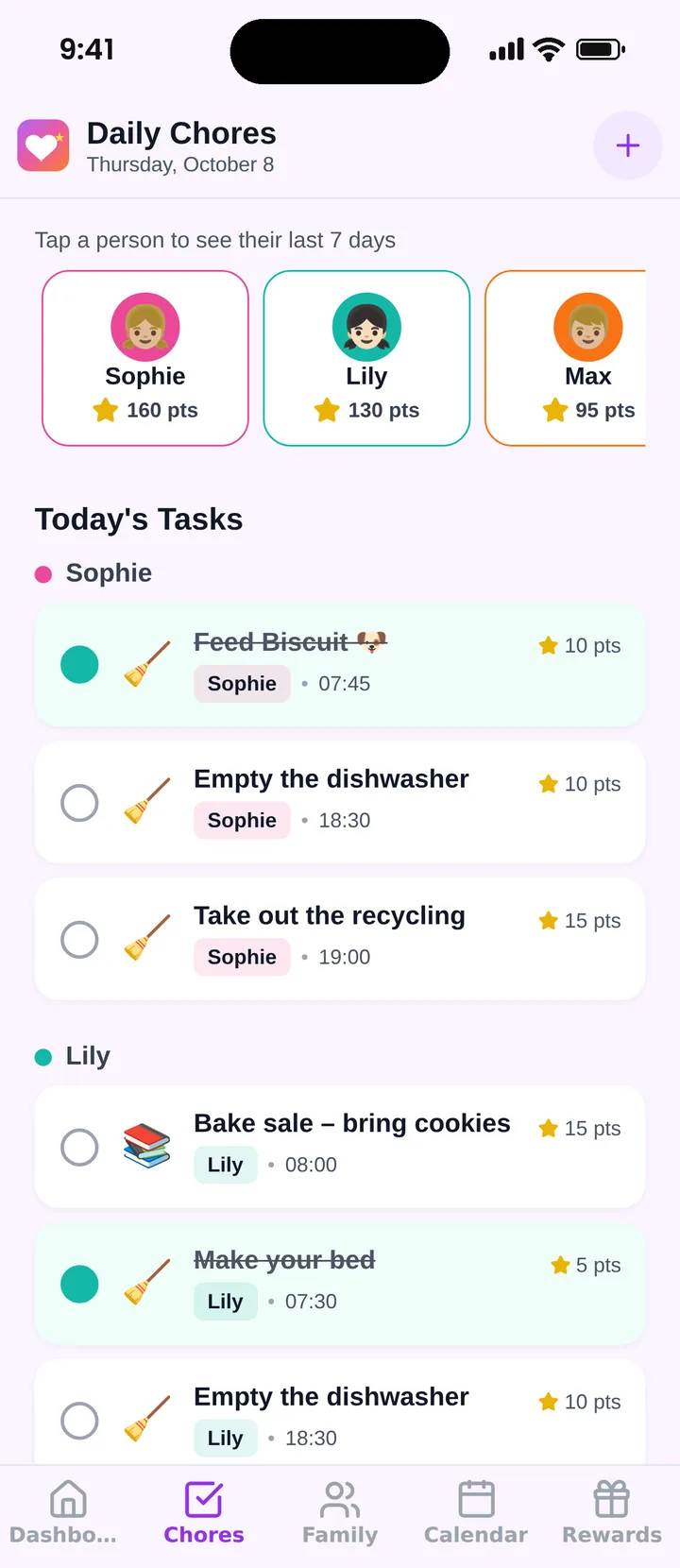
The free plan covers up to 3 family members and 1 repeating task, which is enough to try the idea with one teen before you decide anything else.
One thing to do tonight
Ask your teen to name the one chore they dislike least and the one reward they would work for. Start the app with exactly that pair, and add the rest after a week.
For a broader look at the same decision across the whole home, see our guide to a household chores app for families.
Frequently asked questions
At what age is a chore app a good fit?
Around 9 or 10, when a child has their own phone or tablet and can read a task list alone. Tweens and teens tend to like apps more than paper charts because the check-off happens on a device they already carry, with no fridge chart to avoid.
Should teens be paid through a chore app?
Keep core family chores unpaid and use points for extras or privileges. If you convert points to money, say so up front. Many apps never move real money, so any payout happens outside the app, in cash or a transfer you make yourself.
What if my teen ignores the app?
Look at the design before the child. Too many tasks, vague wording and no clear deadline are the usual causes. Cut the list to three or four, add a time to each, and let the teen help write the tasks and rewards.
Do teens need parent approval for chores?
It depends on trust. Many families let a teen check off their own tasks and spot-check a few a week. Switch to approval for a stretch if jobs are marked done but not done, then loosen it again once that stops.
How many tasks should a teen see per day?
Three or four daily tasks plus one bigger weekly job. A list longer than that reads as a punishment, and teens skip the whole thing. Time per day for ages 13 and up is usually 30 to 45 minutes in total.
Try Famiyo With Your Family
Chores with points, a rewards shop for kids and one shared family calendar. Set it up in a couple of minutes.



Free to download • No credit card required • Available on iOS & Android