Kids Responsibility App: How to Hand Over Real Ownership
A kids responsibility app helps when it hands jobs to your child step by step. See four stages of handing over, what to say, and what to expect by age.
By Famiyo Editorial TeamUpdated 5 min read
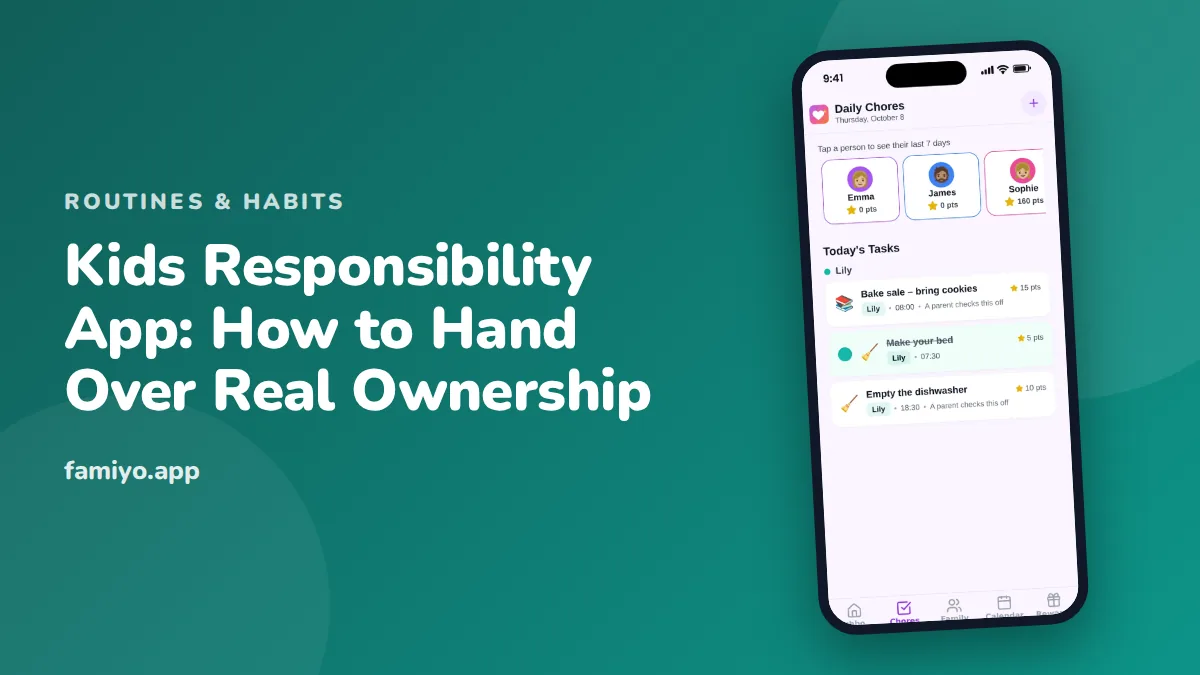
Most parents don't want a child who can tick a box. They want one who notices the dog's bowl is empty without being told. That gap between doing what is asked and noticing what is needed is what we mean by responsibility, and it takes years. An app can speed up the early part by giving a child their own list, their own screen and their own wins. This guide shows how to hand tasks over in stages, what to say at each one, and where the app helps and where only you can.
What does responsibility look like at each age?
Expectations that are too high produce meltdowns, and ones that are too low produce a child who never grows. Use this table to calibrate. The times match the usual daily totals for each age.
| Age | What they can own | What you still do | Time per day |
|---|---|---|---|
| 4-5 | Feed a pet, set their place, put toys away | Remind, help, celebrate | 10 to 15 minutes |
| 6-7 | Pack the school bag, tidy the room, sort laundry | Check the result, adjust | 15 to 20 minutes |
| 8-9 | A weekly big job, dishwasher, trash, homework start | Spot-check, talk about slips | 20 to 30 minutes |
| 10-12 | Whole routines: bed sheets, a simple meal, practice | Stay nearby, let them solve problems | 30 minutes |
| 13+ | Their own laundry, shopping from a list, siblings | Be a consultant, not a manager | 30 to 45 minutes |
Notice the right-hand columns. At every age there is something the parent keeps doing, and it shifts from "do" to "check" to "ask".
The four stages of handing a task over
Every task goes through the same four stages. An app is useful at stage 2, 3 and 4, because it can hold the task steady while you step back.
- You do it, they watch. Say the steps aloud. This is not in the app yet.
- You do it together. Put the task in the app and tick it with your child. They learn that the list is real.
- They do it, you check. The child ticks it themselves, and you approve. This is where most mistakes happen, so stay kind about them.
- They do it alone. You stop approving. Once a week you look at the past days together.
Many families skip straight to stage 4 and then conclude that kids are irresponsible. Give each stage at least a week, and longer for a harder job. A 7-year-old might take two weeks to move from "together" to "with a check" for packing the school bag. A 10-year-old might do it in three days.
What to say when you hand over
Words matter more than the app does. A few that work.
Handing over: "This one is yours now. You decide when you do it, as long as it's done before dinner."
When it is forgotten: "Looks like the dog's bowl was missed. What's the plan so it doesn't happen tomorrow?" Then wait. Children often come up with something better than you would.
When it is done well: "You did that without me asking. I noticed." Specific beats loud.
Avoid the sentence "I shouldn't have to remind you". It turns the task into an argument about you. If you want the deeper reasoning behind this approach, our guide on how to teach kids responsibility covers the principles, and the article on independence for kids shows how it fits into the bigger picture.
A week of stage 3 at home
Here is how stage 3, the long middle, looks for a 7-year-old who owns three tasks: pack the school bag, put dirty clothes in the hamper and feed the cat. On Monday she ticks all three and you glance at the bag. It is missing the reading folder. You say, "Everything is in except the folder. Where does it live?" and she fetches it. On Tuesday she packs it right. On Wednesday she forgets the cat, and the push notification reaches you at 6:30 when the dinner is on. You tell her, "The cat's bowl is still showing as not done." She runs off.
None of this takes more than a minute. The app keeps the facts straight, and you are free to be the encourager instead of the inspector. By the second Friday, most children tick things before you can ask. That is the signal to move to stage 4 for the easiest task, while keeping a check on the others.
For a child who needs more structure, our piece on executive functioning activities for kids offers games and exercises that build planning and memory, and the daily checklist for kids with ADHD shows how to keep a list short enough to finish.
Natural consequences, not nagging
A child learns from small, safe consequences. If the school bag is not packed the night before, the child has to pack it in a rush the next morning and possibly miss five minutes of play. That feels bad enough to remember. Rescuing them every time, by packing it yourself, teaches the opposite lesson.
Keep the consequence small, relevant and predictable. "If the bag isn't packed by 8, you pack it before screens tomorrow" is fine. Taking away something unrelated is just a punishment, and it makes the child focus on you rather than the task.
Safety is the exception. For anything that could cause harm, such as using the stove or crossing streets, you stay in charge until the child is ready.
What an app can and can't do
It can keep the list in one place, remind your child at a set time, let you see what is done without asking, and show a week at a glance. It can also take emotion out of the reminder: the app says it, not you.
It can't make a child care. It can't decide if a chore is too big. And it can't teach planning. Children who struggle to start tasks or to keep track of time often need support with skills like planning and working memory, which our piece on executive function in kids explains, and teens need a different approach, covered in how to teach teens to be responsible.
If your child has ADHD, talk with their pediatrician or therapist about what to expect, and keep the list very short with immediate rewards.
What the child sees in Famiyo
Famiyo is a free family app for iPhone and Android that combines a shared family calendar, chores with points and a rewards shop; kids join with a code, no email needed. A child joins on their own phone with a 6-character code and sees only their own tasks and points, so the list feels like theirs. You decide whether they tick things off themselves or wait for your approval, which maps straight onto stages 3 and 4 above. You'll get a push notification when a chore is done, and your child gets one when a new task appears.
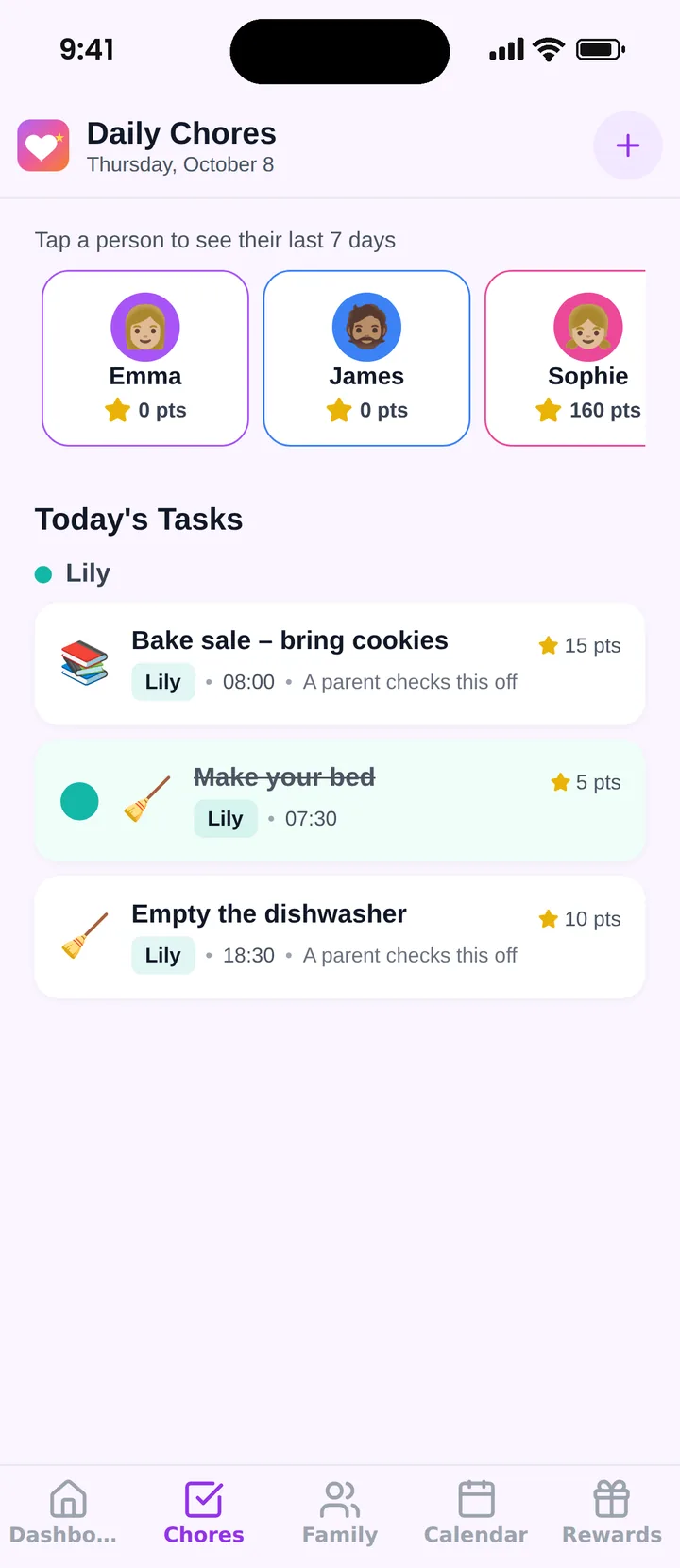
You can give two children different points for the same task if one finds it harder. Compare options in our list of the best chore apps for kids.
Pick one task to hand over this week, put it at stage 2, and tick it together tonight.
Frequently asked questions
Can an app really teach a child responsibility?
An app can't teach it alone, but it can carry the reminders so you stop being the nag. Responsibility grows when a child owns a task, forgets it, feels a small natural consequence and tries again. The app just keeps the task visible.
How old should a child be for their own responsibility app?
From about age 6 or 7, when they can read a short list and tick it off. Younger children can use it with a parent next to them. Give them their own login or code so the list feels like theirs.
Should a parent approve every task?
At first, yes, for the first two or three weeks, so you can say what done looks like. Once a child is reliable, switch to self check-off and spot-check twice a week. Trust that is earned feels very different to a child from trust that is assumed.
What if my child keeps forgetting even with the app?
Look at the setup before the child. Is the reminder at a time they can act on? Is the task too big? Is the list too long? Cut to one or two tasks, tie them to a fixed moment like right after dinner, and rebuild from there.
Try Famiyo With Your Family
Chores with points, a rewards shop for kids and one shared family calendar. Set it up in a couple of minutes.



Free to download • No credit card required • Available on iOS & Android