Shared Family Calendar: What to Put on It and How to Keep It Alive
What a shared family calendar is for, what belongs on it, five house rules that make it stick and how to set it up in one evening.
By Famiyo Editorial TeamUpdated 6 min read
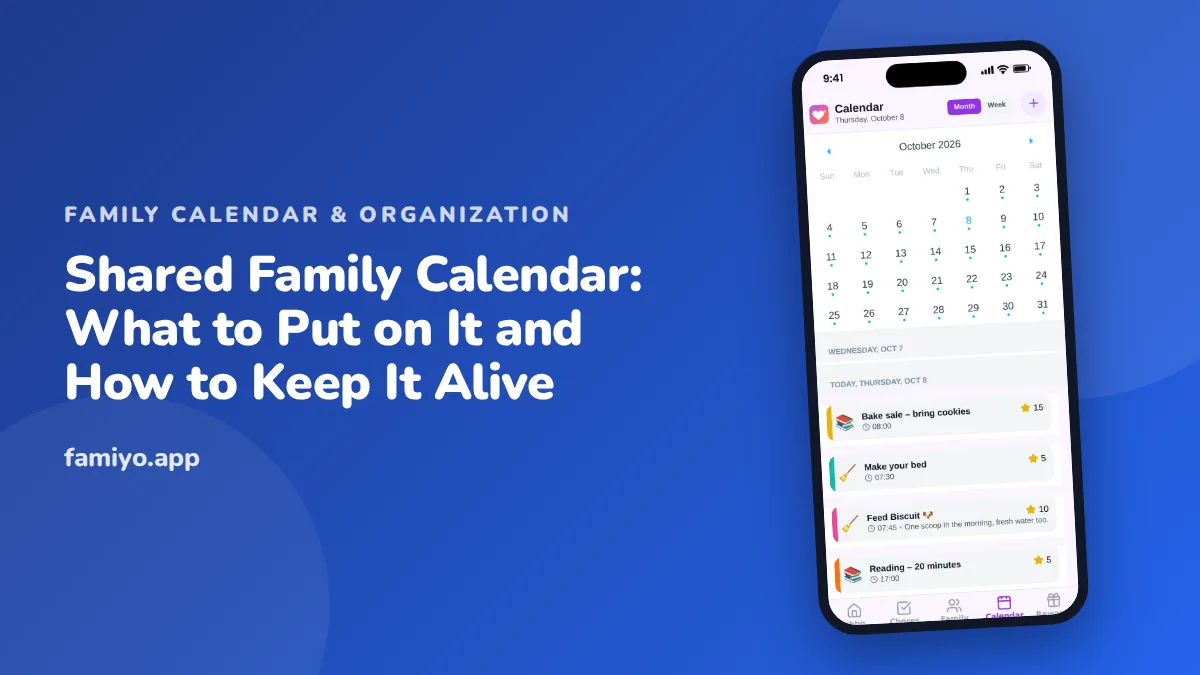
Most families already share a calendar, even if it lives in three places: a text thread, a fridge, and one parent's head. A shared family calendar replaces that with one place everyone can read and add to. This guide covers what belongs on it, the five rules that make it survive past the first month, a one-evening setup, and the ways it usually goes wrong.
What a shared family calendar is for
It has one job: to answer "who is where, and when?" without anyone having to ask. Done well, it stops three kinds of surprise. The double booking, where two things land on the same afternoon. The forgotten item, such as picture day or a bake sale. And the ride problem, where nobody knew a child needed to be somewhere until the last moment.
It is not a to-do list, a diary, or a place to store every document. Keep those things elsewhere, and link to them if you must. The more you load onto the calendar, the harder it is to see the week at a glance, and glanceability is the whole point.
What belongs on it
A simple test: if it takes someone's time, needs a ride, or would surprise another person, it goes on. Here is how that sorts out in practice.
| Goes on the calendar | Leave off |
|---|---|
| School days off, early dismissals, picture day, concerts | Daily school hours that never change |
| Practices, games, lessons, with start and end times | Casual playdates that nobody has to plan around |
| Doctor, dentist and haircut appointments | Reminders to "think about" something |
| Work trips, late meetings, shift changes | Anything private to one adult |
| Birthdays and family gatherings | Grocery lists and recipes |
| Carpool days and who drives | Long notes better kept in a document |
| Family time: dinners, movie night, weekend plans | Tasks with no date |
A calendar full of fixed items is more useful than one stuffed with everything. If you want a worked layout, see our family calendar example.
Five rules that make it stick
Rules sound formal, but a family calendar fails mostly because nobody agreed on how it works. These five are enough.
- One source of truth. If it is not on the calendar, it is not happening, and nobody can claim they were not told.
- Add it the moment you hear about it. Ten seconds while the email is open. Waiting until tonight is how things get lost.
- Every entry has the basics: who, what, where, when. Add what to bring if it matters, such as a uniform or a water bottle.
- Each person owns their own entries. Parents do not fix a teenager's schedule behind their back, and teenagers do not delete a parent's meeting.
- Look at it every evening. One minute, tomorrow only. The weekly session finds conflicts, the evening look catches changes.
For the softer side of this, such as who may edit what and what to do about last-minute changes, read shared calendar etiquette for families.
Setting it up in one evening
You do not need a long project. Sit down with every adult, and a teenager if you have one, and do this in order.
- Pick the calendar everyone will actually open daily. It should work on every phone in the house.
- Give each person a colour. When the week fills up, colours let you see in a second whose day is crowded.
- Add the fixed items first: school breaks, work shifts, standing practices, lessons.
- Make the repeating ones repeat. Weekly swim should be entered once, not every Monday.
- Add categories if your tool offers them, such as school, sports, appointments and family.
- Add the next four weeks of known one-off events: appointments, birthdays, trips.
- Agree a time for the weekly look. Sunday evening is common, but any fixed time works.
- Put one family-time event on it, so it is not just a list of obligations.
The whole thing takes about an hour the first time. After that it is a few seconds per event.
Getting everyone to use it
The hardest part is rarely the tool. It is the person who says "just text me." A few things help, and they work better together than alone.
Show the benefit first. A partner who never misses a pickup because a reminder arrived is more convinced than one who was told to use it. For a reluctant partner, see how to get your partner to use the family calendar, which covers the usual objections.
Let teenagers own part of it. They will use a calendar that holds their own plans and hate one that only holds the parents' demands. Our guide to getting teens to use a shared calendar has specific scripts.
Model it. If an adult says "let me check the calendar" instead of "I think we're free," children copy it.
Who in the family needs what from it
Each person looks at the calendar for a different reason, and a setup that suits only one of them will not last.
Parents want the logistics: who drives, who is home, which evenings are free. They need the week view and the details of each entry. Younger children mostly want to know what is happening today and whether it is something fun, and an adult can show them in ten seconds at breakfast. Teenagers want their own plans respected and a say in what goes on the family list. Grandparents or a regular babysitter often only need a view of the days they are involved, which is worth deciding before you share anything.
Notice that none of these people need the same screen. That is why agreeing on what goes on the calendar matters more than which tool you pick.
A sample week on the shared calendar
Here is how a week might look when the rules are working. It is a made-up family with a 6-year-old and a 13-year-old.
| Day | What is on the calendar |
|---|---|
| Monday | 3:30 pm piano (6-year-old), Mom drives. Evening: nothing |
| Tuesday | Early dismissal at 1:00 for staff training. Dad works from home |
| Wednesday | 4:00 pm soccer (13-year-old), Dad drives. Mom late meeting until 7:00 |
| Thursday | Dentist 3:15 pm (6-year-old). Bake sale: bring cookies Friday |
| Friday | Family movie night, 7:00 pm |
| Saturday | 9:00 am game (13-year-old), birthday party 1:00 pm (6-year-old) |
| Sunday | 7:30 pm weekly look at next week |
Six lines of text tell every person in the house what they need to know. Nobody had to send a message.
Common ways it goes wrong
- Only one person enters things. The calendar becomes that person's second job. Fix it by making every adult responsible for their own events.
- Too many colours or categories. Four or five is plenty. When everything has a distinct style, nothing stands out.
- Entries without details. "Practice" tells nobody where to drive. Add a place and an end time.
- Private plans on a shared view. Decide in advance how you will mark something personal, so nobody has to think about it.
- Looking only when stressed. A calendar checked once a week at the last minute is a calendar that fails you at 4:15 on Thursday.
- Letting it die in summer. When schedules loosen, the habit fades. Keep the evening check going, even if tomorrow is empty.
Using Famiyo as the shared calendar
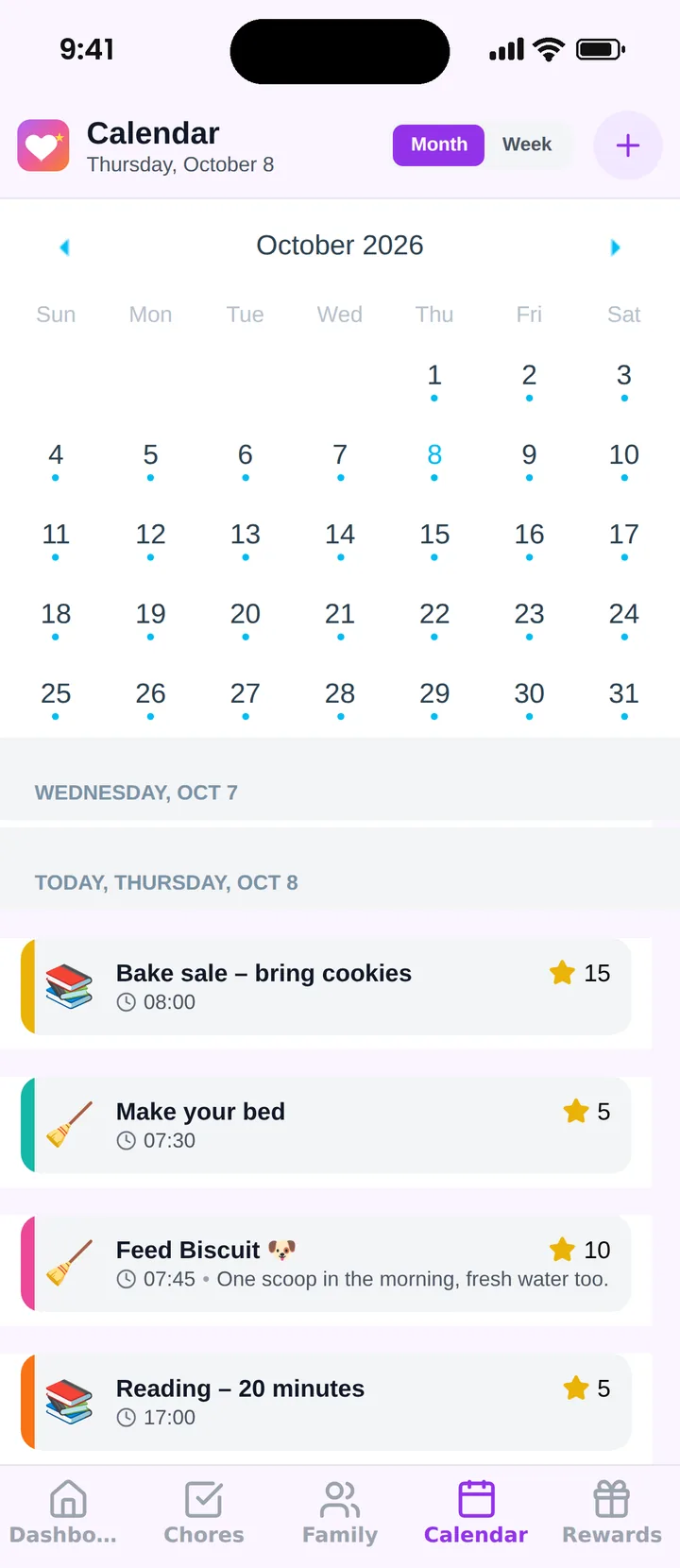
Famiyo is a free family app for iPhone and Android that combines a shared family calendar, chores with points and a rewards shop; kids join with a code, no email needed. The calendar has month and week views, a colour for every family member, categories such as school, sports and appointments, and repeating events. Each event shows its participants, and everything syncs live between phones. Parents can decide whether kids may create events, so younger children can read the calendar while teens add their own. Chores appear on the same calendar, so homework and practice sit next to what needs doing.
Comparing tools? Our list of the best shared family calendar apps shows how the options differ.
Tonight, add one week of real events and agree on a time to look at it tomorrow evening.
Frequently asked questions
What should go on a shared family calendar?
School days off, practices, lessons, appointments, birthdays, work travel, carpool days and family time. A good test: if it takes someone's time, needs a ride, or would surprise another person, it belongs on the calendar.
How do you get everyone in the family to use it?
Make it the only place plans count and show people it helps them. Set it up together, let each person own their colour and events, and have adults model it. Reminders and a daily check do more than lectures.
Should kids have access to the family calendar?
Yes, from the age they can read a schedule, usually around 7 or 8. Younger kids can look at it with you. Teens can add their own events. Seeing their own plans makes children less dependent on reminders.
How often should you look at the family calendar?
Once a week for planning, about 20 to 30 minutes, and one minute each evening to check tomorrow. The weekly look finds conflicts. The evening look catches changes.
What is the difference between a shared calendar and a family planner?
A shared calendar shows when and where things happen. A planner adds the rest: tasks, meals, to-dos and routines. Many families start with the calendar, because it solves the most common problem, not knowing what is happening.
Try Famiyo With Your Family
Chores with points, a rewards shop for kids and one shared family calendar. Set it up in a couple of minutes.



Free to download • No credit card required • Available on iOS & Android