Rotating Chore Chart for Kids: Free 4-Week Template
A rotating chore chart for kids moves each job to the next child every week. Get a 4-week template for 2, 3 or 4 kids, plus a printable and Excel setup.
By Famiyo Editorial Team4 min read
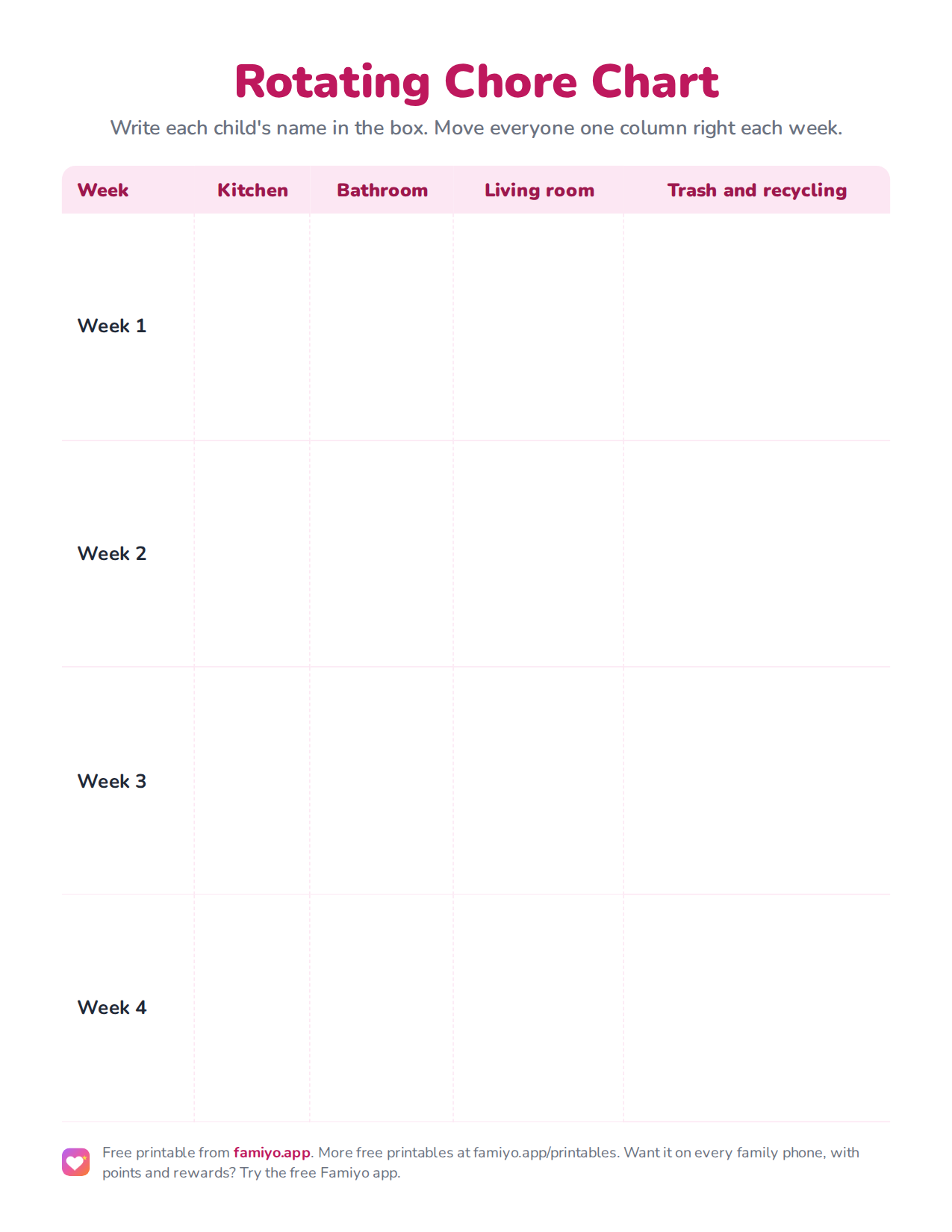
Free printable
Rotating Chore Chart
A planner on one US Letter page. Download the PDF to print it, or save the image to use it on a tablet or in a document.
Free for home, classroom and nonprofit use, see the license. More free printables.
Fixed chores wear down fast. One child is stuck with the bathroom for a month, another has had the same easy job since spring, and you hear "that's not fair" every night. A rotating chart fixes this by moving every job along. This page has a ready 4-week template, setups for two, three and four kids, and the small rules that keep a rotation from falling apart.
How a rotating chore chart works
Draw a grid. The jobs go across the top, the weeks run down the side, and each box holds a name. Next week, every name slides one column to the right, and the last name wraps around to the start.
With three kids and three jobs, each child does each job once every three weeks. That's it. The rest of this guide is about making it hold up in a real house.
A 4-week template for 3 kids
Here's a chart for kids A, B and C and four jobs. Because there are four jobs and three kids, one child covers two jobs each week and the extra job moves around too.
| Week | Kitchen | Bathroom | Living room | Trash and recycling |
|---|---|---|---|---|
| 1 | A | B | C | A |
| 2 | B | C | A | B |
| 3 | C | A | B | C |
| 4 | A | B | C | A |
Week 4 starts the cycle again. Put names in. Hang it by the kitchen or print the template at the top of the page and fill it in with a pencil.
Charts for 2 and 4 kids
The same shape works with any number of children.
| Kids | Jobs | Setup |
|---|---|---|
| 2 | 2 | Swap every week: A does kitchen, B does bathroom, then switch |
| 2 | 4 | Each child has two jobs, swap pairs each week |
| 4 | 4 | Shift one column per week, back to start in week 5 |
If you have fewer jobs than kids, add a "day off" column. One child rests that week, and the rest rotate. It also feels like a small prize.
When your kids are different ages
A 4-year-old can't clean the bathroom, and a 12-year-old shouldn't be wiping the same low table forever. Use tiers.
- Tier 1 (simple, ages 4 to 7): set the table, put toys in the bin, water plants, match socks.
- Tier 2 (medium, ages 8 to 10): load the dishwasher, take out the trash, vacuum one room.
- Tier 3 (bigger, ages 10 and up): clean the bathroom sink and toilet, change bed sheets, cook with an adult nearby.
Rotate inside each tier. A younger sibling then moves up a tier on a birthday, not by lottery. For help picking tasks by age, see our weekly chores for kids plan.
Rules that keep the rotation fair
- Pick one handover day. Sunday evening is common. The new job starts Monday, and the chart changes on Sunday.
- Write what "done" looks like for each job, in one line. A rotation fails when each child has a different idea of clean.
- Swaps are allowed if both children agree and tell you. No swaps in the middle of a week.
- Don't skip someone's turn as a punishment. The chart stays boring on purpose.
- Review after four weeks. If one job is far harder than the others, change its points or split it.
Agreeing on these rules ahead of time prevents most arguments. Our guide to household chores rules lists the ones worth deciding as a family.
Making a rotating chart in Excel or on paper
For a paper chart, print the table and use pencil, since you'll be erasing. For Excel, set it up like this:
- In row 1, type the jobs in columns B to E.
- In column A, type Week 1 to Week 4.
- In row 2, type each child's name in the first four boxes.
- In row 3, shift every name one column to the right and wrap the last name back to column B.
- Copy rows 2 and 3's pattern down.
Color each child's name a different shade so the pattern is easy to spot. If you'd like a version with more layouts, our printable chore chart for kids page has several.
Letting an app do the rotating
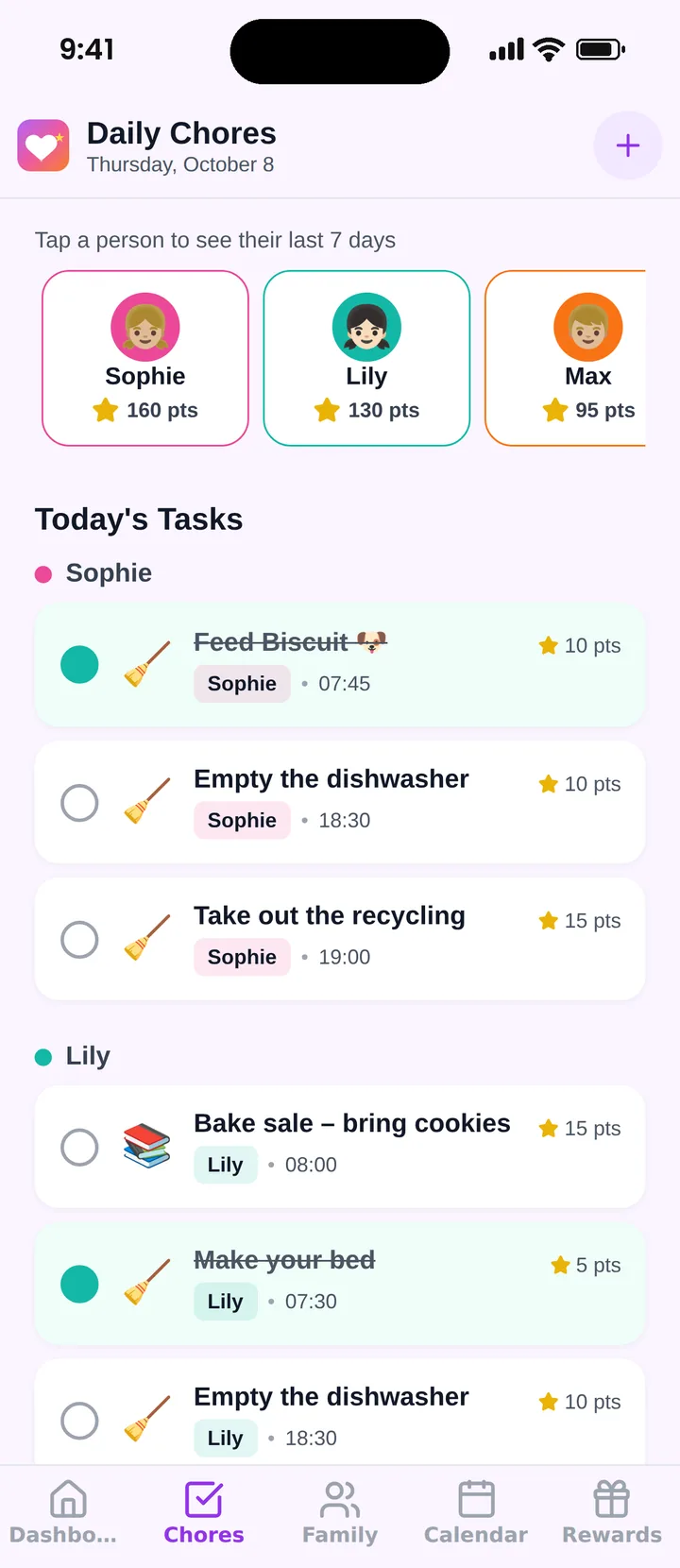
Famiyo is a free family app for iPhone and Android that combines a shared family calendar, chores with points and a rewards shop; kids join with a code, no email needed. Where a paper chart needs you to shift names every Sunday, an app can carry the routine for you. Add each job as a repeating chore, give it points, and assign the child who has it this week. Kids get a notification about new tasks, and you hear when one is done. Every phone stays in sync, so everyone sees the same list. Note that the free plan includes 1 repeating task, so rotate with the cycle you've set up or consider the optional Premium. See our list of the best chore chart apps for the full picture.
Start with a single cycle
Print the template, fill in names for week 1 and run one full cycle before changing anything. By week 4, you'll know which job needs a different value.
Frequently asked questions
How often should chores rotate?
Weekly works for most families. It's long enough for a child to learn the job and short enough that nobody is stuck with the worst one for long. Daily rotation is confusing, and monthly rotation feels unfair to whoever draws the bad job.
What if my kids are different ages?
Split the jobs into tiers by difficulty and rotate within each tier. Older kids rotate through the harder jobs, younger kids through the simpler ones. Everybody still gets variety, and nobody is handed a task they can't do.
How do I rotate when there are more jobs than kids?
Give each child two jobs at once, then rotate pairs. Or keep one fixed daily job for everybody, such as clearing your own plate, and rotate only the shared jobs. The chart shape stays the same.
Can I make a rotating chore chart in Excel?
Yes. List jobs across the top, weeks down the side, and type each child's name in week 1. In week 2, shift every name one column to the right, wrapping the last one back to the start. Copy that pattern down for four weeks.
Try Famiyo With Your Family
Chores with points, a rewards shop for kids and one shared family calendar. Set it up in a couple of minutes.



Free to download • No credit card required • Available on iOS & Android