Chore Chart App: Digital Charts That Replace the Fridge Paper
What to expect from a chore chart app: repeating tasks, check-offs on each phone, notifications, and the free-plan limits to check before you set one up.
By Famiyo Editorial Team5 min read
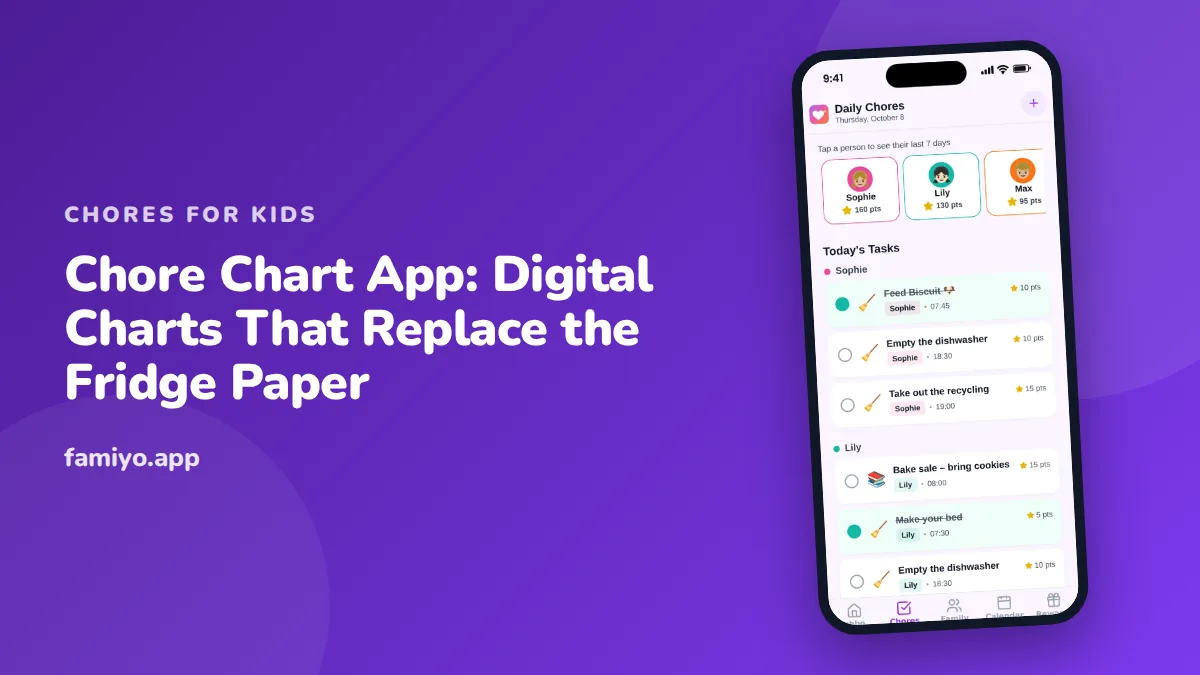
The paper chart on the fridge starts well. By week three it has a coffee ring, three missing stickers and a child who says they did it. A chore chart app promises to fix that: a list that renews itself every morning, sits on a phone the child already carries and lets you see the day without asking. Here is what it has to do to be worth switching to, what to check first, and how to move over without losing the habit.
What does a chore chart app replace?
A paper chart does four jobs. It lists the tasks, shows who does them, marks what is done, and (if you are good) holds a reward. Everything falls apart at the same weak points: someone has to redraw it every week, it only works where it hangs, it cannot remind anyone, and nobody can check it from work.
A digital version fixes exactly those. Tasks repeat on their own. The chart is wherever the phone is. Notifications do the reminding. And a parent can see the state of the house from an office desk.
It does not fix motivation. A child who does not care about the chart on paper will not care about it on a screen, unless the reward is real. That is why the better chore chart apps pair tasks with points or some kind of reward.
Features that matter (and ones that do not)
These are worth looking for:
- Repeating tasks. Without this, you are typing the same chart out daily, which is worse than paper.
- A separate view per person, so a 6-year-old sees three jobs and not the whole family's list.
- A one-tap way to mark a task done.
- A choice between kids checking off their own jobs and a parent approving them.
- Notifications that tell a child something new arrived and tell a parent something finished.
- A short history, so you can see the last week at a glance.
These are nice but rarely decisive: themed backgrounds, avatars, sound effects, streak badges. A badge will not rescue a bad task list.
These are suspicious: forced upgrades before you can add a second child, ads inside the child's screen, and anything that asks for a child's full name, birth date and photo before showing a task.
Questions to ask before you set one up
- How many people and how many repeating tasks does the free version allow?
- Do my kids need an email address to join?
- Does the app work well on a phone, or is it built for a computer and squeezed onto a screen?
- Can the same task earn different points for different kids?
- Can I change a task for just one person without rebuilding the chart?
- Can I see what happened last week?
- What happens to our data if we stop?
Question 1 is where most disappointment lives. A free plan with a cap on repeating tasks is fine if you know it up front, because repeating tasks are the core of a chart that runs itself.
Free chore chart apps: what to expect
Free usually means one of three things: a fully free app with ads, a free tier with limits, or a trial. Each has a price you pay somewhere.
Ads cost you attention, and often a child's. A free tier with limits costs you the moment you outgrow it. A trial costs you a decision in two weeks. None is wrong. Choose the one whose price you can live with, and read the limits before you build.
One rule of thumb: if you can run one full week of your real chores on the free plan, it is a fair test. If you cannot, you have not tested the app, only the paywall.
Moving from paper to digital without losing the habit
Do not scrap the paper overnight. The habit lives in the routine, not the medium, so keep the routine and swap the tool.
- Copy your current chart's tasks into the app as they are. No new jobs this week.
- Put the app on every child's phone or tablet and the parents' phones, and keep the paper up for seven days.
- Set each task to repeat the way it does on paper: daily, weekly, every few days.
- Turn on notifications for new tasks and completed tasks.
- After a week, take the paper down. If anyone misses it, put a small printout of today's tasks near the kitchen.
- Add one new element only, such as a reward price list, after two weeks.
For ideas on how to word daily jobs for younger kids, see our chore chart ideas for 7-year-olds. If the morning rush is where the chart breaks, our list of chores kids can do before school keeps it short enough to finish.
Making a digital chart stick
The app handles repetition and reminders. The rest is the same as with paper.
Keep the list short, three or four daily tasks for school-age kids. Put a time on each. Say what "done" looks like in words a child can check against. And let them see progress, because a number that goes up is what pulls a child back to the screen.
If kids still drag their feet, the problem is rarely the app. Our guide on getting kids to do chores without asking covers the habits underneath: predictable timing, clear steps and a calm reply when a job is skipped.
Chore chart apps for adults and roommates
Adults use chore chart apps too, and the same rules hold. A couple splitting a house, or roommates sharing a flat, need a few recurring jobs with named owners, a rotation for the unpopular ones and a way to see what was done without a text thread.
The design differences are small. Adults do not need points or rewards, though some couples like a light version for fun. They do need fairness to be visible: a list that shows each person's total weekly minutes ends most disputes faster than any conversation. If you share a home with children, adding yourselves to the same chart is also a quiet teaching tool. Kids who see their parents' names on the list stop treating chores as a punishment reserved for them.
Rotation matters most here. Put the worst job, usually the bathroom or the trash, on a weekly swap so it never belongs to one person for good.
How Famiyo replaces the chart
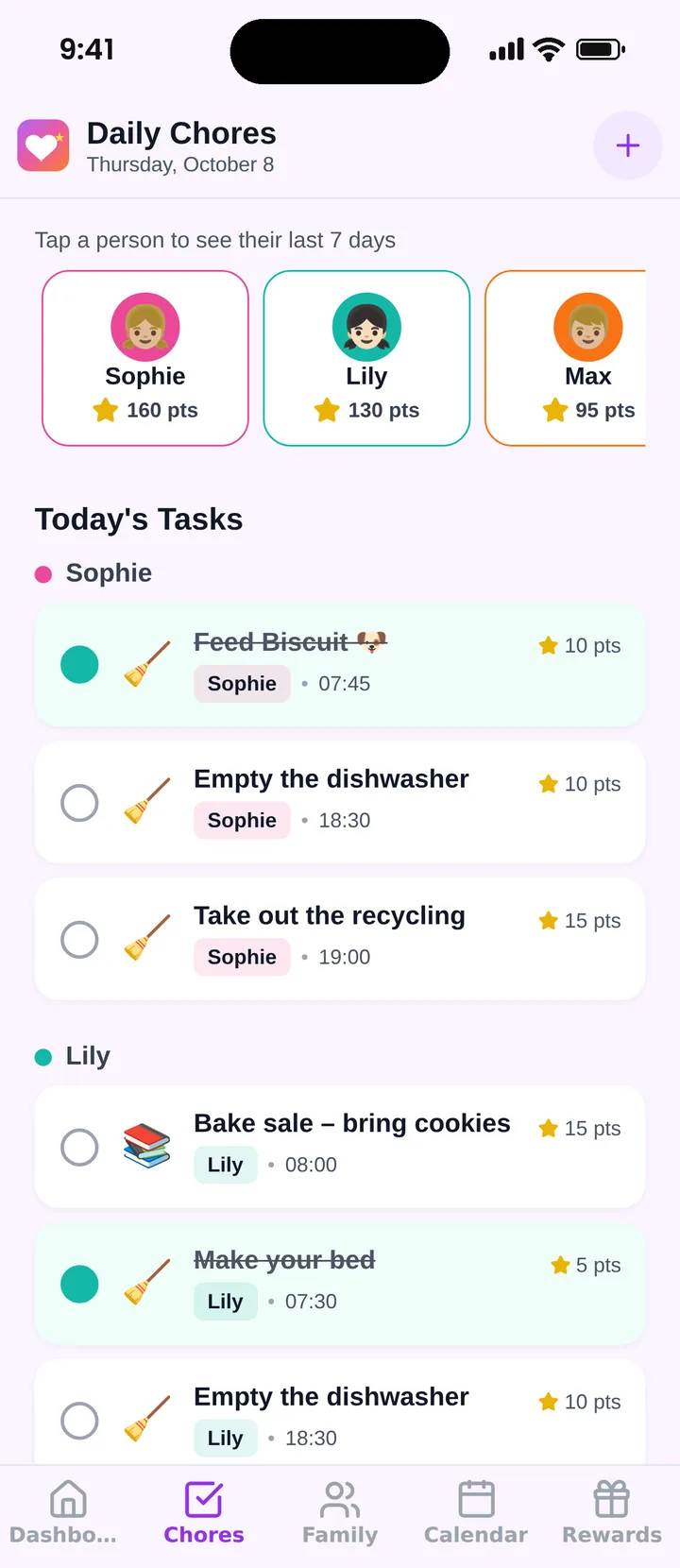
Famiyo is a free family app for iPhone and Android that combines a shared family calendar, chores with points and a rewards shop; kids join with a code, no email needed. As a chart replacement, each child sees their own tasks on their own phone, ticks them off (or you approve), and earns points that count toward rewards you set. Chores repeat daily, weekly or every few days, and push notices tell kids about new tasks and parents about finished ones. All phones sync live. The free plan covers up to 3 family members and 1 repeating task. Our list of the best chore chart apps compares the options.
Your next step
Pick the three tasks already on your fridge chart that get done most reliably, enter those first and let the app prove itself on easy ground. Add the harder tasks only after a week of green ticks. For a wider look at the same decision at the level of the whole home, read our guide to a household chores app for families.
Frequently asked questions
Is a chore chart app better than a paper chart?
For school-age kids and up, usually yes: it repeats itself, travels with the child and updates for everyone. Preschoolers often still do better with something on the wall. Many families run a paper chart and an app side by side for a while.
Can adults use a chore chart app too?
Yes, and it works well. Roommates and couples use the same tools to split recurring jobs and see who did what. In a family it also helps kids see that adults have a list too.
What should a free chore chart app include?
At least repeating tasks, a view per person and some way to mark tasks done. Check the number of people and repeating tasks allowed on the free plan, whether there are ads, and whether kids can join without an email.
How do I get kids to use the app instead of ignoring it?
Let them help pick the tasks and rewards, keep the list to three or four jobs, attach a time to each, and make the reward visible. Review it together after a week and cut whatever caused friction.
Should the app or the parent approve completed chores?
Either works. Let kids check off their own tasks when trust is high, and switch to parent approval for a few weeks when jobs get ticked but not done. A good app lets you choose, rather than forcing one way.
Try Famiyo With Your Family
Chores with points, a rewards shop for kids and one shared family calendar. Set it up in a couple of minutes.



Free to download • No credit card required • Available on iOS & Android