Chore Chart in Notion: Setup and a Better Option
Set up a chore chart in Notion with one database, five properties and three views, plus what to expect when kids use it and when an app fits better.
By Famiyo Editorial Team4 min read
Free printable
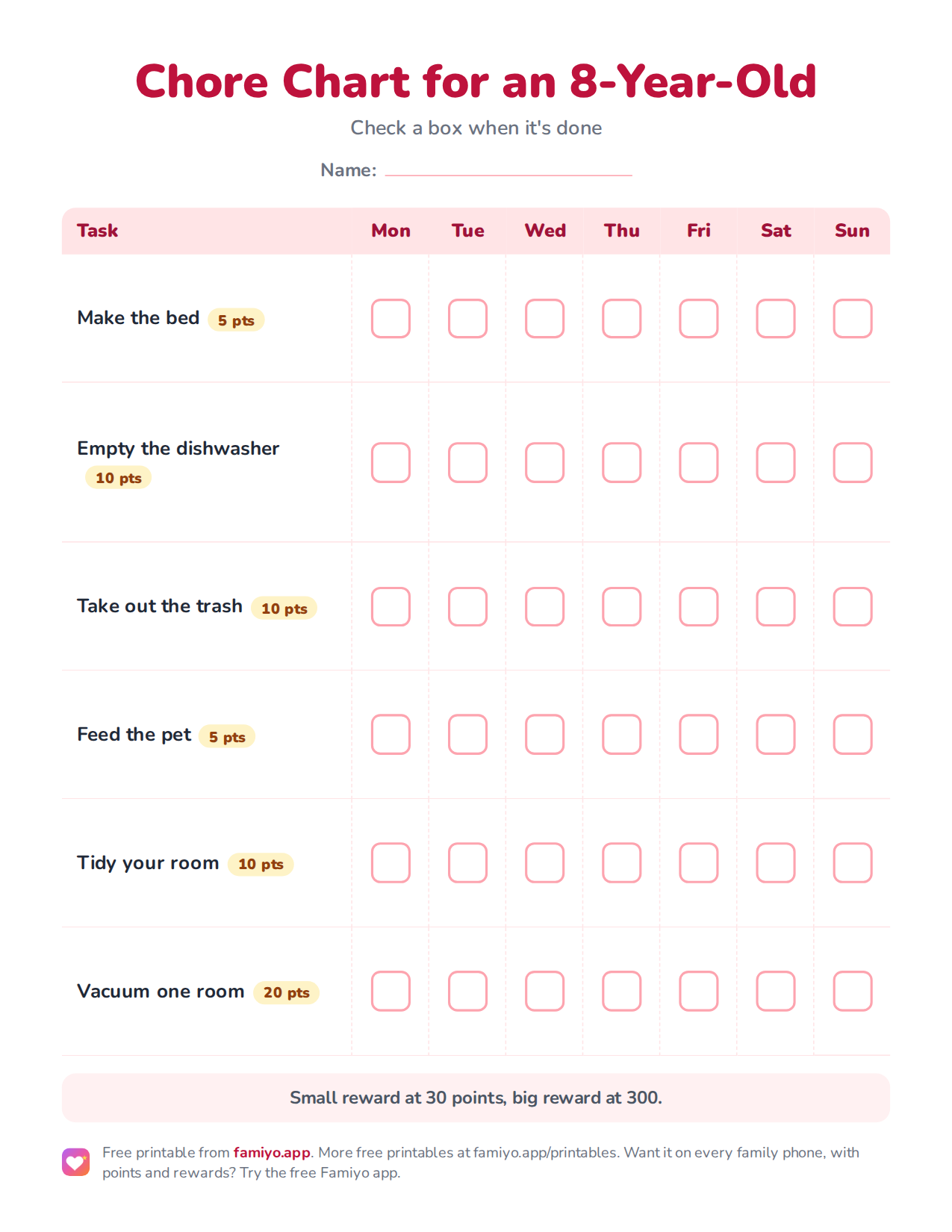
Chore Chart for an 8-Year-Old
A weekly chart on one US Letter page. Download the PDF to print it, or save the image to use it on a tablet or in a document.
Free for home, classroom and nonprofit use, see the license. More free printables.
If your household already runs on Notion, a chore chart there is a reasonable idea. You get tables, boards and a calendar for free, and you can shape them any way you like. This page gives you the exact setup, a sample week, and an honest look at where Notion starts to fight you when the users are 6 and 9 years old.
How to set up a chore chart in Notion
Build one database and look at it in different ways. Do not make a separate page for each child, because you will end up editing three pages every time a chore changes.
- Create a new full-page database and name it Chores.
- Rename the title column Chore. Add a Select property called Child, with one option per kid.
- Add a Select property called How often, with the options Daily, Weekdays, Weekly.
- Add a Number property called Points and a Checkbox property called Done.
- Add the rows. One row per chore per child, so Make the bed for two kids is two rows.
That is the whole structure. Five properties is the ceiling for a chart a child will use. Every extra column is one more thing for a 7-year-old to scroll past.
The three views that make it usable
A database is only a chart once you set up the views. These three cover most families.
| View | How to build it | Who it is for |
|---|---|---|
| Board by child | Board layout, grouped by Child, card shows Chore and Points | You, for a weekly overview |
| Today | Table layout, filter How often is Daily, hide everything but Chore and Done | The child, opened every morning |
| Points | Table grouped by Child, with a sum of Points on rows where Done is checked | You, on Sunday |
Name each view for its job, and put Today first so it is what opens. If a child has their own phone, bookmark that view. Children rarely explore a workspace; they tick what they are shown.
A sample week for an 8 and a 5-year-old
Rows to start with, using the typical jobs and point values from our usual ranges.
| Chore | Child | How often | Points |
|---|---|---|---|
| Make the bed | Both | Daily | 5 |
| Feed the pet | 5-year-old | Daily | 5 |
| Set and clear own place | 5-year-old | Daily | 5 |
| Empty the dishwasher | 8-year-old | Daily | 10 |
| Take out the trash | 8-year-old | Weekdays | 10 |
| Vacuum one room | 8-year-old | Weekly | 20 |
That is 2 to 3 daily tasks for the preschooler and 3 for the school-age child, plus one bigger weekly job from age 8. For more ideas by age, our list of chores for 6-year-olds and tips on bathroom chores for kids give you rows to copy.
Where Notion gets in the way
Notion is built for people who write and plan. A chore chart asks for something different, which is a fast tap at 7:40 in the morning. A few frictions come up again and again.
Repeating is manual. Unless you set up repeating templates, you clear the Done boxes every night or every Sunday. Miss it once and yesterday's ticks make today look finished.
Kids need access. That means an account or a shared page, and a child lands in a tool full of things that are not theirs.
Nobody is told anything. Notion will not ping a child that a chore is waiting, or ping you that it is done, in a way that fits a family day.
Points stop at the number. You can sum them, but a child cannot spend them anywhere, so the system turns into scorekeeping.
If you would rather have paper, our page on a chore chart template for Word covers an editable printable. The printable below is a paper copy of this same database for the 8-year-old in the sample week, handy when you want a fridge backup.
A better option when the setup becomes the chore
Famiyo is a free family app for iPhone and Android that combines a shared family calendar, chores with points and a rewards shop; kids join with a code, no email needed. To be plain about it, Famiyo has no Notion integration, so it does not read or replace your database; you simply enter the chores again, once. In exchange, repeating chores are built in (daily, weekly or every few days), each child sees their own tasks on their own phone, you get a push notification when something is done, and points can be spent in a rewards shop.
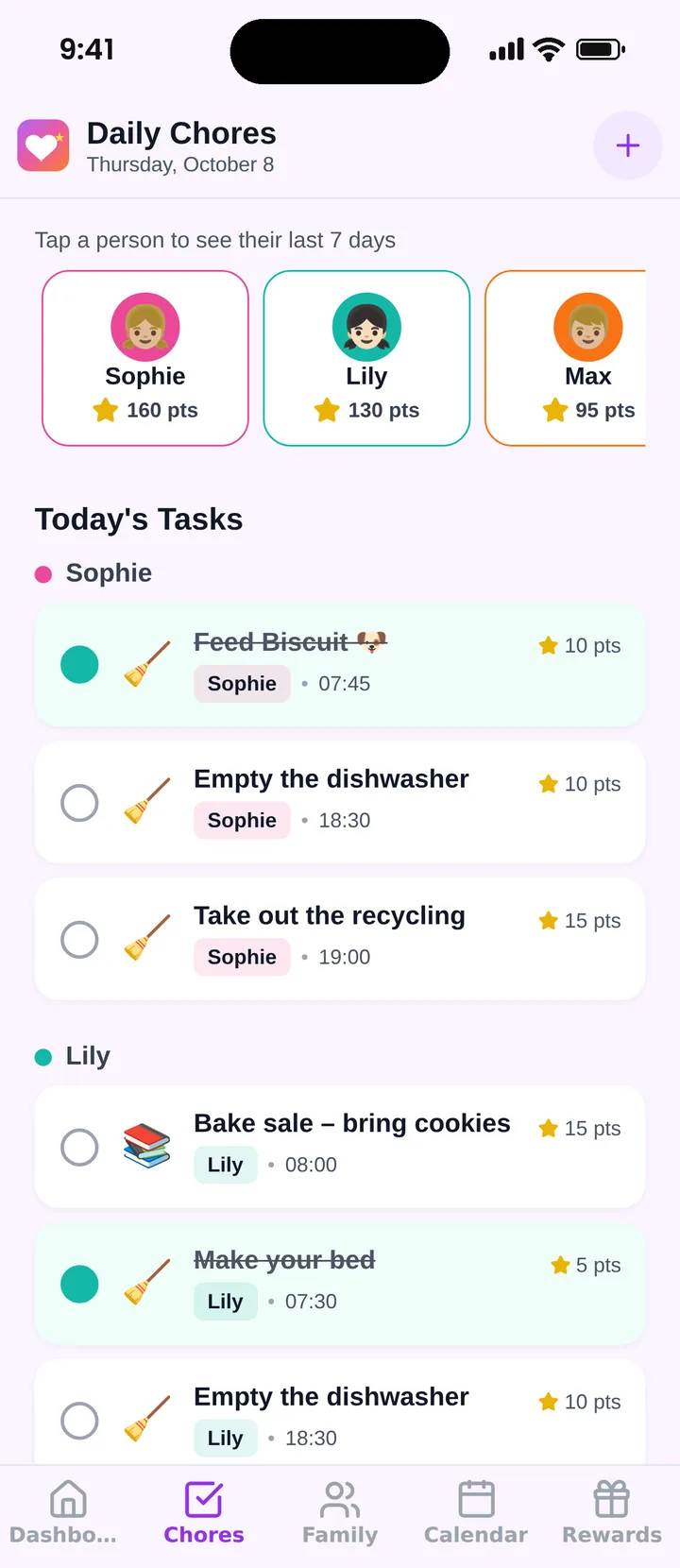
The free plan covers up to 3 family members and 1 repeating task. Our list of the best chore chart apps compares your options.
Try the Notion setup for two weeks. If you are still resetting boxes by hand in week three, that is your answer.
Frequently asked questions
Can Notion make recurring chores?
Notion databases can repeat a template on a schedule, so a daily chore can appear as a fresh row each morning. Setting that up takes a few minutes per chore. A simpler route is one row per chore with a Done checkbox that you clear each day.
Can kids use a Notion chore chart on their own?
Only if they can open Notion. That usually means a login for each child or a shared page you manage, and a child has to find their own view among your other pages. Many families end up ticking boxes for the kids, which defeats the point.
How do I track points in Notion?
Add a Points number property to each chore and a rollup or formula that sums the points of rows marked Done. It works, but you build and maintain the math, and there is no built-in shop for kids to spend points in.
Is there a free Notion chore chart template?
Notion's template gallery has many chore and household trackers. They save time but are rarely built around kids, so expect to remove columns and rename things. Building your own from the five properties on this page is usually faster.
Does Famiyo work with Notion?
No. Famiyo has no Notion integration and does not import or export a Notion database. It is a separate app, so if you switch, you re-enter your chores once and then use it on its own.
Try Famiyo With Your Family
Chores with points, a rewards shop for kids and one shared family calendar. Set it up in a couple of minutes.



Free to download • No credit card required • Available on iOS & Android