Free Family Calendar App: What You Get Without Paying
What a free family calendar app should include, the limits to check, red flags and paywall traps, plus a first-week plan to test one properly.
By Famiyo Editorial Team5 min read
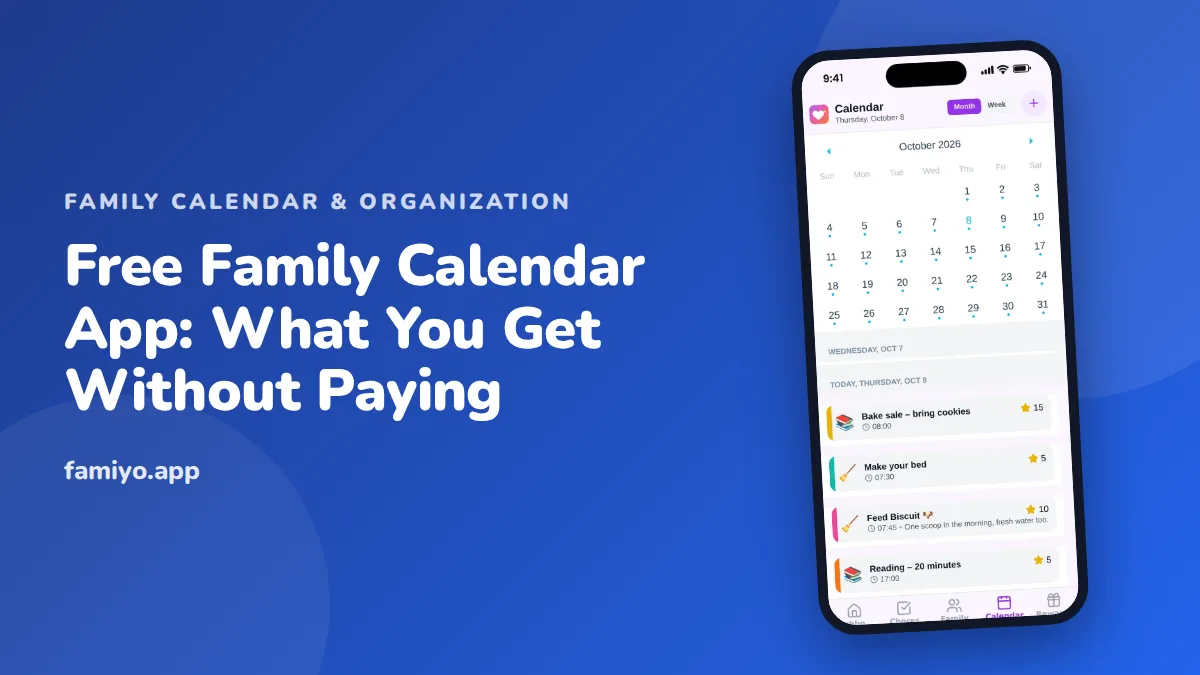
Search for a free family calendar and you get a pile of apps that all say they are free. Some are free forever. Others are free until the day you add a fourth person or your third weekly practice. This guide is about reading the fine print in the first twenty minutes: what a free plan ought to give you, what to ask, which tricks to avoid, and how to run a two-week test so you spend money only if you need to.
What a free family calendar should include
Start with the job. A family calendar replaces the fridge calendar, the group text and the "did you tell me that?" conversation. For that job, a free plan needs the following.
| Feature | What good looks like |
|---|---|
| Shared access | Every adult and child sees the same calendar on their own phone |
| Color per person | You can tell whose event it is without reading it |
| Repeating events | Weekly, daily or every few days, entered once |
| Reminders | Sent to the people involved, not the whole household |
| Week and month views | Week for the plan, month for the big picture |
| Live sync | An edit appears on every phone within moments |
| No ads | Especially on any screen kids use |
Anything beyond that is a bonus. If the free plan has those seven, you have a workable family calendar. If it lacks two or more, you are looking at a demo, not a free app.
The limits to check before you enter data
Free plans cap something, and the cap is where they make their money. Before you spend an evening entering the whole school year, find the number.
- Members: how many people can join? A family of five on a plan that stops at three is not free for you.
- Repeating events: some plans allow one or two. A typical week has more than that.
- History: does it keep past events, or only a few weeks?
- Calendars or categories: can you separate school, sports and appointments?
- Reminders: are they included or locked?
Write the limits down and compare them to a real week. Count your people. Count the events that repeat. If your family fits inside the limits with room to grow, free is genuinely free. If you are at the edge on day one, you will be asked to pay within a month.
Questions to ask in the trial
- Can children join without an email address of their own?
- Can both parents edit, or is one person the only owner?
- Does a change on one phone appear on another without refreshing?
- Can I decide whether kids may add or change events?
- What does the paid plan remove, and is there a clear free tier that stays free?
- Can I get my data out if I leave?
The second question matters more than it sounds. A calendar with a single owner turns into a one-parent job. Our piece on the mental load of motherhood describes how fast that happens when only one person keeps the schedule in their head and on their phone.
Red flags and paywall traps
Some patterns are worth walking away from.
- A sign-up flow that asks for payment details before showing a calendar.
- A "free trial" described as "free". A trial is a countdown, not a free plan.
- Sharing locked behind payment. A calendar nobody else can see is a personal planner.
- Reminders or repeating events held back for paid tiers, when they are the main reason you want an app.
- Free until you reach a limit that you will certainly reach, such as a fourth person.
- Ads, sponsored content or prompts that appear in a child's view.
- A free plan so cluttered with upgrade banners that nobody wants to open it.
The honest versions of free are easy to spot: the limits are stated on one page, the features are listed plainly, and you can finish setup without a card.
How to spot a free plan that is really a trial
Read the pricing page before you read the feature page. Look for the words "forever" or "always free" next to a list of what is included, and for a table that compares plans row by row. If the only mention of cost is a button that says "Start free", assume a countdown.
Then do a five-minute stress test on your own phone. Add six people, create a weekly repeating event, set a reminder and invite a second adult. Whatever stops you, whether it is a prompt to upgrade or a greyed-out button, is a limit you now know about. This test is far more reliable than any review, because it uses your family's numbers.
Free versus paid: when paying makes sense
Paying is not a failure. A large family, many weekly routines or a blended household with several adults can reasonably outgrow a free tier. The trap is paying early, before you know your usage.
A simple rule: use the free version for two weeks with your real schedule. Keep a note of every time you hit a limit or wish for something that is locked. If the list is empty, stay free. If the list has one or two items and they are things your family relies on, paying to remove them is a fair purchase. If the list is long, the app does not fit and you should try another instead of paying for it.
Your first week with a free calendar
- Day 1: Add every adult and child. Give each a color and keep it the same everywhere.
- Day 2: Enter fixed items: school days, work shifts, standing practices. Use repeating events, not copies.
- Day 3: Add one-off events from the past week's emails and texts, so you test the real flow.
- Day 4: Turn on reminders for the things that actually cause problems, like a Tuesday early pickup.
- Day 5: Hand the phone to the oldest child and ask them to find their week. If they cannot, the view is too complicated.
- Weekend: Do a short look-ahead together and fix anything that clashes.
For tips on getting the whole house onto one calendar, see our guide to choosing a shared family calendar app everyone will use. If you want a wider view first, family calendar app features that actually matter lists what to look for beyond the basics, and the family dashboard app guide explains how a single home screen can bring events and chores together.
What Famiyo's free plan covers
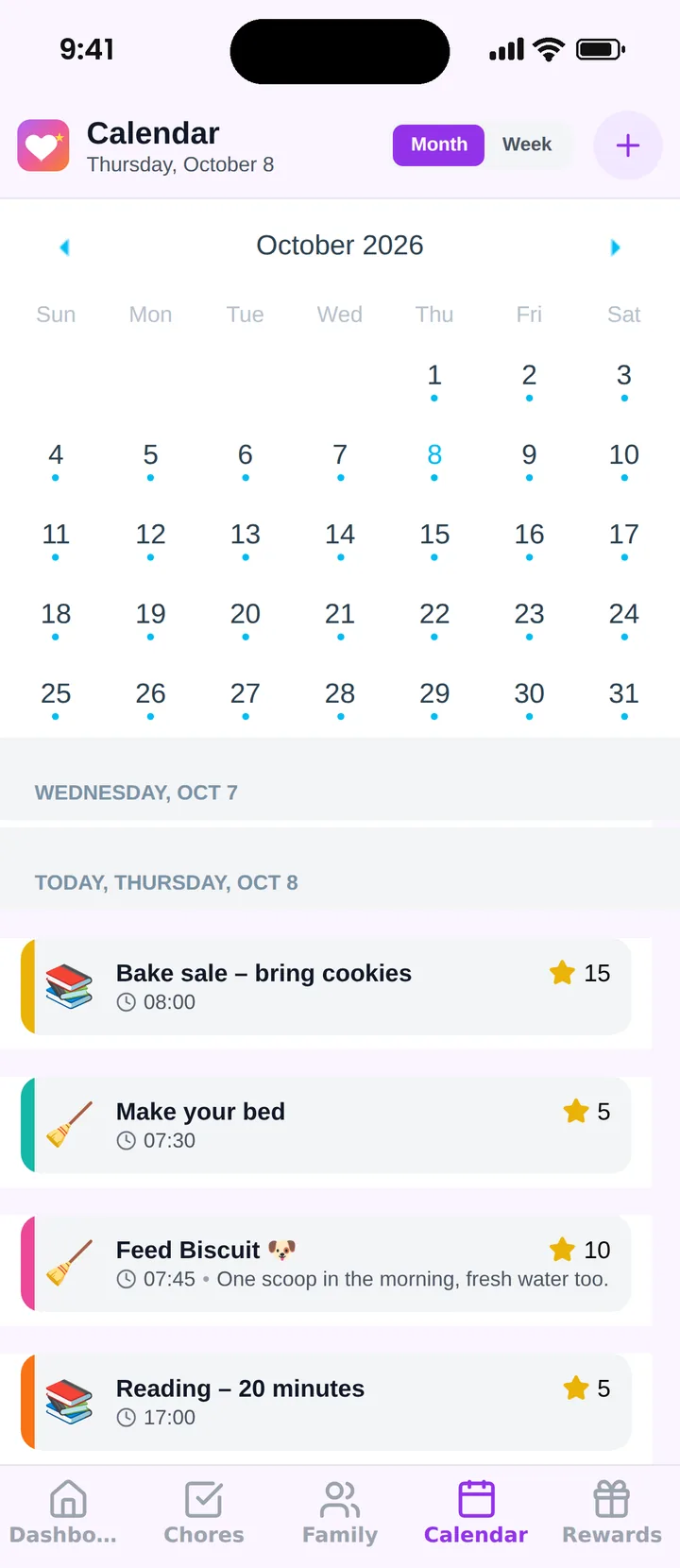
Famiyo is a free family app for iPhone and Android that combines a shared family calendar, chores with points and a rewards shop; kids join with a code, no email needed. The calendar has month and week views, a color for every family member, categories such as school, sports and appointments, and repeating events. Every phone syncs live, and there are no ads. The free plan includes up to 3 family members and 1 repeating task, with the calendar, chores, rewards shop and statistics included. Premium removes those limits. Compare it with others in our list of the best family calendar apps.
Before you pay for anything
Run the two-week test, write down the limits you hit, and decide with that list in hand. Most families learn within ten days whether free is enough, and the answer is much cheaper to find out than to guess.
Frequently asked questions
Is there a truly free family calendar app?
Yes, but free usually means a limited plan. The useful question is what the limit is: members, repeating events, calendars or history. If the limit sits above what your family needs today, free can work for years.
What should a free family calendar include at minimum?
Sharing with every adult and child, a color per person, repeating events, reminders, week and month views and live sync on all phones. If any of these are missing, you will end up keeping a second system on paper.
Do free family calendar apps show ads?
Some do, and ads on a screen your kids use are a good reason to skip an app. Check the free plan on a real phone for ads, sponsored tiles and prompts to upgrade before you add your family.
How long should I test a free calendar before paying?
Two weeks of real use is enough. By then you have hit your repeating events, a schedule change and a reminder or two, so you know which limit, if any, is worth paying to remove.
Try Famiyo With Your Family
Chores with points, a rewards shop for kids and one shared family calendar. Set it up in a couple of minutes.



Free to download • No credit card required • Available on iOS & Android