Job Chart for Kids: Free Printable and Rotation Ideas
A free printable job chart for kids at home: family jobs with names like Table Setter, a weekly rotation, and how to make the jobs feel like a team effort.
By Famiyo Editorial Team4 min read
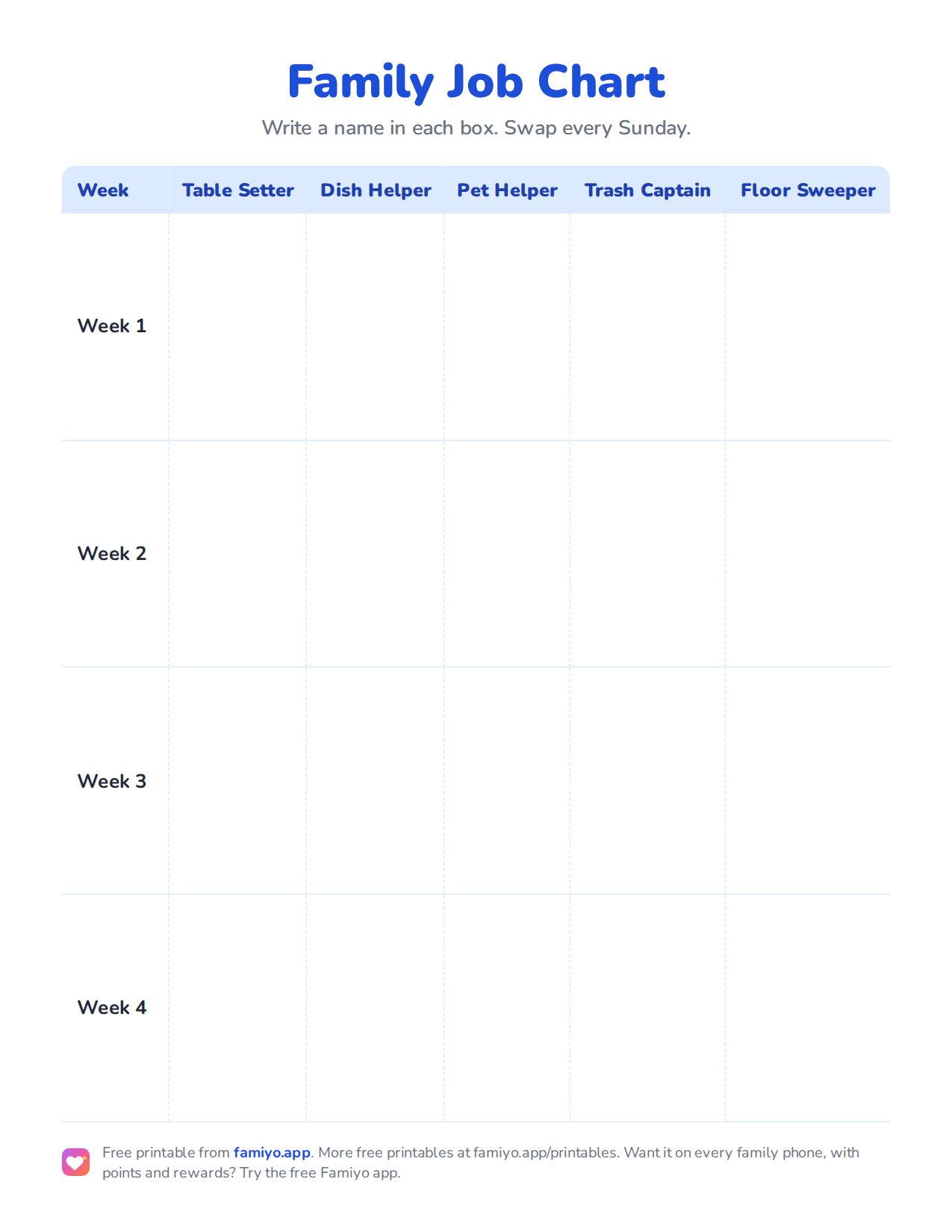
Free printable
Family Job Chart
A planner on one US Letter page. Download the PDF to print it, or save the image to use it on a tablet or in a document.
Free for home, classroom and nonprofit use, see the license. More free printables.
Teachers have used job charts for years because kids like having a title. "Line leader" feels better than "go stand over there." The same idea works at home. This page gives you a free printable job chart, a list of jobs with the ages that suit them, and a rotation that keeps things fair.
Job chart or chore chart?
A chore chart usually lists tasks per child, every day. A job chart lists the household's jobs and moves children through them. Say you have three kids and five jobs. This week Maya is Table Setter, Leo is Pet Helper and Sam is Trash Captain. Next week they swap.
The job chart's strengths are fairness and variety. Nobody argues about who always gets the bathroom, because everyone gets it eventually. Its weakness is that daily habits like making the bed or brushing teeth do not fit well, so keep those on a separate personal list. If you want a pictures-first version for younger children, use our free printable chore chart with pictures.
Family jobs and what ages suit them
| Job | What it involves | Age that suits it | Time |
|---|---|---|---|
| Table Setter | Plates, forks and napkins before dinner | 4 and up | 5 minutes |
| Dish Helper | Clear plates, load or unload the dishwasher | 6 and up (unbreakables at 4 to 5) | 10 to 15 minutes |
| Pet Helper | Fresh water, feed, tidy the pet area | 5 and up | 5 minutes |
| Trash Captain | Collect small bins and take the bag out | 6 and up | 5 to 10 minutes |
| Floor Sweeper | Sweep the kitchen or entryway | 6 and up | 10 minutes |
| Laundry Sorter | Sort by color, carry baskets | 6 and up | 10 minutes |
| Plant Waterer | Water indoor plants | 4 and up | 5 minutes |
| Mail and Recycling Runner | Bring in mail, sort recycling | 7 and up | 5 minutes |
| Bathroom Wiper | Wipe sink and mirror | 8 and up | 10 minutes |
| Vacuum Pilot | Vacuum one room | 8 and up | 15 minutes |
Keep the total to three or four jobs per child per day. For a 6 or 7-year-old, around 15 to 20 minutes in total is realistic. For a 9-year-old, 20 to 30 minutes.
How to set up your job chart
- Choose 3 to 5 jobs from the table. Match the number of jobs to the number of children, or have a bit more jobs than kids so some can pair up.
- Print the chart and give each job a name your kids will like. Let them vote on the titles.
- Hold a short Sunday meeting. Say: "Here are this week's jobs. Everyone gets a turn at each one." Write the names into the boxes together.
- Show each job once. Do it side by side, then let them try alone. Describe "done" in one sentence: "The table is set when everyone has a plate, a fork and a napkin."
- Hang the chart where everyone passes it, such as the kitchen, and let kids tick a box when they finish.
- Rotate each Sunday. Skip a week if the family is away, and start again afterwards.
Rotation patterns for different family sizes
For two children and four jobs, give each child two jobs and swap pairs each week. For three children and five jobs, rotate one step down the list every week and leave the fifth job for a parent, or share it. For four or more, combine small jobs into pairs so every child has something. If the ages are far apart, tie each job to a minimum age and let older children rotate through the harder jobs only.
A teen can take a bigger role, like Weekend Cook. For ideas, see household chores for teenagers.
Keeping the chart alive past week three
Most charts fade quickly. A few habits help. Do the Sunday meeting every week, even briefly, because the ritual is what keeps the chart in view. Praise the job, not the child: "The table looked great tonight." Do not redo a job in front of the child, which says their effort did not count. And if a job keeps failing, make it smaller before you decide the child is the problem.
If your family wants a personal checklist alongside the jobs, see our responsibility chart for kids.
Running the job chart in Famiyo
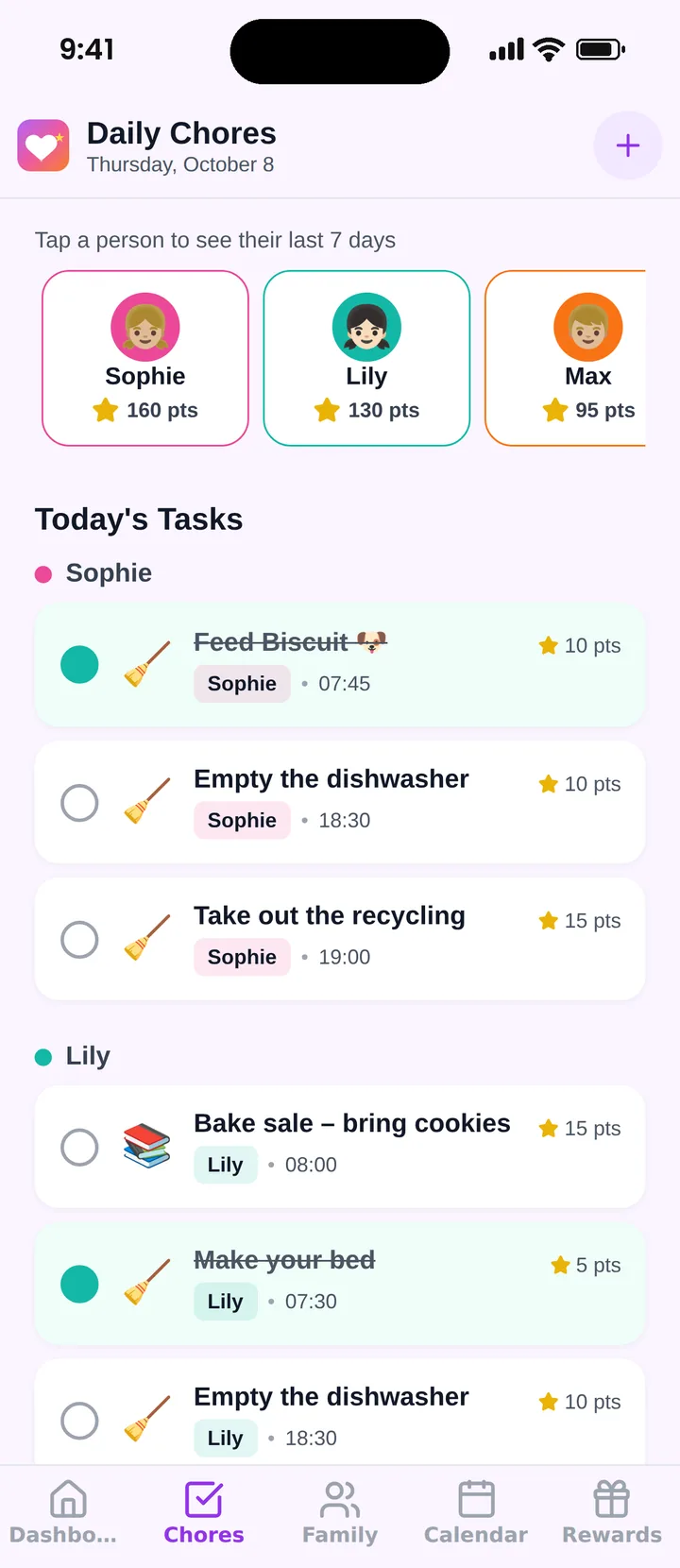
Famiyo is a free family app for iPhone and Android that combines a shared family calendar, chores with points and a rewards shop; kids join with a code, no email needed. Each job becomes a chore that repeats on the days you choose. You pick who does it this week and how many points it is worth, and each child can get their own points for the same task. Kids get a notification about new jobs and check them off from their own phone. When one is done, you hear about it.
If you are comparing options, see our list of the best chore chart apps.
Print the chart, pick three jobs and hold the first Sunday meeting this week.
Frequently asked questions
What is a job chart for kids?
It is a chart that gives each child a named household job for the week, like a classroom job chart. Unlike a daily chore list, the jobs rotate, so every child tries each role and nobody feels stuck with the worst one.
How often should kids rotate jobs?
Weekly works for most families. It is long enough to learn the job and short enough to avoid boredom. Rotate on the same day, such as Sunday evening, and let the kids see the new assignments together.
What jobs can a 5-year-old have on a job chart?
Good jobs at 5 include setting the table, feeding the pet, watering plants, matching socks, and putting toys away. Each takes just a few minutes, and a child can do it mostly alone after being shown.
Should a job chart include rewards?
It can, but the main reward is being trusted with a real job. If you add points, keep them small and let kids trade them for a treat or choice after a few days. Avoid paying for basic family jobs.
Try Famiyo With Your Family
Chores with points, a rewards shop for kids and one shared family calendar. Set it up in a couple of minutes.



Free to download • No credit card required • Available on iOS & Android