Kids Chore Tracker: Paper, Spreadsheet or App?
Pick the right kids chore tracker for your family: what it has to record, how paper, spreadsheets and apps compare, and a 10-minute weekly check.
By Famiyo Editorial TeamUpdated 6 min read
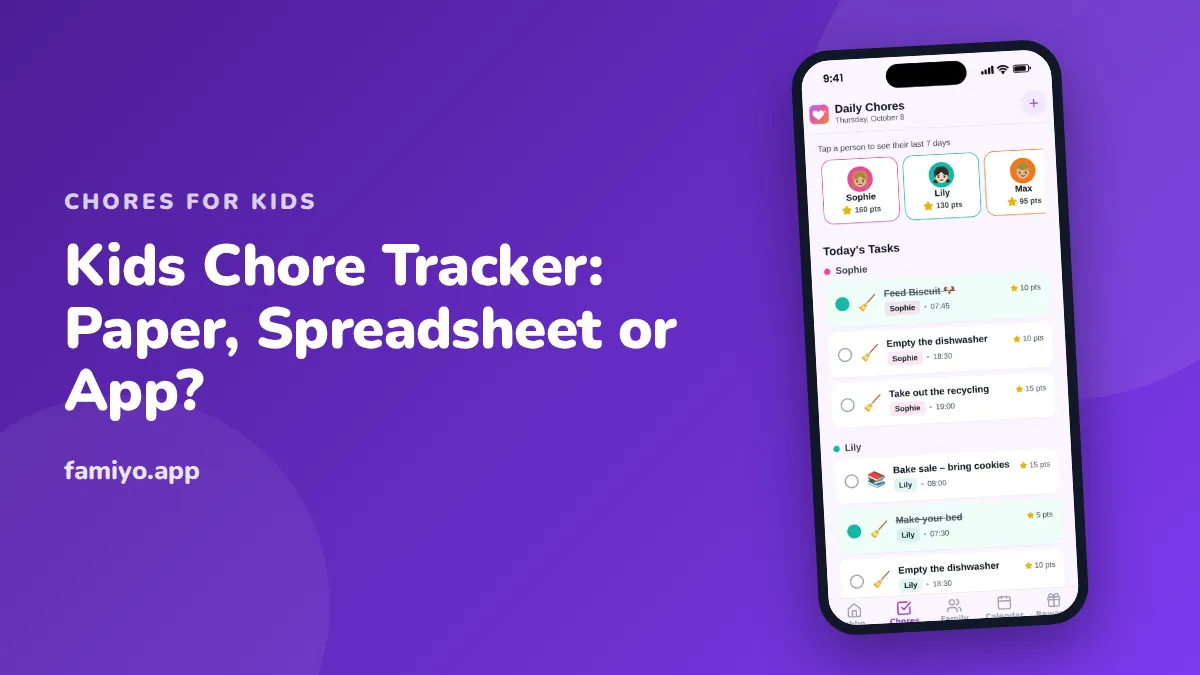
Every chore system fails at the same point: nobody records what actually happened. The chart is on the fridge, the marker is missing, and by Thursday nobody can say whether the dishwasher was emptied on Tuesday. A chore tracker fixes that one weakness. This guide covers what a good tracker must record, how the three common formats compare, a worked example for three kids, and the ten-minute weekly check that keeps it alive.
What a kids chore tracker needs to record
Forget fancy design for a moment. A tracker has a job, and it only needs four parts to do it.
- A task list for each child, with a clear definition of done ("dishes in the dishwasher, counter wiped").
- A way to mark a task complete, ideally by the child.
- A place everyone can see without asking, so the answer to "what do I need to do?" is never "ask Mom."
- A short, regular review, so you notice what is working.
Anything beyond that is optional. Points, stickers, streaks and rewards are motivators that you can add on top. If the four basics are missing, extras will not rescue the system.
A tracker is also different from a chart. A chart shows the plan, while a tracker records what happened against it. Our guides to family chore charts and to making a chart that sticks for kids cover designing the plan itself. This page is about keeping the record.
Paper, spreadsheet or app: how to choose
All three formats work. They differ in how much effort the record takes and who can reach it.
| Format | Best for | Where it breaks |
|---|---|---|
| Paper chart or whiteboard | One or two kids under 8, a fixed spot at home | Gets lost, nobody updates it away from home, no history after you wipe it |
| Spreadsheet | Older kids and teens, parents who like control | Needs a parent to maintain it, awkward on a phone, easy to forget to open |
| App | Several kids, two households or busy weeks, points and rewards | Needs each child to have a device, and a parent to set it up once |
A few honest guidelines. If you have one kid, a chore list on the fridge and a pen tied to it is hard to beat. If you have three kids, two schedules and a custody swap, the record is easier to keep where everyone's phone already is. And if you already live in a spreadsheet, a simple grid with kids down the side and days across works well for tweens.
The wrong choice is almost never the format. It is a tracker that needs more effort than a tired adult has at 8 pm on a Wednesday. Pick the one with the least friction for you.
A worked example for three kids
Here is a realistic tracker for a household with a 6-year-old, a 9-year-old and a 12-year-old. Points follow the common default: 5 for a small task, 10 for medium, 20 for big.
| Child | Daily tasks (points) | Weekly job (points) | Roughly per day |
|---|---|---|---|
| Noah, 6 | Make bed (5), feed the cat (5), pack school bag (5) | Water the plants (10) | 10 to 15 minutes |
| Lena, 9 | Make bed (5), load dishwasher (10), tidy room (10) | Vacuum one room (20) | 20 to 25 minutes |
| Ava, 12 | Make bed (5), set table (5), take out trash (5) | Clean the bathroom (20) | 25 to 30 minutes |
Two things to notice. Each child has only three or four daily tasks, and the older kids carry bigger weekly jobs rather than more of them. Time per day stays within what is realistic at each age, using the ranges 10 to 15 minutes at ages 4 to 5, 15 to 20 at ages 6 to 7, 20 to 30 at ages 8 to 9 and 30 at ages 10 to 12. Our chore rotation guide explains how to swap the bigger jobs between kids so it stays fair.
Who marks it done?
Pick one rule and keep it for a few weeks.
Self-check works for most children from about age 6. It builds ownership and takes you out of the loop. Spot-check a few times a week in the first month, calmly, with the child.
Parent approval is better when a child ticks boxes without doing the work, or when a chore has a safety element. It adds a step for you, so use it where it matters rather than for every task.
A mixed rule is common: kids tick everything, and a parent approves the weekly big job. Whatever you choose, write it down so no child can claim it was different last time.
The 10-minute weekly check
Trackers die when nobody looks at them. Put a short check on the same day each week, Sunday evening for example, and run through this list.
- Open the record and count what was done versus planned for each child.
- Ask the child one question: "Which chore was hardest this week?"
- Fix one thing. A chore that was missed three days in a row is usually at the wrong time or too long, not a lazy child.
- Give out rewards that were earned. Do it right then, so the link stays clear.
- Add or swap one task if the current set feels automatic.
This is also where you decide what to do about missed days. A missed day is data. Say "Looks like Thursday was rough, what got in the way?" and adjust the schedule rather than add consequences. For how often and when tasks fall during the week, see our chore schedule for kids.
Reading the record: what the numbers tell you
A tracker's real value shows up after a month, when you can see patterns instead of guessing. Look for these three.
A day that is always missed. If Wednesday is empty for every child, the problem is the day, not the kids. Maybe there is an activity, or dinner runs late. Move the chores or lighten that day.
A chore that is always missed. One task with a low completion rate usually means a problem with that task. It might be too hard, unclear, or placed at a bad time. Ask the child, adjust it and watch for two weeks.
A child who does everything. That sounds like good news, but it can mean the list is too easy or that other kids are not getting the same expectations. Add a bigger weekly job, or check the load is fair.
Numbers are also useful in the other direction. If a child completes about nine tasks in ten, praise that plainly. "You did nearly everything this week" is better than silence, because children rarely notice their own consistency.
Keep a short history. Four weeks is enough to spot patterns, and a paper tracker that gets wiped every Sunday loses that. This is one of the practical reasons families move from a whiteboard to a spreadsheet or app after the first few months.
Finally, be careful what you do with the record. It is not a case file for an argument. If a child says "I did it" and the tracker says otherwise, treat it as a question: "The list shows Tuesday as empty, what happened?" That keeps the tracker a neutral guide and not a weapon.
What should not go on a tracker
Keep the tracker for jobs that repeat and have a clear finish. Leave out one-time requests ("carry this in") and anything that is really behavior, like being polite. Those belong in a different conversation.
Also leave out comparisons. A tracker should show each child against their own list, not against a sibling. Private or per-child views stop most "it's not fair" complaints before they start.
Running the tracker in Famiyo
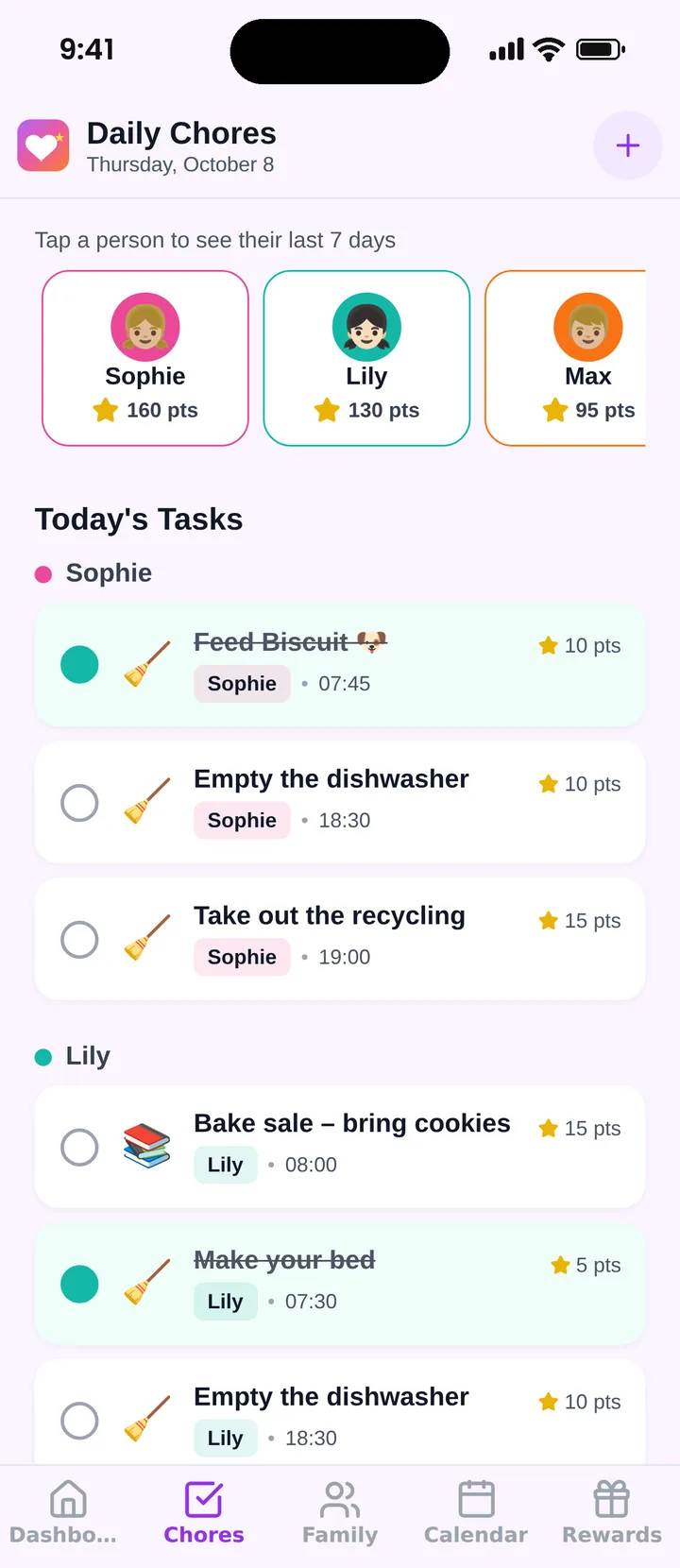
Famiyo is a free family app for iPhone and Android that combines a shared family calendar, chores with points and a rewards shop; kids join with a code, no email needed. As a chore tracker it shows today's chores for every child with the points earned so far. Each child gets their own list, and the same task can be worth different points for different kids. Tasks can repeat daily, weekly or every few days, and you choose whether kids tick off their own tasks or a parent approves. You get a push notification when a chore is done, and a child's last 7 days are one tap away. The free plan covers up to 3 family members and 1 repeating task, and Premium removes those limits. Our list of the best chore chart apps compares the options.
Pick a format this weekend, set up three tasks per child and book your first ten-minute check for next Sunday.
Frequently asked questions
What is the best way to track kids' chores?
The best way is the one your family will still use in week four. Paper is fine for one or two young children. Apps work better for several kids, shared parenting or when you use points. Whatever you pick, put it where kids see it daily.
How do you keep track of chores without nagging?
Let the tracker do the reminding. Put tasks where kids check on their own, tie each one to a fixed moment such as after dinner, and have kids mark their own tasks done. A short weekly check replaces the daily 'did you do it' questions.
Should kids check off their own chores?
Usually yes, especially from about age 6. Self-checking builds ownership. Spot-check the first few weeks, and if a child ticks things that are not done, switch to parent approval for a while and talk about what done looks like.
How many chores should a kids chore tracker show?
Two or three daily tasks for preschoolers and three or four for school-age kids, plus one bigger weekly job from age 8. Showing more than that makes the list feel endless and is the usual reason trackers get abandoned.
Try Famiyo With Your Family
Chores with points, a rewards shop for kids and one shared family calendar. Set it up in a couple of minutes.



Free to download • No credit card required • Available on iOS & Android