Reward Tracker App for Families: How It Should Work
What a good reward tracker app does: keep a clear points balance, log history, handle siblings fairly and make rewards easy to redeem. Plus a first-week setup.
By Famiyo Editorial Team5 min read
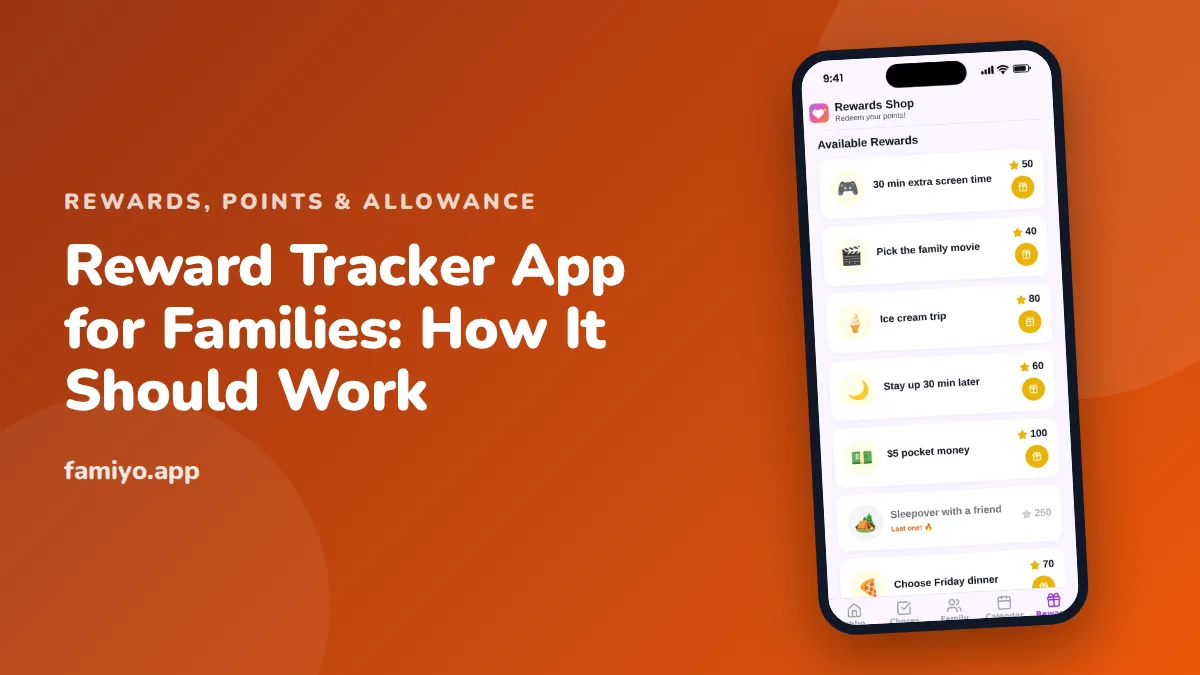
Parents who search for a reward tracker app usually want one thing: to stop keeping score in their head. Who did the dishes, how many points are owed, did the movie night get earned. A tracker should settle those questions in a few taps, quietly and fairly. This guide describes how a good one behaves, where the weak spots are, and how to set one up so it survives past the first week.
What the tracker is actually for
A reward system has two jobs. One is motivational, and that lives in how you talk to your child and how you choose rewards. The other is bookkeeping: what was done, what is owed, what was spent. The tracker handles the second. When it works, nobody argues about the facts, so the conversation can stay on the behavior.
That is worth keeping in mind when you compare apps. Features that help with bookkeeping are valuable. Features that try to supply motivation on their own (mascots, countdowns, badges) are decoration at best, and the American Academy of Pediatrics and other child development groups consistently put the weight on warm, consistent adult feedback, not on the tool.
The four things a tracker must do
- Record. Every completed task is logged against the right child, with a date.
- Count. The balance is correct and visible, and it goes down when a reward is redeemed.
- Price. Each reward has a clear cost, and the child can see what they can afford now.
- Remember. You can look back at the last week or month and settle a dispute.
If an app fails on any of these, extra features will not rescue it. Test them in this order.
How a good tracker handles each piece
Balance
The balance should be one number the child understands. "You have 85 points" is better than a bar that fills up in unclear units. Look for an app that shows the balance after a redemption too, so a child can see what a reward costs them before they confirm.
History
A history screen is the feature that parents underrate most. When your 9-year-old says they emptied the dishwasher Tuesday, a log with dates ends the debate. It also reveals patterns: which days are weak, which tasks always slip. Check how far back it goes.
Approval
Decide who confirms a task. There are two sensible modes.
| Mode | Best for | Trade-off |
|---|---|---|
| Parent approves each task | Ages 4 to 8, new habits, bigger point values | More taps for you |
| Child checks off, parent spot checks | Ages 9 and up, routine tasks | Needs trust and an occasional look |
The best apps let you set this task by task or per child. Start strict and loosen it once a habit is stable.
Siblings
Several children on one tracker raises a fairness problem. A 6-year-old and a 13-year-old do different work. Two ways to handle it:
- Give each child a task list suited to their age, and price rewards the same for everyone.
- Give the same task different values per child, so a younger child can earn at a pace that suits their ability.
Avoid a public ranking of children. A child who is behind will stop trying, and the lead child learns to chase the number. A private view of each child's own progress is healthier.
A sample week
Here is one child's first week with a simple price list. Use it as a template, not a rule.
| Day | Tasks logged | Points earned | Balance |
|---|---|---|---|
| Mon | Make bed (5), feed the pet (5), tidy room (10) | 20 | 20 |
| Tue | Make bed (5), feed the pet (5), empty dishwasher (10) | 20 | 40 |
| Wed | Make bed (5), feed the pet (5), done without a reminder (+2) | 12 | 52 |
| Thu | Make bed (5), feed the pet (5), tidy room (10) | 20 | 72 |
| Fri | Make bed (5), empty dishwasher (10) | 15 | 87 |
| Sat | Make bed (5), feed the pet (5), bathroom clean (20) | 30 | 117 |
| Sun | Redeem: family movie pick (100) | 0 | 17 |
By Saturday this child has enough for a medium reward. That pace, a small reward every 2 to 3 days and a medium one weekly, keeps interest alive. Prices that put the first prize more than a few days away tend to fall flat.
What to leave out
Some of what trackers add is not helpful.
- Leaderboards between siblings.
- Streak counters that reset after a missed day.
- Pop-up reminders aimed at the child at random hours.
- Anything that lets a child spend real money.
If a tracker also holds or moves money for you, ask what rules apply to that account and who can see it. A tracker that stays out of real money is simpler to reason about.
Setting it up in the first week
- Write the price list first. Three levels are enough: small (30 to 50), medium (100) and big (300 to 500).
- Add 3 to 4 tasks per child, matched to their age.
- Decide approval mode for each task.
- Show your child the reward list before the tasks. Wanting something comes first.
- Look at the history screen on day 3 and day 7. If you cannot tell what happened, the app is not tracking well enough.
- On day 14, review prices. If your child has more than 300 points unspent, rewards are too cheap or too dull. If they have never reached 30, tasks are too small or prices too high.
For help choosing reward ideas, see our guide on how to run a family rewards store at home. If you are weighing points against cash, the article on points vs money for kids covers the trade-offs. The broader checklist in kids reward app: what to look for covers safety and ads.
Fixing a tracker that stalls
Most trackers fail the same way: the parent stops entering data by week 3. If that sounds likely, shift the work to your child. Let them check off their own tasks, then look over the log once a day at a fixed moment, such as after dinner. Five minutes at the same time beats a long catch-up on Sunday night.
If your child stops caring, look at the prices before you blame the child. A reward that is too far away, or too dull, does not motivate. Ask your child what they would pick, add it to the list and see what changes. Keep the tracker focused on real habits at home and do not use it for everything, because a child who is scored on every moment of the day will tune out.
Where Famiyo fits
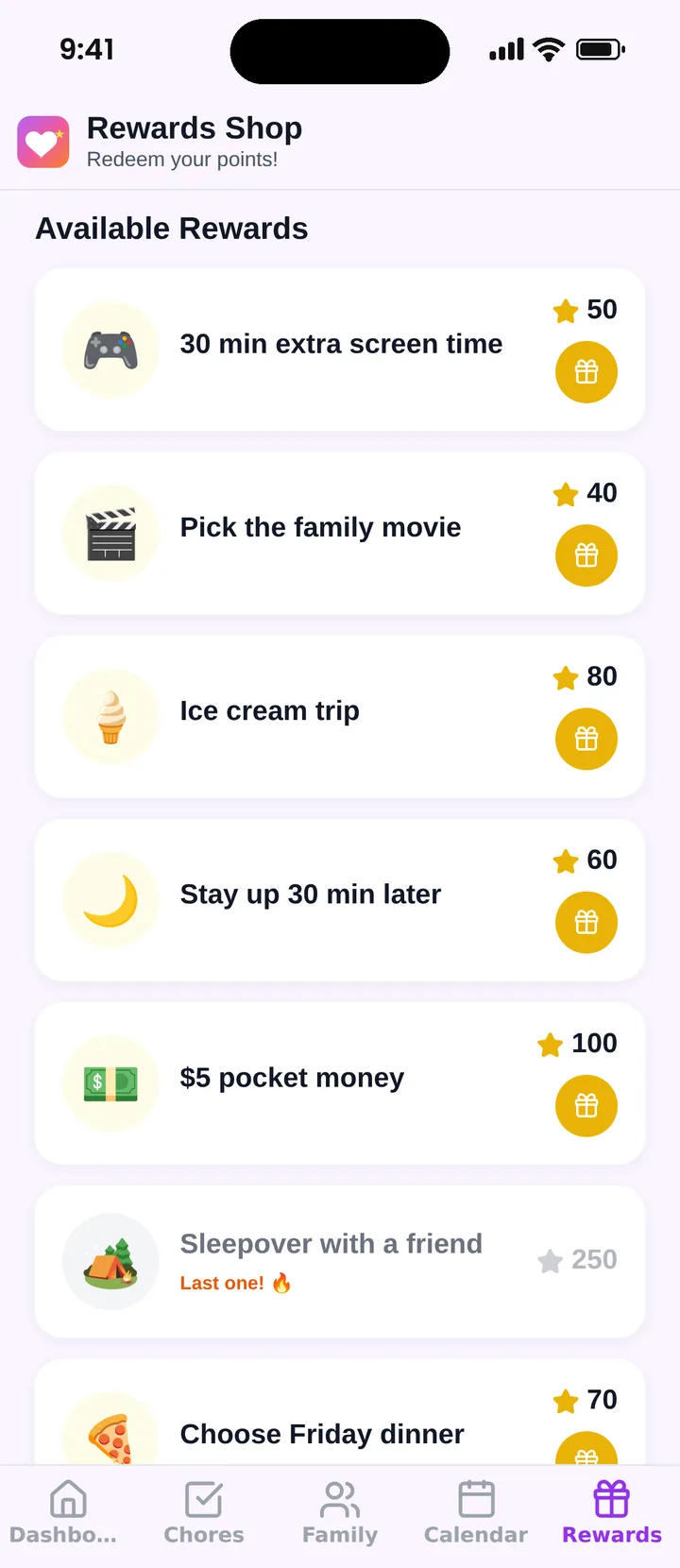
Famiyo is a free family app for iPhone and Android that combines a shared family calendar, chores with points and a rewards shop; kids join with a code, no email needed. Each chore can carry points, and each child can earn a different number for the same task. Parents create rewards with a price in points, kids redeem from their own phone and see how many points they will have left. The app also shows points this week and in total for every child, plus the last 7 days of chores.
See other options in our list of the best reward chart apps for kids.
Check the tracker before you trust it
Enter one week of real tasks, look at the balance and the history on day 7, and ask whether you could settle a disagreement with them. If yes, you have a tracker worth keeping.
Frequently asked questions
What is a reward tracker app?
It is an app that records the tasks a child completes, turns them into points or marks, and tracks progress toward a reward. Think of it as a ledger plus a shop window: what was earned, what it buys, and what is left.
What should a reward tracker show a child?
Their own tasks for today, their current balance, the rewards they are saving for and how far away each one is. Keep it short. Anything that needs a parent to explain it will not be checked.
How do I keep a reward tracker fair between siblings?
Use the same prices for everyone and set task values by effort and age, not by child. Let each child earn at a level that suits their age, and avoid public rankings that make one child feel behind.
Should a parent approve every task?
For younger children and bigger rewards, yes. For routine tasks with older kids, self check-off with spot checks saves you time. A good app lets you choose which tasks need approval.
How long before a reward tracker shows results?
Give it 2 to 3 weeks of consistent use before you judge it. The first week mostly shows whether the tasks and prices are right, not whether the habit has formed.
Try Famiyo With Your Family
Chores with points, a rewards shop for kids and one shared family calendar. Set it up in a couple of minutes.



Free to download • No credit card required • Available on iOS & Android