Allowance for Kids: The Complete Guide for Parents
How to set up an allowance for kids: which model to pick, how much by age, how to pay it in a mostly cashless home, and rules for in-app purchases.
By Famiyo Editorial Team6 min read
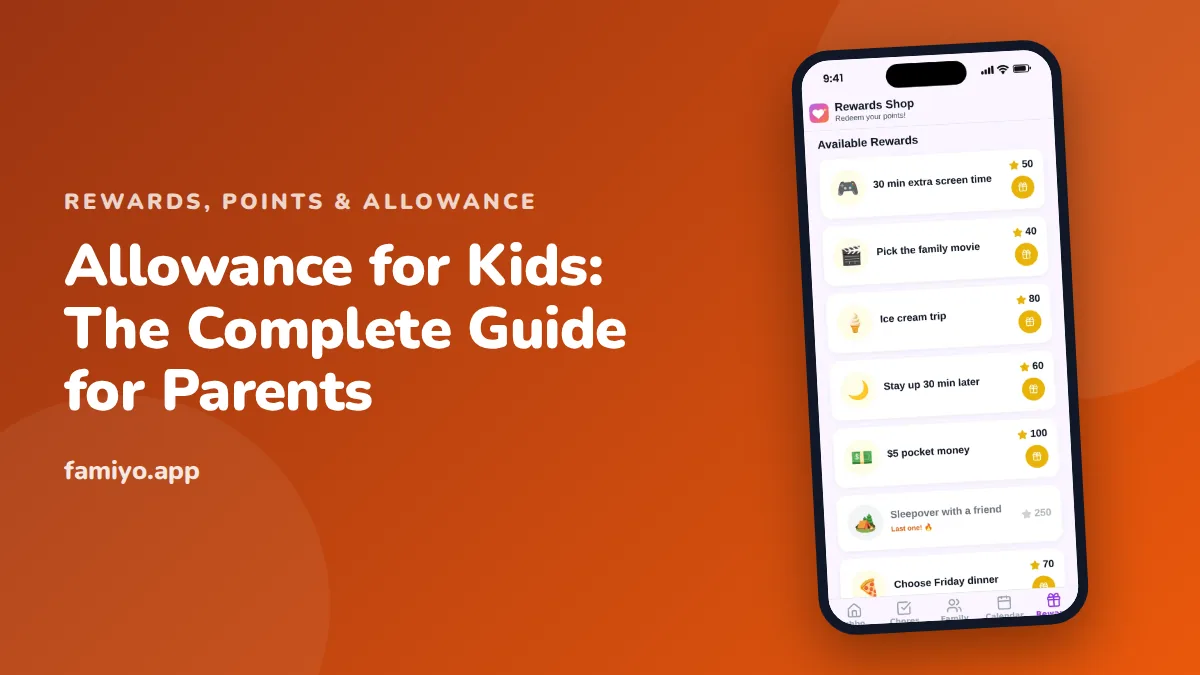
Allowance used to mean a few dollar bills on the kitchen counter every Saturday. Now kids want game currency, app purchases and things from online stores, and plenty of homes don't keep cash around at all. This guide walks through the whole setup: what the allowance is for, how much to give, how to pay it when your family barely uses cash, and the rules that keep digital spending under control.
Start with what the allowance is for
Before picking a number, decide which job the allowance is doing. There are three common setups, and each teaches something different.
A fixed allowance is paid every week no matter what. Its purpose is practice: kids get a predictable amount and learn to budget it. It says nothing about work.
A chore-based allowance pays only for completed chores. It connects work to money clearly, but it has a known weak spot. A child who doesn't need cash this week can decide not to empty the dishwasher, and then you're negotiating.
A hybrid is what most families end up with. Kids get a base allowance for budgeting practice. Basic "family member" chores, like making the bed and clearing the table, stay unpaid because everyone who lives in the house helps. Extra jobs beyond that earn money: $0.25 to $1 for a small one, $2 to $5 for a big one like washing the car. Some families pay those extras in points first and convert later, at 100 points = $1; our chore point system guide shows how to set the values.
If you want the full mechanics of linking money to chores, our article on setting up a fair chore allowance covers it step by step. The rest of this guide assumes a hybrid, but almost everything applies to the other two as well.
How much allowance should kids get at each age?
The most common rule of thumb is $1 per week for each year of age. An 8-year-old gets $8 a week, a 12-year-old gets $12. It's a starting point, not a standard, and your budget gets the final say.
| Age | Typical weekly amount | What kids might pay for themselves |
|---|---|---|
| 5-7 | $3 to $7 | Small toys, a treat at the store, saving for something bigger |
| 8-10 | $7 to $10 | Books, a game add-on you approve, gifts for friends |
| 11-13 | $10 to $15 | Snacks with friends, app purchases, part of a new game |
| 14+ | $15 to $25 | Food out, movie tickets, some clothes or subscriptions |
The amount matters less than what it covers. If the allowance takes over things you were already paying for, like snacks at the pool or in-game purchases, a higher number doesn't cost you more. It just moves the decisions to your child. For a closer look at amounts by age, see how much allowance a kid should get, and for older kids, our guide to allowance for teenagers covers what a teen budget should include.
Cash, a family ledger or a card: paying in a cashless house
Here's the practical problem many parents hit in week one: you don't have $8 in small bills on Sunday night. You have options.
| Method | Best for ages | Why it works | Watch out for |
|---|---|---|---|
| Cash in three jars | 5 to 8 | Kids can see and count it, and spend, save and give are physical | You need the right bills on hand every payday |
| Family ledger | 7 to 12 | You hold the money, they track the balance, and online purchases are easy | The balance must be visible anytime, or it feels imaginary |
| Store gift card | 9 to 13 | Caps spending in one place, such as a game store | Money loaded there can't come back out |
| Teen bank account with debit card | 13+ | Real practice with card payments and statements | Turn on spending alerts and check in often at first |
The family ledger is underrated. Call it the Bank of Mom and Dad. You keep a running balance in a shared note or spreadsheet, add the allowance on payday, and subtract purchases when you buy something for them online. It works well for kids who mostly want digital things, and it teaches that a balance is real money even when you can't hold it.
The catch is visibility. A young child who can't check the balance whenever they want will stop believing in it. Make the ledger easy to see, and say the number out loud on payday: "You had $6.50, plus $9 today, so you've got $15.50 in spend money."
Setting up payday, step by step
- Pick one day and time and never move it. Sunday after dinner works for many families. Set a repeating reminder on your phone so payday never slips.
- Decide the amount and write it down where your child can see it.
- Split every payment into spend, save and give. A simple split for younger kids is 50%, 40% and 10%. On $8, that's $4 to spend, $3.20 to save and $0.80 to give.
- Agree on what the allowance now covers. Say it plainly: "From now on, treats at the store and game purchases come out of your spend money."
- Set one savings goal with a price and a rough date, such as a $40 game in about 12 weeks of savings.
- Write down the rules for digital purchases (next section) before the first request comes in.
- Review the amount once a year, for example on their birthday. With the $1 per year rule, the raise is built in.
Rules for in-app and in-game purchases
This is where allowance gets modern, and where most of the arguments happen. A few rules keep it manageable.
Turn on purchase approval in your phone or tablet's family settings, so nothing gets bought without your OK, even with their own money. The point isn't to block them. It's to make sure every purchase passes through a moment of thought.
Never save a card on a device a child uses. Purchases should come from their allowance balance or a gift card, never from your card by accident.
Translate game currency into real dollars every time. Game stores price things in coins and gems on purpose, because it hides the cost. Try: "That coin pack is $9.99. That's more than a week of your spend money. Still want it?" Often the answer changes.
Count subscriptions by the year. A $4.99 monthly subscription is about $60 a year, which for a 9-year-old is a big chunk of their annual spend money. Do the math together on the calculator.
Be careful with random rewards, where you pay without knowing what you'll get. Many families either ban them or cap them at a small amount per month. Explain why: you're paying for a chance, not a thing.
Gift cards from birthdays count as their money. Put the balance in the ledger with everything else so they see their full picture.
When kids overspend, ask for advances or want a raise
They will run out. When it happens, don't top up. Say something like: "That's a tough one. Payday is Sunday." Then let it sit. A $10 mistake at 9 is far cheaper than a credit card mistake at 20.
Advances are a judgment call. Some families allow small ones with clear terms, for example up to half a week's allowance, repaid automatically on the next payday. That's a mild, safe introduction to borrowing. Others say no advances under age 10. Either is fine if the rule stays the same.
When a child asks for a raise, treat it like a real negotiation. A raise can come with new responsibilities, like covering their own school snacks. Or point them to extra paid jobs: "The car needs washing. That's $3."
Where Famiyo fits
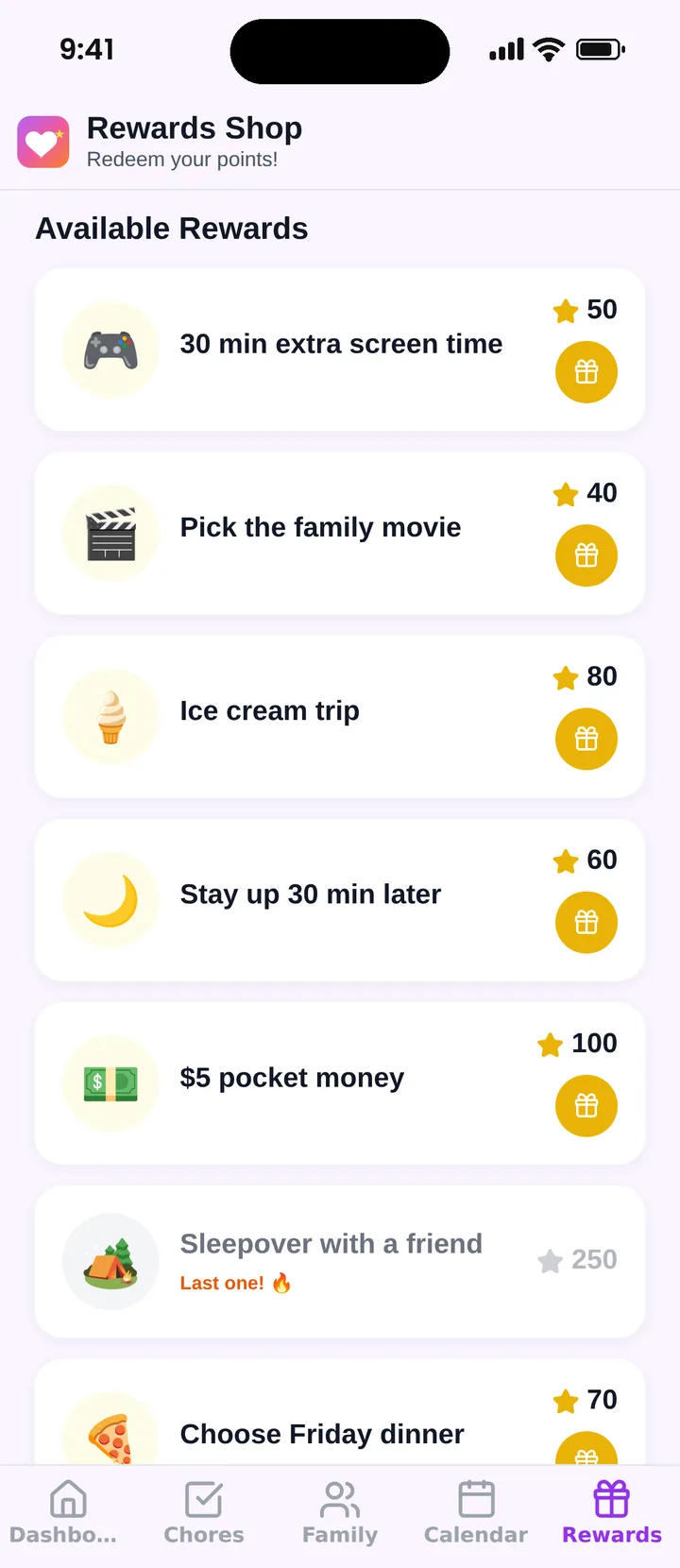
Famiyo is a free family app for iPhone and Android that combines a shared family calendar, chores with points and a rewards shop; kids join with a code, no email needed. It doesn't hold or move money. It handles the earning side: kids collect points for chores and extra jobs, and you create rewards in the family shop with a price in points, how many are available and when. Pocket money can be one of those rewards. At 100 points = $1, "$5 of spending money" costs 500 points. When your child redeems it from their phone, you get a notification and pay the cash or add it to their ledger yourself.
If you're comparing tools, see our list of the best allowance apps for kids.
Before Sunday, choose the amount, the payday and either three jars or a ledger. Then pay on time every single week. Kids learn more from a boringly reliable payday than from any lecture about money.
Frequently asked questions
What age should kids start getting an allowance?
Many families start around age 5 or 6, when kids can count money and understand that a toy costs a certain amount. Younger children can start with a few coins in clear jars. A fixed payday and real, small spending decisions matter more than the exact starting age.
Should allowance be tied to chores?
It can be, but many families keep basic family chores unpaid and give a base allowance anyway, then pay $0.25 to $1 for small extra jobs and $2 to $5 for big ones. Kids still learn that work earns money, without every request for help turning into a negotiation.
Is a digital allowance better than cash?
For kids under about 8, cash usually works better because they can see and count it. Once kids start buying things online or in games, a tracked digital balance makes sense, as long as they can check it whenever they want. Many families move from cash to a ledger to a teen bank account.
What if my child spends their whole allowance in one day?
Let it happen and don't top it up. Running out before the next payday is one of the cheapest money lessons a child will ever get. Talk it through calmly afterward: what they bought, whether it was worth it, and what they might do differently next week.
Try Famiyo With Your Family
Chores with points, a rewards shop for kids and one shared family calendar. Set it up in a couple of minutes.



Free to download • No credit card required • Available on iOS & Android