Allowance Tracker Template for Excel and Google Sheets
A free allowance tracker template you can build in Excel or Google Sheets in 10 minutes: columns, formulas, a sample month and a printable version for kids.
By Famiyo Editorial Team4 min read
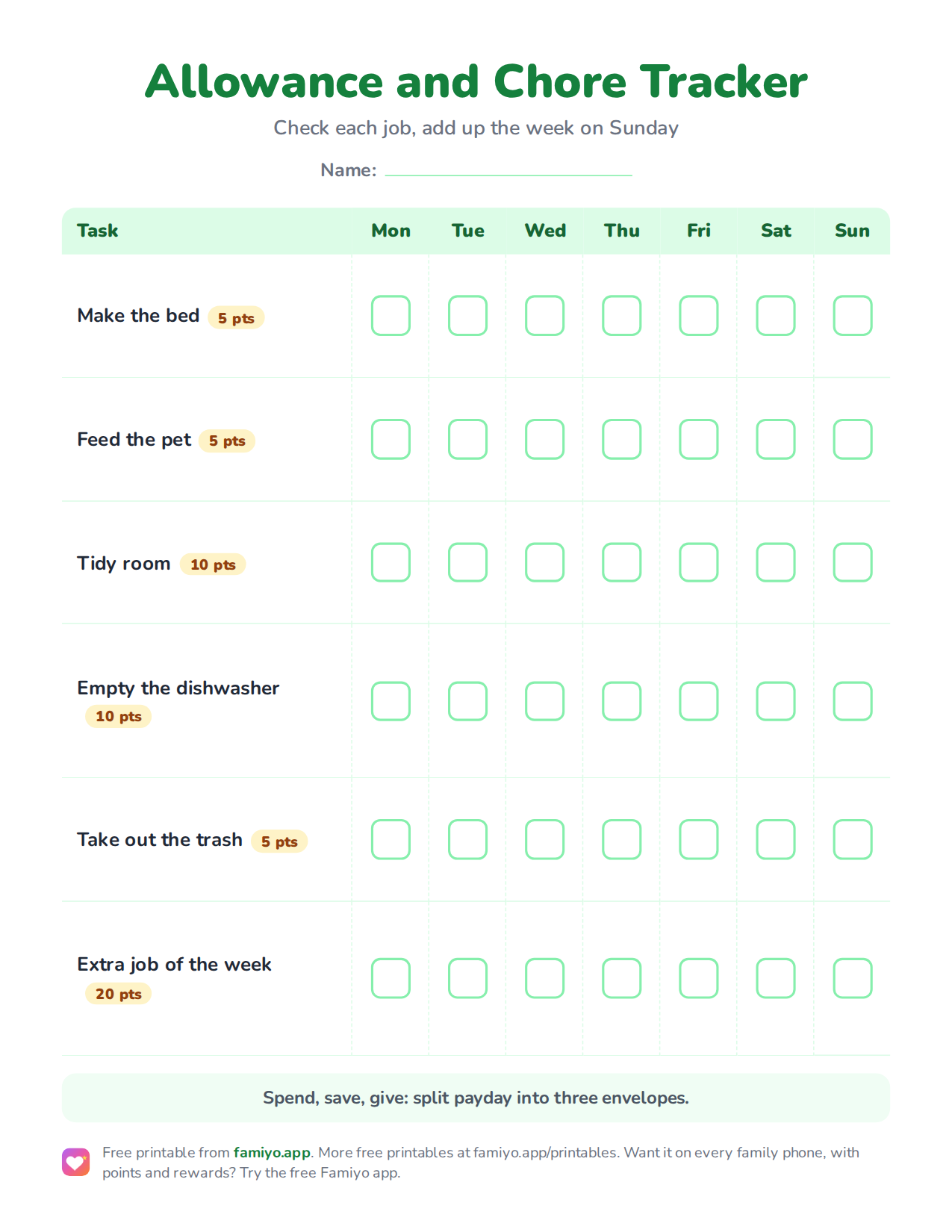
Free printable
Allowance and Chore Tracker
A weekly chart on one US Letter page. Download the PDF to print it, or save the image to use it on a tablet or in a document.
Free for home, classroom and nonprofit use, see the license. More free printables.
A spreadsheet is a good allowance tracker for one reason: you control everything. You decide the columns, the categories, and whether a kid sees only their own tab. This page walks through a template you can build in Excel or Google Sheets in about ten minutes, shows a sample month, and links a printable for families who prefer paper.
What the template needs
Resist the urge to make it clever. A tracker that takes more than a minute to update gets abandoned by week three. Here are the columns that earn their place.
| Column | Header | What goes in it |
|---|---|---|
| A | Date | The day of the payday or purchase |
| B | Description | "Weekly allowance", "Bubble tea", "Birthday card for Grandma" |
| C | Category | Spend, Save or Give |
| D | Money in | Allowance, paid extra jobs, gifts |
| E | Money out | Anything they spent or gave away |
| F | Balance | Calculated automatically |
Optional extras: an "Approved by" column if two adults handle money, and a "Goal" cell at the top with a target amount for something the child is saving for.
Build it in ten minutes
- Open a new sheet in Excel or Google Sheets and name the first tab with your child's name.
- Type the six headers in row 1. Bold them and freeze the top row (View, then Freeze).
- In row 2, write "Starting balance" in column B and the amount in column F.
- In F3, type
=F2+D3-E3and press Enter. This takes the previous balance, adds money in and subtracts money out. - Drag the small square at the bottom right of F3 down to row 200. Blank rows will repeat the last balance, which is fine.
- Select column C, then add a dropdown list (in Google Sheets: Data, Data validation; in Excel: Data, Data Validation, List) with Spend, Save, Give.
- Add a totals box at the top:
=SUMIF(C:C,"Save",D:D)-SUMIF(C:C,"Save",E:E)shows how much sits in savings. - Duplicate the tab for each child and change the name.
Google Sheets has one advantage: you can share a single tab with each child on their phone, view-only or editable, so they can look up their own balance. Excel can do the same through OneDrive, but it takes more setup.
A sample month
Here's what a 9-year-old's tab might look like. The allowance is $9 a week, using the common $1-per-year-of-age rule of thumb, and the split is 50% spend, 40% save, 10% give.
| Date | Description | Category | In | Out | Balance |
|---|---|---|---|---|---|
| Oct 1 | Starting balance | Save | $12.00 | ||
| Oct 6 | Weekly allowance | Spend | $4.50 | $16.50 | |
| Oct 6 | Weekly allowance | Save | $3.60 | $20.10 | |
| Oct 6 | Weekly allowance | Give | $0.90 | $21.00 | |
| Oct 9 | Trading cards | Spend | $3.00 | $18.00 | |
| Oct 13 | Weekly allowance | Spend | $4.50 | $22.50 | |
| Oct 13 | Extra job: washed the car | Spend | $3.00 | $25.50 | |
| Oct 15 | Donation jar at school | Give | $1.00 | $24.50 |
Splitting each payday into three rows looks fussy, but it's the easiest way to let the SUMIF totals work. If it's too much, split the allowance once into three envelopes and track only the total here. For reasoning on how much to pay for extra jobs, see how much to pay a 9-year-old for chores.
Rules that keep a tracker alive
- Update it at the same moment every week, for instance Sunday dinner. Five minutes, with the child.
- The child writes the entry when they can. A parent only checks.
- Never use the sheet to catch mistakes. If the balance is off by a dollar, shrug and fix it.
- Let a goal sit at the top of the tab, such as "Lego set, $40". A visible target makes the saving column interesting.
- Agree upfront on what the allowance covers, and what happens to money that is lost or spent on something you disagree with.
Teens can use the same template with extra categories like "Clothes" or "Subscriptions". Our guides on how much allowance for a 15-year-old and a 16-year-old give typical amounts to start with.
The printable version
The printable below is for families who want a paper ledger on the fridge. It has a weekly grid for common jobs, and you can note points or dollars next to each one. It suits ages 6 to 12. A sheet that lives on a tablet works too, but paper is helpful for younger kids who want to see their progress.
When an app does the tracking for you
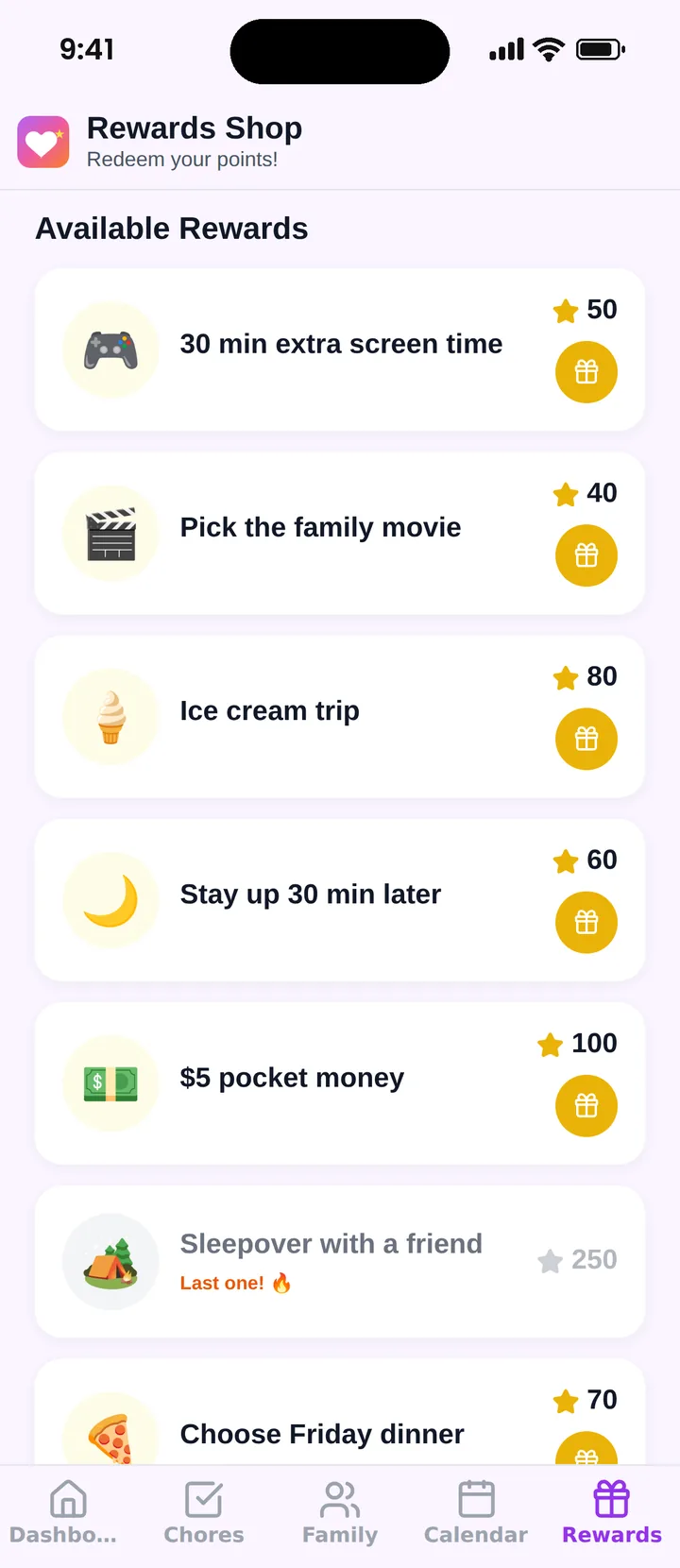
A sheet only changes when someone updates it. If you'd rather have kids earn and spend on their own phones, Famiyo is a free family app for iPhone and Android that combines a shared family calendar, chores with points and a rewards shop; kids join with a code, no email needed. Kids earn points for chores, and you set rewards in the shop with a price in points, how many are available and when. Pocket money can be one of those rewards (for example 100 points for $1), but the money itself changes hands outside the app: Famiyo doesn't hold or move real money. Kids see their points left before they redeem, and you get a push notification when they do. See our list of the best allowance apps for kids.
If you like the logic of earning, saving and spending, our explainer on the token economy for kids shows how points can sit alongside a sheet.
Frequently asked questions
What columns should an allowance tracker have?
Use date, description, money in, money out, balance and a category such as spend, save or give. Add a column for who approved the entry if you have several kids. That's enough to show where every dollar went without becoming a bookkeeping chore for a parent.
What is the formula for a running balance in Google Sheets or Excel?
In the balance cell of row 3, type =F2+D3-E3, where F is the balance, D is money in and E is money out. Drag it down the column. Row 2 holds the starting balance. The formula works the same way in Google Sheets and Excel.
Should kids fill in the tracker themselves?
Yes, from around age 8 or 9. A younger child can tell you what they bought while you type it in. Letting kids write the entries teaches them to notice spending. Check it together at payday and keep the tone curious, not like an audit.
Is a spreadsheet or an app better for tracking allowance?
A spreadsheet is flexible, free and teaches basic money skills, but it relies on you to update it. An app is easier if you want kids to see balances on their own phone. Many families start with a sheet and move to an app when keeping it current gets tedious.
Try Famiyo With Your Family
Chores with points, a rewards shop for kids and one shared family calendar. Set it up in a couple of minutes.



Free to download • No credit card required • Available on iOS & Android