Kids To-Do List Before Electronics (Free Printable)
A simple to-do list kids finish before screens: what to put on it by age, how long it should take, what to say, and a free printable checklist.
By Famiyo Editorial Team4 min read
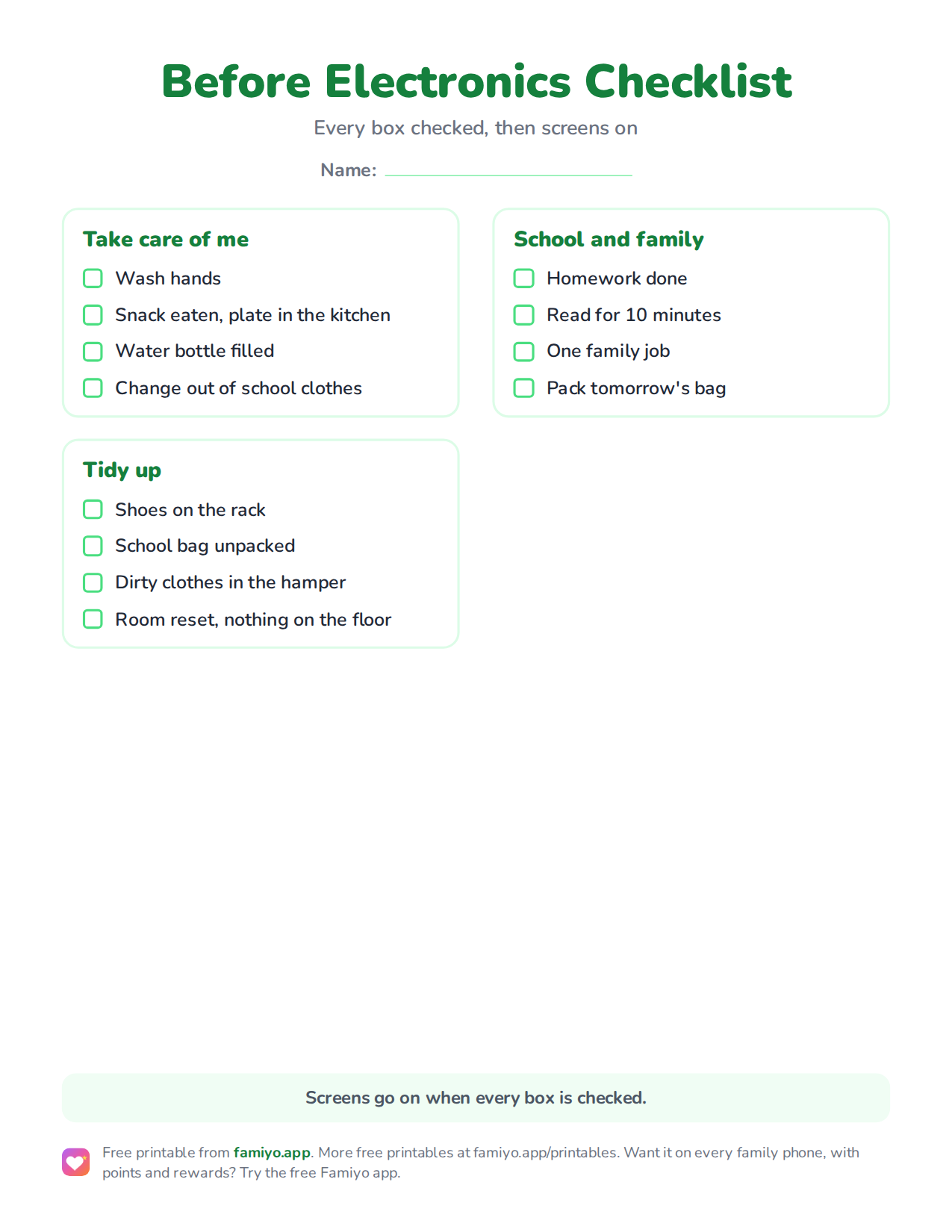
Free printable
Before Electronics Checklist
A checklist on one US Letter page. Download the PDF to print it, or save the image to use it on a tablet or in a document.
Free for home, classroom and nonprofit use, see the license. More free printables.
The after-school hour is when most households run into the same wall. The tablet is already in the child's hand, the backpack is in the hallway, and everyone is tired. A fixed list that sits between "home" and "screens" takes the argument out of that hour. This page gives you the list, the wording and a printable checklist.
What to put on a before-electronics list
Keep it to three to five items. A list with eight things feels like a punishment, and a child who is already rebelling will not start on it. Aim for tasks that are quick, concrete and easy to check at a glance.
A good list mixes four kinds of job:
- Looking after themselves (water bottle, snack plate, hands washed).
- Putting away what they brought home (shoes, coat, school bag).
- Schoolwork or reading.
- One small contribution to the house.
For the chores part, match the age. Our chores kids should do every day guide explains which jobs are daily and which can wait for the weekend, so you do not stuff everything into this one window.
A sample list by age
Use these as a menu, not a requirement. The time column assumes your child already knows how to do the task.
| Age | Sample list | Total time |
|---|---|---|
| 4-5 | Shoes on the rack, school bag on its hook, dirty clothes in the hamper, put toys in the bin | 10 to 15 minutes |
| 6-7 | Unpack the school bag, snack plate to the dishwasher, read 10 minutes, tidy the room | 15 to 20 minutes |
| 8-9 | Unpack the bag, homework, empty or load the dishwasher, set tomorrow's clothes | 20 to 30 minutes |
| 10-12 | Homework, take out the trash or fold laundry, 10-minute room reset, pack tomorrow's bag | 30 minutes |
| 13+ | Homework, one laundry or kitchen task, check tomorrow's schedule | 30 to 45 minutes |
For the youngest kids, pictures beat words. A photo of the toy bin or a drawing of a shoe rack tells a 4-year-old exactly what "done" looks like. If you want a picture-based format, try our free printable chore chart with pictures alongside this checklist.
How to set it up in one evening
- Choose the window. Most families say "right after the snack" or "before dinner", so the list has a clear start.
- Write the 3 to 5 tasks with your child. Letting them pick the order gives them some control.
- Decide what "done" means for each item. "Tidy the room" is vague. "Nothing on the floor and clothes in the hamper" is a finish line.
- Print the checklist below and put it at the child's eye level, near where they drop their bag.
- Agree on the rule out loud: "Screens go on when every box is checked."
- Do it with them for the first three days, then step back.
Give it 2 to 3 weeks before you judge it. The first week is mostly about testing whether you mean it.
What to say (and what to skip)
The wording matters more than most parents expect. A calm, flat sentence works better than a speech.
- At the start: "List first, then screens."
- When they ask for the tablet: "Which box is left?"
- When they say they will do it later: "Sure, screens come on after it's done."
- When it is finished: "Nice, that was quick. Go ahead."
Skip the extra commentary, the sighing and the "how many times do I have to tell you". If you remind once and then stop talking, the list becomes the authority, not you. For more on keeping your voice down, see how to get kids to do chores without yelling.
When the list stops working
Lists wear out. Common reasons, and the fix for each:
- The list got longer without anyone deciding to. Trim it back to five items.
- A single task is the bottleneck, usually homework. Move it earlier in the day or give it a set time.
- Your child rushes through and does a poor job. Spot-check the first two items and agree on what "good enough" means.
- You stopped enforcing it on tired days. That is normal. Restart the next day without a lecture.
The printable checklist
The printable below is a checklist with three sections: looking after yourself, tidying up, and school and family. It suits ages 6 to 12, and you can edit what each box means to fit your child. Print one per child and tick it off with a pencil, or stick it in a plastic sleeve and use a dry-erase marker.
Running the list in Famiyo
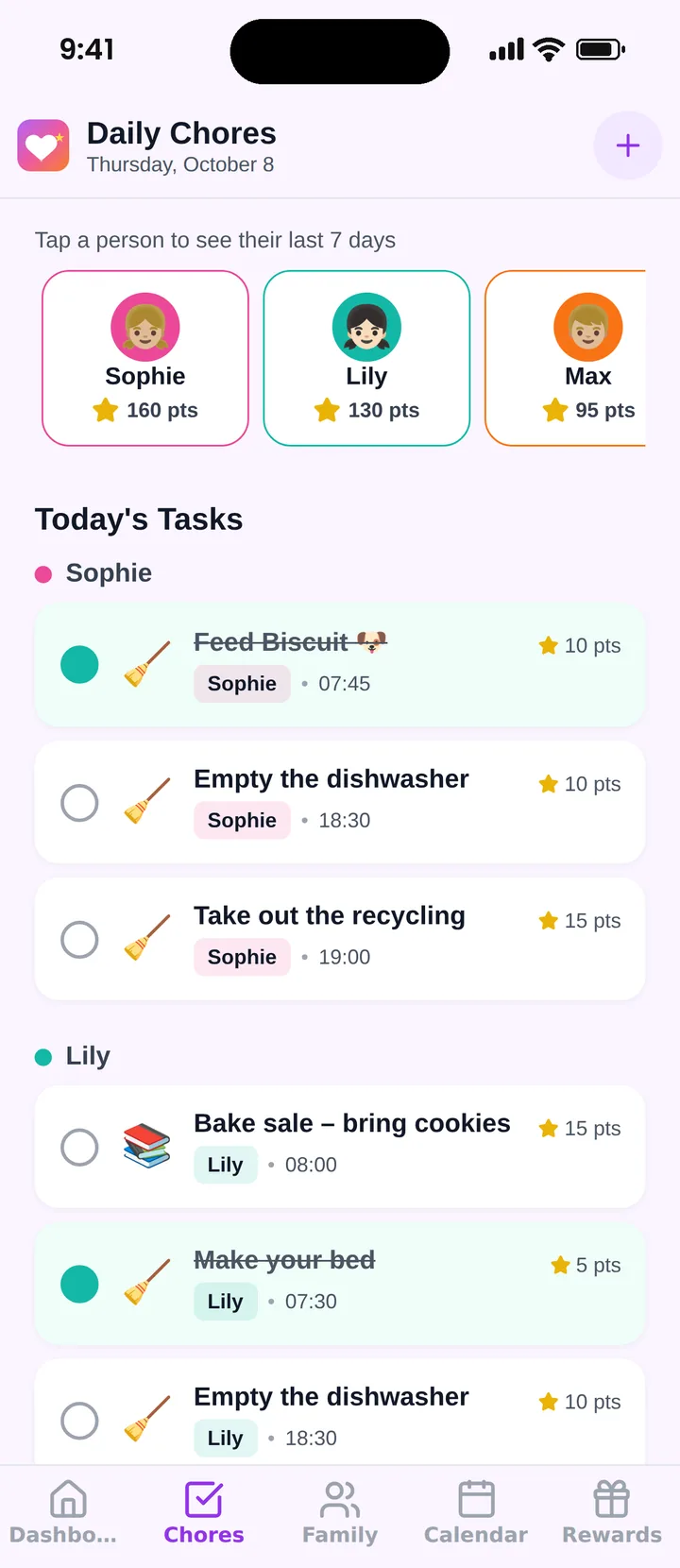
Famiyo is a free family app for iPhone and Android that combines a shared family calendar, chores with points and a rewards shop; kids join with a code, no email needed.
Instead of a paper list, you can add each task as a repeating chore, pick who does it and give it points. Kids get a push notification about new tasks and check off their own, or you approve them, and you hear when something is done. Screen time can be a reward in the shop. Free plan includes one repeating task, so a longer daily list needs Premium. See our best chore chart apps for how the options compare.
One small change to try this week
Pick the one item that causes the most friction and move it to the top of the list, so it is finished before the child has had a chance to settle in front of a screen. Often that single change does more than rewriting the whole list.
Frequently asked questions
What should be on a kids' to-do list before electronics?
Three to five tasks that fit one after-school window: unpack the school bag, a snack and water bottle to the kitchen, homework or 15 minutes of reading, tidy the room, and one family job. Keep it identical each day so it becomes automatic.
How long should the list take?
About 20 to 30 minutes for school-age kids. If it regularly takes longer, it is too long. Cut it down or move the bigger jobs to the weekend, so screens do not feel permanently out of reach.
Should kids earn screen time or just do the list first?
For most families, the list comes first and a normal, fixed amount of screen time follows. Earning extra minutes for extra tasks can sit on top of that. Basic responsibilities should not have to be bought back, or every day becomes a negotiation.
What if my child refuses to do the list?
Stay calm and repeat the rule once: screens are on when the list is done. Do not argue or add tasks. If the refusal is daily, shorten the list for a week and check whether a particular item is the problem.
Try Famiyo With Your Family
Chores with points, a rewards shop for kids and one shared family calendar. Set it up in a couple of minutes.



Free to download • No credit card required • Available on iOS & Android