Family Chore App: What to Look For and How to Start
How to choose a family chore app, which features matter, how to set it up in one evening, and the mistakes that make families quit after two weeks.
By Famiyo Editorial TeamUpdated 6 min read
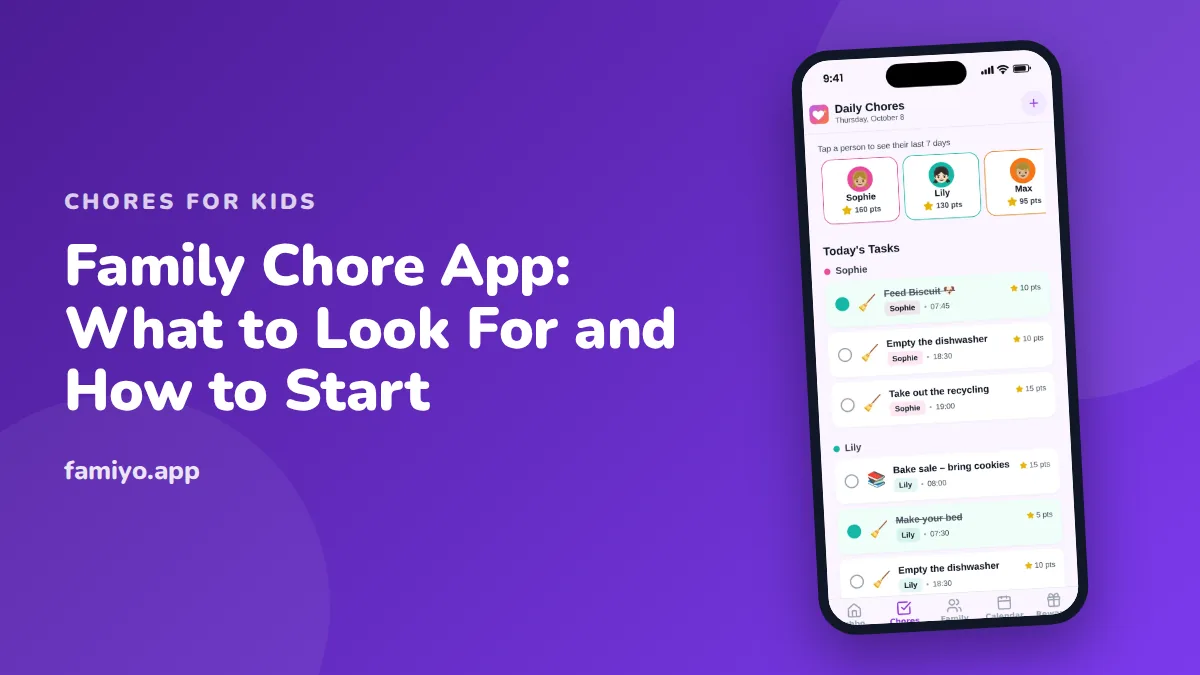
Somewhere around the third week, the paper chore chart ends up behind the fridge magnets, and the "who does what" questions come back. A chore app is the fix many families try next. Some work well. Others become one more thing to nag about. This guide covers what a family chore app needs to do, how to set one up in an evening, and what usually goes wrong.
What a family chore app should actually do
Strip away the marketing and a chore app has to handle five jobs. If it misses one, you will feel the gap within a week.
| Job | What it looks like in practice | Why it matters |
|---|---|---|
| Assign tasks per child | Each child sees only their own list | Kids stop arguing about whose turn it is |
| Repeat on a schedule | Daily, weekly or every few days, set once | You stop retyping the same list every Sunday |
| Show progress today | One screen with every child's tasks and points | You can see at a glance who is done |
| Reward effort | Points, a rewards shop, or both | Gives the chore a visible payoff |
| Keep parents in control | Approve tasks, or let kids check them off | You decide how much trust to hand over |
Two extras are worth checking before you download anything. First, how do kids sign in? An app that demands an email address for a seven-year-old is a hurdle, and a short code is easier. Second, what do you get free? Many apps cap members or repeating tasks on a free tier, so test with your real family size before you build everything.
Do you need an app at all?
Be honest about this one. If you have two children, two chores each and a fridge you walk past forty times a day, a whiteboard may be all you need. Our guide to chore charts for kids covers paper versions that work.
An app tends to earn its place when:
- You have three or more kids with different tasks and different ages.
- Kids spend time away from home, such as split households or a grandparent's house.
- Nobody updates the paper chart, and you are the only one who ever remembers.
- You want points that add up automatically instead of a pencil tally.
- You want to be told when a chore is finished without going to look.
If none of that sounds familiar, stay with paper and revisit in a few months.
Setting up in one evening
An app set up in a rush on a Sunday afternoon tends to have 25 chores in it by Monday and none by Friday. Set it up deliberately, in this order.
- Sit down with the kids first. Ask each one which chores they like least and which they do not mind. Setup is faster, and kids who helped choose the list complain less.
- Write two or three daily tasks per child. For preschoolers that might be putting toys in a bin and clothes in the hamper. For school-age kids it might be making the bed, clearing their place and packing the school bag. Add one weekly bigger job from age 8, such as vacuuming a room.
- Check the time. Most 6 and 7 year olds can handle about 15 to 20 minutes a day, 8 and 9 year olds about 20 to 30. If the list is over that, cut it.
- Set each task to repeat. Daily for the daily ones, weekly for the weekly ones.
- Give every task points. A simple scale is 5 points for a small task of a few minutes, 10 for a medium task of 10 to 15 minutes, and 20 for something that takes half an hour or more.
- Decide on approval. For younger kids, you tap "done" after checking. For older kids, let them check off their own tasks and spot-check.
- Add three rewards at different prices before the first chore is done, so kids know what the points are for.
- Install the app on each child's device and walk through one task together.
For help choosing the tasks, what to put on a chore chart has a list sorted by age.
How to keep it running after week two
Most apps are abandoned between day 10 and day 20. The cause is almost never the software. It is one of these.
Too many chores at once. Start with the minimum and add one later, rather than trimming a bloated list that kids already resent.
Rewards that are too far away. A child earning 5 points at a time will lose interest if the first reward costs 500. Aim for a small reward within two or three days and a big one every three to four weeks.
No parent follow-through. If you stop checking, kids notice within days. Tap through the approvals in the same minute each evening, even if it is only one tap.
Unfair splits. If one child's list is obviously heavier, say so out loud and fix it. When a rotation is the better answer, see our piece on how to rotate chores fairly.
Nagging replaced by app notifications. An app is not a substitute for a conversation. Use it for the reminder, then talk to your kid for the exception.
Give the system two to three weeks of steady use before you judge it, and change one thing at a time when you adjust.
How the app changes by age
The same app behaves differently for a 5 year old and a 13 year old, so plan for that. A kindergartener needs a parent beside them: you read the task aloud, they do it, and one of you taps the box. Keep the list to two or three items and let them enjoy the tap.
By 8 or 9, most kids can open the app on their own, read the day's tasks and finish them in order. This is the age to let them check off their own work and to add one bigger weekly job. Expect to spot-check, since a "done" bed is sometimes a flat blanket.
Teens can run their own lists, and the argument usually shifts from "I forgot" to "why is my list longer than hers?" A fair rotation and honest point values settle that quickly. Our guide to a chore schedule for the whole family shows one way to split the load among everyone, adults included.
What kids learn from a chore app
A well-run chore app teaches a few things that a parent saying "do your chores" never quite manages. Kids learn to read their own list and act on it without being told. They see a direct line between effort and a reward, and they learn to save points for something bigger, which is a first lesson in delayed gratification. They also learn that a job is not done until it is checked off, which is a habit worth having at 9 and at 29.
The app does not do the teaching on its own. You still have to show a child how to wipe a counter properly, and praise the result. The app just keeps the whole thing visible and organized.
Doing this in Famiyo
Famiyo is a free family app for iPhone and Android that combines a shared family calendar, chores with points and a rewards shop; kids join with a code, no email needed.
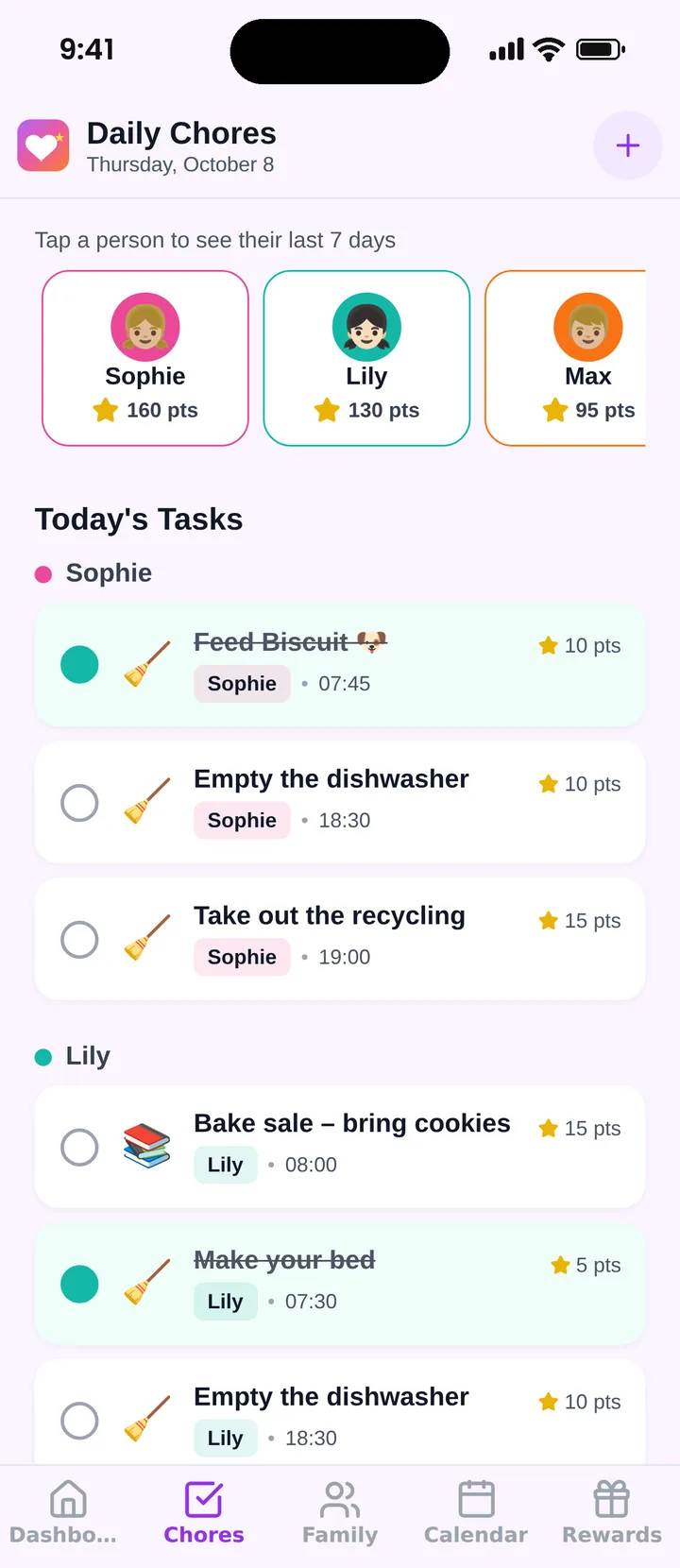
You add a chore once, choose who does it, set it to repeat and give it a point value, and each participant can have a different number of points for the same task. Kids check off their own tasks, or you approve them, your choice. You get a notification when a chore is done, and kids hear about new tasks. The free plan covers up to 3 family members and 1 repeating task, with chores, points, the rewards shop and statistics included. For a wider comparison, see our ranking of the best chore apps for kids.
Try it for three weeks
Pick two chores per child, set the points, add one small reward and run the app until the third weekend. Then sit down together and ask what to change.
Frequently asked questions
What is the best family chore app?
The best one is the one your whole family will open daily. Look for per-child task lists, repeating chores, points or rewards, parent approval, and kid logins that need no email. We compare options in our ranking of chore apps for kids.
Are chore apps better than a paper chart?
Neither wins outright. Paper is visible and costs nothing. An app reminds kids, repeats tasks without rewriting them, and tallies points for you. Families who keep forgetting to update paper charts usually do better with an app.
At what age can a child use a chore app?
Kids who can read simple words and use a tablet or phone, usually around 5 or 6, can check off tasks themselves. Younger children can do the chore while a parent taps the box, and the picture on the screen still helps.
Should a chore app pay real money?
It does not have to. Points that kids spend on rewards you choose, such as screen time or a movie pick, teach the same lesson. If you want to convert points to money, 100 points to $1 is an easy rate, with the money handed over outside the app.
Try Famiyo With Your Family
Chores with points, a rewards shop for kids and one shared family calendar. Set it up in a couple of minutes.



Free to download • No credit card required • Available on iOS & Android