How to Make a Chore Chart in 6 Steps
Make a chore chart in 6 steps: pick a layout, list every job, balance jobs by minutes, write checkable rows, build it on paper or a sheet, and reset weekly.
By Famiyo Editorial Team6 min read

Most chore charts get made in a burst of energy on a Sunday night and quietly abandoned by Thursday. The chart itself is rarely the problem. The decisions behind it are. These six steps take you through those decisions in order, using one example family the whole way: two parents, Maya (9) and Sam (5).
Step 1: Choose a layout before you choose a template
A template decides your layout for you, and the wrong layout is the most common reason a chart gets hard to read. There are four basic options.
| Layout | Rows | Columns | Best for | Watch out for |
|---|---|---|---|---|
| By person | Each person's jobs | Monday to Sunday | Kids of different ages | Long rows if one person has many jobs |
| By day | Monday to Sunday | Each person | Jobs that change day to day | Hard to see one child's whole week |
| By time of day | Morning, after school, evening | Each person | Kids who forget without a cue | Weekly jobs need a separate strip |
| By room | Kitchen, bathroom, living room | Who and which day | Teens and adults | Pre-readers can't follow it |
For families with kids under 12, the by-person layout is the safest default. Each child finds their own rows, checks a box and is done. If several kids share the same chart, our guide on making a chore chart for 3 kids covers colors and rotation for a bigger crew.
Maya and Sam's family goes with by-person, and adds the parents' jobs at the bottom.
Step 2: List every job and how often it really happens
Before anyone gets assigned anything, walk the house with a notepad, room by room, and write down what has to happen and how often. Be honest about frequency. "Vacuum" might be weekly in reality even if you'd like it to be twice a week.
For the example family, the list sorts like this:
- Daily: load the dishwasher after dinner, unload it in the morning, feed the dog, wipe the table, toys back in the bins, make beds, take out the kitchen trash.
- Two or three times a week: fold and put away laundry, water the plants, sweep the kitchen.
- Weekly: vacuum the living room, clean the bathroom, change the sheets, put the recycling out.
- Monthly: wipe the fridge shelves, clean the car.
Monthly jobs usually don't belong on a weekly chart. Keep them on a separate list taped next to it. If you're unsure what belongs on the chart and what belongs on a routine, see what to put on a chore chart.
Step 3: Assign jobs by minutes, not by count
Counting chores starts arguments. "She has four and I have four" ignores the fact that loading the dishwasher takes ten minutes and watering a plant takes two. Assign by time instead. A typical 4- or 5-year-old can manage 10 to 15 minutes of chores a day, and an 8- or 9-year-old 20 to 30 minutes.
| Job | Who | How often | Minutes each time |
|---|---|---|---|
| Toys back in the bins | Sam, 5 | Daily | 5 |
| Set and clear his own place | Sam | Daily | 5 |
| Feed the dog (a parent nearby) | Sam | Daily | 3 |
| Water the plants | Sam | Wed and Sat | 3 |
| Make her bed | Maya, 9 | Daily | 3 |
| Load the dishwasher after dinner | Maya | Daily | 10 |
| Take out the kitchen trash | Maya | Daily | 3 |
| Fold and put away her laundry | Maya | Mon and Thu | 15 |
| Vacuum the living room | Maya | Sat | 15 |
| Clean the bathroom | Parent | Sat | 30 |
| Cook dinner | Parents, alternating | Daily | 40 |
Sam lands around 13 minutes a day. Maya's days run from 16 minutes to just over 30. Both are in range, and the adults are visibly carrying the biggest jobs. That last part matters: a chart that lists only the kids reads like a punishment.
When two kids want the same easy job and neither wants the trash, don't negotiate it every week. A chore wheel or a simple weekly swap settles it.
Step 4: Write each row so anyone could check it
A row on the chart should pass one test: could a babysitter look at the room and say yes or no? The pattern is a task plus a finish line.
| Vague | Checkable |
|---|---|
| Clean your room | Clothes in the hamper, toys in the bins, floor clear |
| Help in the kitchen | Dinner dishes in the dishwasher, door closed |
| Feed the dog | One scoop in the bowl, water bowl full |
| Tidy the bathroom | Towel on the hook, toothpaste capped, sink wiped |
Add a cue for when it happens: before breakfast, after school, after dinner. Kids follow sequences far better than clock times. For a child who can't read yet, tape a small photo of the finished job (the clear floor, the full water bowl) next to the words.
Step 5: Build it on paper, a whiteboard, a spreadsheet or a phone
Once the content is settled, the build is quick. Pick whichever you'll actually keep up.
Paper or poster board
Draw the grid with a ruler: jobs down the left, days across the top, rows at least an inch tall so a 5-year-old can fit a sticker or a check. Slip it into a sheet protector and use a dry-erase marker, and you'll never need to redraw it.
Whiteboard
A magnetic whiteboard with thin tape lines for the grid works well for families who change jobs often. Write each child's name in their own color. The downside is that a sleeve can wipe out half a week.
Excel or Google Sheets
Put chores in column A, the person in B and points in C, then Monday to Sunday in D to J. Insert checkboxes in D to J (in Google Sheets and current Excel, it's under Insert). In K2, add =COUNTIF(D2:J2,TRUE)*C2 and copy it down for each child's weekly points. Fill each person's rows with a light color, set the page to landscape, and fit it to one page before printing.
A phone or tablet
An app does the reset for you and goes where the kids go. More on that below.
Step 6: Set the payoff and a weekly reset
Decide what a check mark earns before you hang the chart, not after the first complaint. For kids under about 6, a sticker in the box is often enough on its own; our guide to the sticker chart for kids covers that version. For older kids, points work well: 5 for a small job, 10 for a medium one, 20 for a big one, and a +2 bonus for anything done without a reminder. Price rewards so a child can afford something small every 2 to 3 days.
Then add a ten-minute Sunday reset:
- Tally the week's checks or points with each child.
- Hand out whatever was earned, right then.
- Wipe the board or print a fresh sheet.
- Rotate any shared job.
- Change at most one thing about the chart.
Give the chart 2 to 3 weeks before you judge it. Most charts look shaky in week one and settle by week three.
Letting an app run the chart
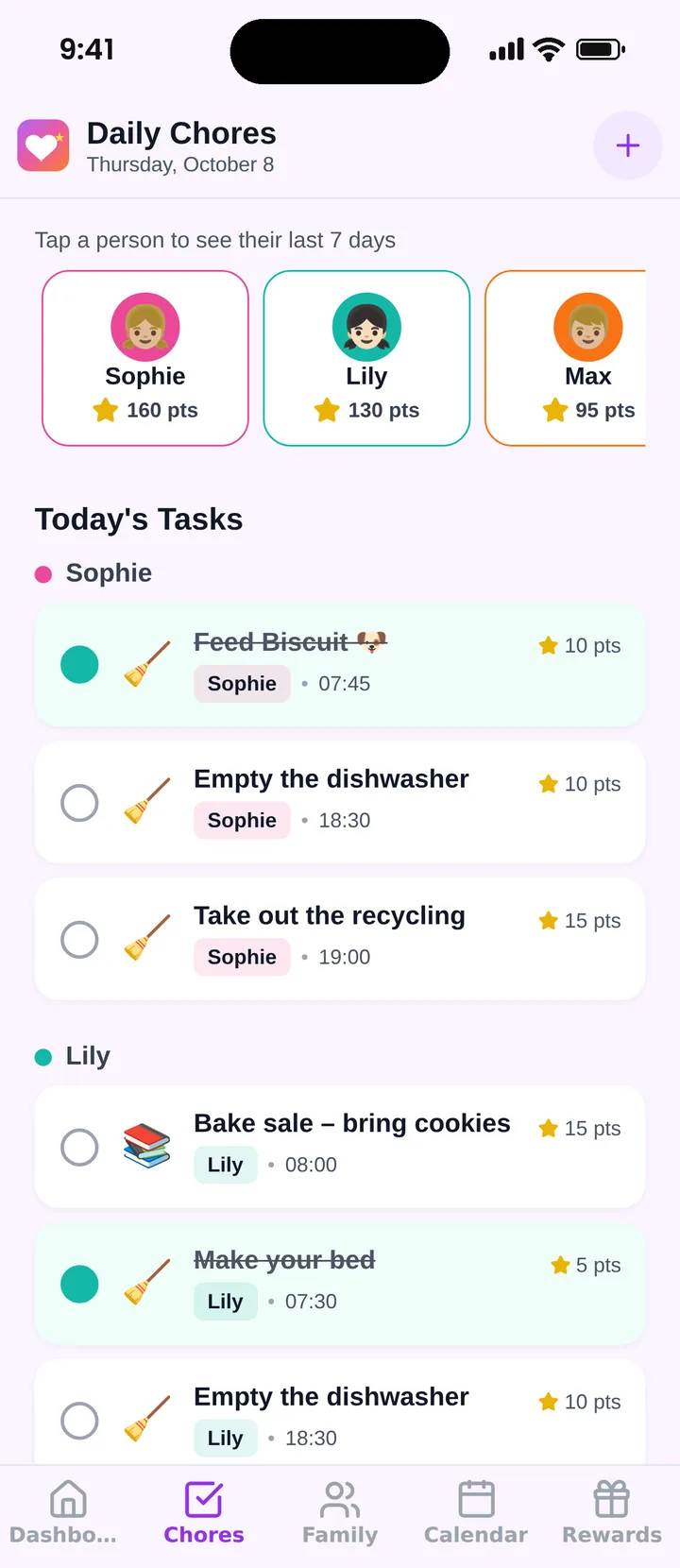
Famiyo is a free family app for iPhone and Android that combines a shared family calendar, chores with points and a rewards shop; kids join with a code, no email needed. Each row from your chart becomes a chore you add once, with who does it, its points and whether it repeats daily, weekly or every few days. Kids get a notification when a task is new, check it off on their own phone (or a parent approves it), and every phone in the family updates live, so there's no Sunday redraw. The free plan covers up to 3 family members and 1 repeating task. To compare options, see our list of the best chore chart apps.
Tonight, do Step 2: one lap of the house with a notepad. Everything else goes faster once the jobs are on paper.
Frequently asked questions
What is the easiest way to make a chore chart?
Use a by-person layout: one row per job per child, Monday to Sunday across the top. Draw it on paper with a ruler, slip it into a sheet protector and use a dry-erase marker so you can wipe it every Sunday. You can build one in under an hour once you've listed the jobs.
How do I make a chore chart in Excel or Google Sheets?
Put chores in column A, the person in B and points in C, then Monday to Sunday in D to J. Insert checkboxes in D to J, add a total column with =COUNTIF(D2:J2,TRUE)*C2, color each person's rows, and print landscape on one page or keep it open on a tablet.
Should parents be on the family chore chart?
Yes, at least for the jobs kids can see, like cooking dinner or cleaning the bathroom. A chart that lists only the kids' jobs reads like a punishment. When adults have rows too, the chart shows how the whole house runs and makes the kids' share feel fair.
How often should I change a chore chart?
Reset it every week, but change its content rarely. Give a new chart 2 to 3 weeks of steady use before judging it, then change one thing at a time: move a chore that's now automatic off the chart, add a harder one, or rotate a shared job between siblings.
Try Famiyo With Your Family
Chores with points, a rewards shop for kids and one shared family calendar. Set it up in a couple of minutes.



Free to download • No credit card required • Available on iOS & Android